



Can I have unique dangle properties for unique items on same puppet?
Hi! I've been gone forever, but I'm back and trying my hand again at learning this awesome program. I've built this new Patrick puppet: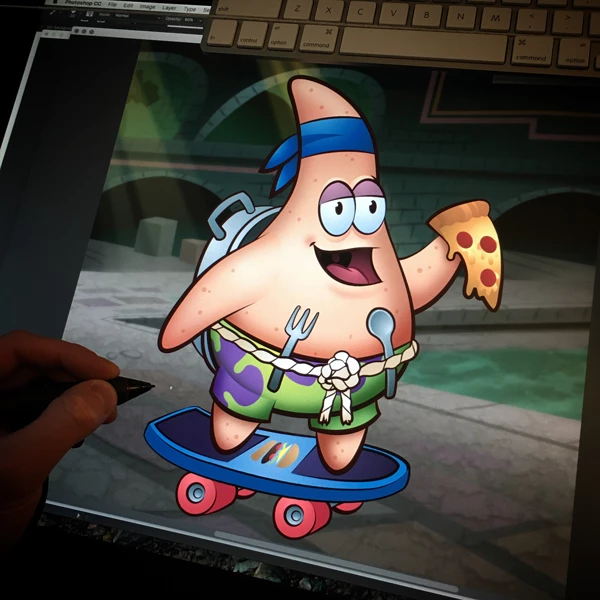
So far, things are working pretty great with him, but I still have a lot to learn!
One thing is how to get different areas to have different dangle effects. For example, the current settings are to accommodate his bandana tails. They have a nice little sway to them when he moves. I like it. However- now I want to add a little movement dangle to other areas like his back pan, his belt, his fork, spoon, pizza. When I add the dangle handle to those items, the same wind and gravity settings are applied to them. If I adjust it, it also adjusts for the bandana tails.
How can I effect these items differently or independently of each other? For some, I kinda want a rattle effect more than a dangle. Like the back pan, I want to kinda sturdily rattle around when he moves instead of a squashy feel. I want the pizza to feel more gooey and springy. Is that possible?
Thanks!
 AdChoices