


Participating Frequently
January 16, 2020
Answered

Can't export from Character Animator 2.1.1 to AME 12.1.2 in macOS

  • January 16, 2020
  • 1 reply
  • 1766 views

Character 2.11

AME 12.12

I'm using the most recent versions that I can Install. The very latest are not compatible with my Mac.

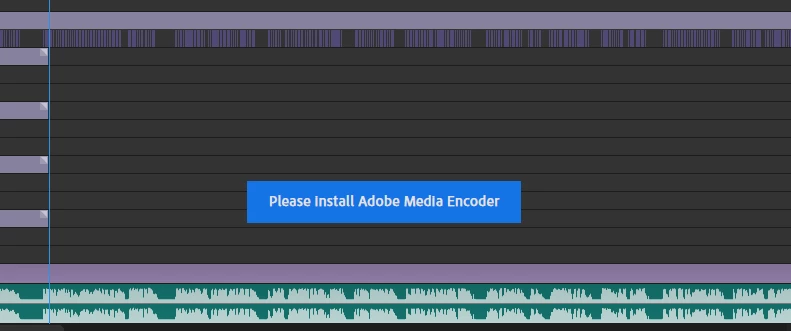
When I try to export an animation I've made I get a small message saying "Open AME" but it is already open. I've tried quitting and restarting the apps but it's still the same.
I've tried looking online for the answer without luck so I'm guessing it's not a common problem.
Can anyone help?
 

Title edited by mod

This topic has been closed for replies.
Correct answer Shivangi_Gupta

Hi there,


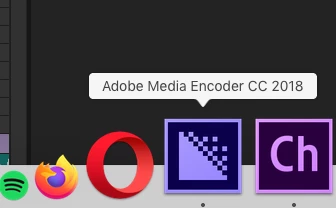
Thanks for reaching out. Dynamic link works only when both of the applications are from one release cycle. I read the description. AME 12.1.2 is from AME CC 2018 version and Character Animator 2.1.1 is from CH 2019 version. I'm assuming that this is the reason which is causing the issue.

Which macOS are you using?

I'd recommend you to update your OS(if it is not updated) and the update the Adobe applications as well.

The latest version of AME is 14.0.1 and Character Animator is 3.0.


Looking forward to your response.


Thanks,

Shivangi

1 reply

Shivangi_GuptaCommunity ManagerCorrect answer
Community Manager
January 17, 2020

Hi there,


Thanks for reaching out. Dynamic link works only when both of the applications are from one release cycle. I read the description. AME 12.1.2 is from AME CC 2018 version and Character Animator 2.1.1 is from CH 2019 version. I'm assuming that this is the reason which is causing the issue.

Which macOS are you using?

I'd recommend you to update your OS(if it is not updated) and the update the Adobe applications as well.

The latest version of AME is 14.0.1 and Character Animator is 3.0.


Looking forward to your response.


Thanks,

Shivangi

Participant
February 9, 2021

I seem to be having the same issue. I create a scene in Character Animator  (3.4 Build 185) and proceed to export it to AME (14.8 Build 31) and it just hangs. The scene is less than 1 minute long. (first time I did it I let it run for 1.5 hour in AME as it was stuck on "exporting video")   I am using a Mac running 10.15.7.  I typically run all programs pretty quickly on my machine and I am sure it is not a performance issue.  I also tried to import the project  to AE and Premiere Pro and I cannot see the scene rendered in any of them.  Scene plays beautifully in CA though.  Is there a step in CA I need to do that is preventing my scene from rendering in other programs?

alank99101739
Legend
April 17, 2022

The biggest issue with this solution is a practically insurrmountable one for some people. You can only install "compatible versions" where the hardware allows.
I rendered a couple videos and later saw that there was an update to one of the products so I upgraded it. When I tried to use it again it said I had to upgrade the other product. When I tried updating that it said it was incompatible with my comptuer. So I have the last versions of both products that would run on it and they won't work toegther. And, I haven't been able to "backgrade" to updated product to one which works.
I would have to replace my computer (which does 99% of what I need on a daily basis) in order to run something that I would use once in blue moon. 


Yes, they could do a better job of saying which versions are compatible - particularly important for older computers. There is a version of each release that all works together, but I don't know what it is for older versions. What product can you not upgrade and what version is it?