

bobokirk
Inspiring
October 23, 2017
Answered

Cannot Open Photoshop Via Ch CC2018

  • October 23, 2017
  • 1 reply
  • 972 views

I'm using the 'Cntl E' keyboard method, but also tried through the App Menu to open the character in Photoshop .... but I'm getting this message:
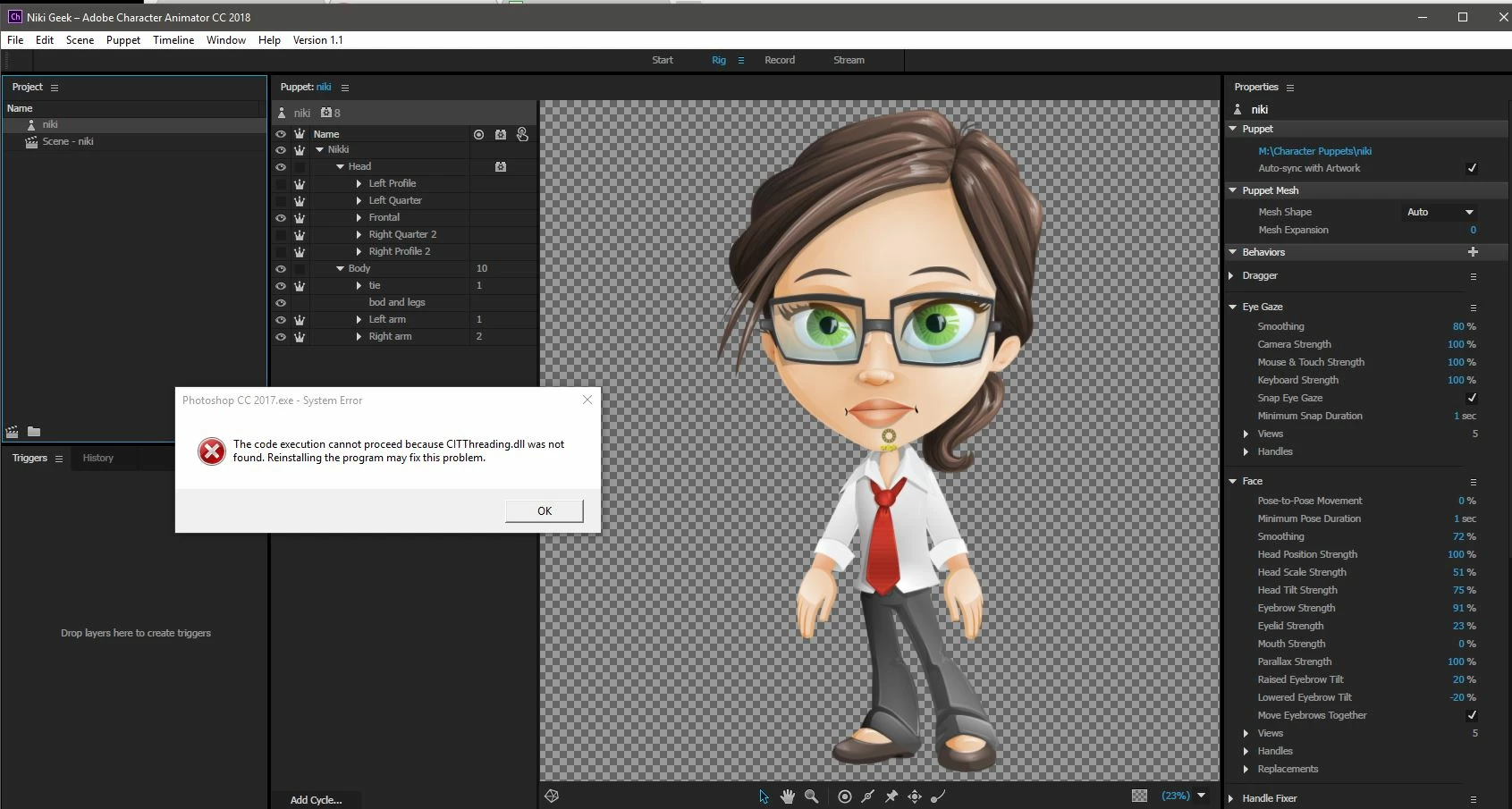

    This topic has been closed for replies.
    Correct answer bobokirk

    OK .... Sorry!  We just noticed Ch was trying to open my character using PS CC2017, which I guess is no longer there.
    A repoint seems to have fixed it .....

    1 reply

    bobokirk
    bobokirkAuthorCorrect answer
    Inspiring
    October 23, 2017

    OK .... Sorry!  We just noticed Ch was trying to open my character using PS CC2017, which I guess is no longer there.
    A repoint seems to have fixed it .....

    Participating Frequently
    October 23, 2017

    How did you do a repoint? I get nothing in Photoshop and no errors when doing a Ctrl-E (windows).

    Jeff Almasol
    Adobe Employee
    Adobe Employee
    October 23, 2017

    Very strange....apparently a perfect storm of and Windows 10 install/upgrade and Adobe upgrades.

    After your message, I tried to open up a psd file from Windows Explorer and got prompted for the default application (that was new). I figured, "Ah, that's the ticket," but CA still wouldn't let me do an "Edit Original."

    1. So, I opened Lightroom and see that was working for Raw files, but not PSDs.
    2. Closed photoshop and tried opening from explorer. It opened Photoshop, but not the file...very strange.
    3. Closed PS again, then closed CA. Now opening from Explorer opened PS and the file.
    4. Restarted CA and now the edit Original works.

    Again very strange, but it looks like it had something to do with file associations, with maybe Character Animator holding onto something, maybe.....I don't know, but I am working now.

    Thanks for the quick reply.


    Character Animator might not pick up any changes to OS-level file associations until the app is restarted. Glad you're up-and-running now.