New Participant
December 1, 2016
Question

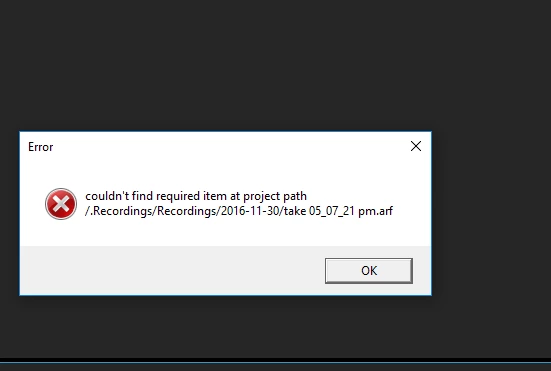
error: couldn't find required item at path...

  • December 1, 2016
  • 1 reply
  • 3662 views

Hello

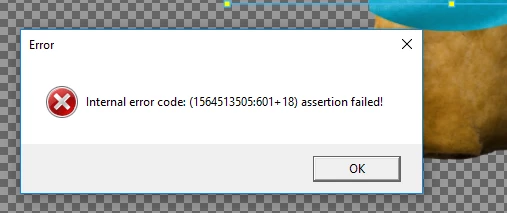
I got 2 error codes and now my project is corrupted.

I had just deleted an audio track and a lip sync track. As I was going to redo it. And without changing anything else this error popped up.

Cheers
This topic has been closed for replies.

1 reply

oksamurai
Community Manager
Community Manager
December 1, 2016

If you go to Window > History and roll back to before you deleted those changes, does it help?

The .arf files are special data files CH makes and uses to remember recordings - so the fact it can't find it seems strange, like it didn't finish making the file or something.

Is there any chance you are saving this to a cloud folder? We have had some issues in the past of people saving these files to places like Google Drive or Dropbox.

Emily_Watts
Inspiring
February 3, 2017

I'm getting the same error ("couldn't find required item at project path /.Recordings/Recordings/2017-02-02/take 08_21_14 pm.arf"). It occurs every time I open my file now, and several of my scenes won't play anymore. You can still see the actions that are recorded, but the puppet is missing from the view and they won't play.

Per response from oksamurai to original reporter, yes, I have my project saved to Dropbox, so maybe that's the issue. I'll save future projects to my hard drive instead while I'm working on them, then copy to Dropbox when I'm done.

Emily_Watts
Inspiring
February 15, 2017

Hello yoyoemmyjo@gmail.com,

Were you able to solve your issue by following the steps from OkaySamurai above? Let us know if you are still running into the same error and need further assistance.

Thank you!


Hi Meredith - I still get the same error when I open up the original project where the error occured. It seems the file is corrupted now and some of the scenes won't play anymore. But I rebuilt the project and saved it on my hard drive (instead of to Dropbox) and I haven't gotten the error again yet. Now I just try to remember to save a backup copy of my project to Dropbox once a week so I don't lose it. I think Oksamurai was correct that it has to do with saving to a cloud drive. Would prefer to be able to save directly to Dropbox if the bug can be solved in the future, but for now I'm OK with the workaround. Thank you!