



ktracy
Participating Frequently
April 5, 2020
Answered

Head and Torso not moving (probably connection issues)

  • April 5, 2020
  • 2 replies
  • 2186 views

Hi there,
This is my first time using Character Animator and I decided to ignore the advice to "start simple."  As a result, I have a puppet whose head and torso aren't able to move.  This is still a work in progress, but I eventually want to have a head and body that turn individually.  I thought it would be good to fix the problems now rather than magnify them 5 times by building on a broken file.

There's a chance the organization of this heirarchy may be causing the issue, but I suspect it's actually a connection issue.  When I select the "Head" group, a blue box appears around the head, but the torso has the yellow outline.   Also, when I select the Body group, I don't see the pivot/joint/connection point on the neck for the head.

I've been trying to troubleshoot this myself for the past 8 hours and decided I should reach out after making exactly zero progress.  I look forward to hearing your input as I'm sure it's going to exponentially expand my knowledge of this software; which I'm really excited about learning.
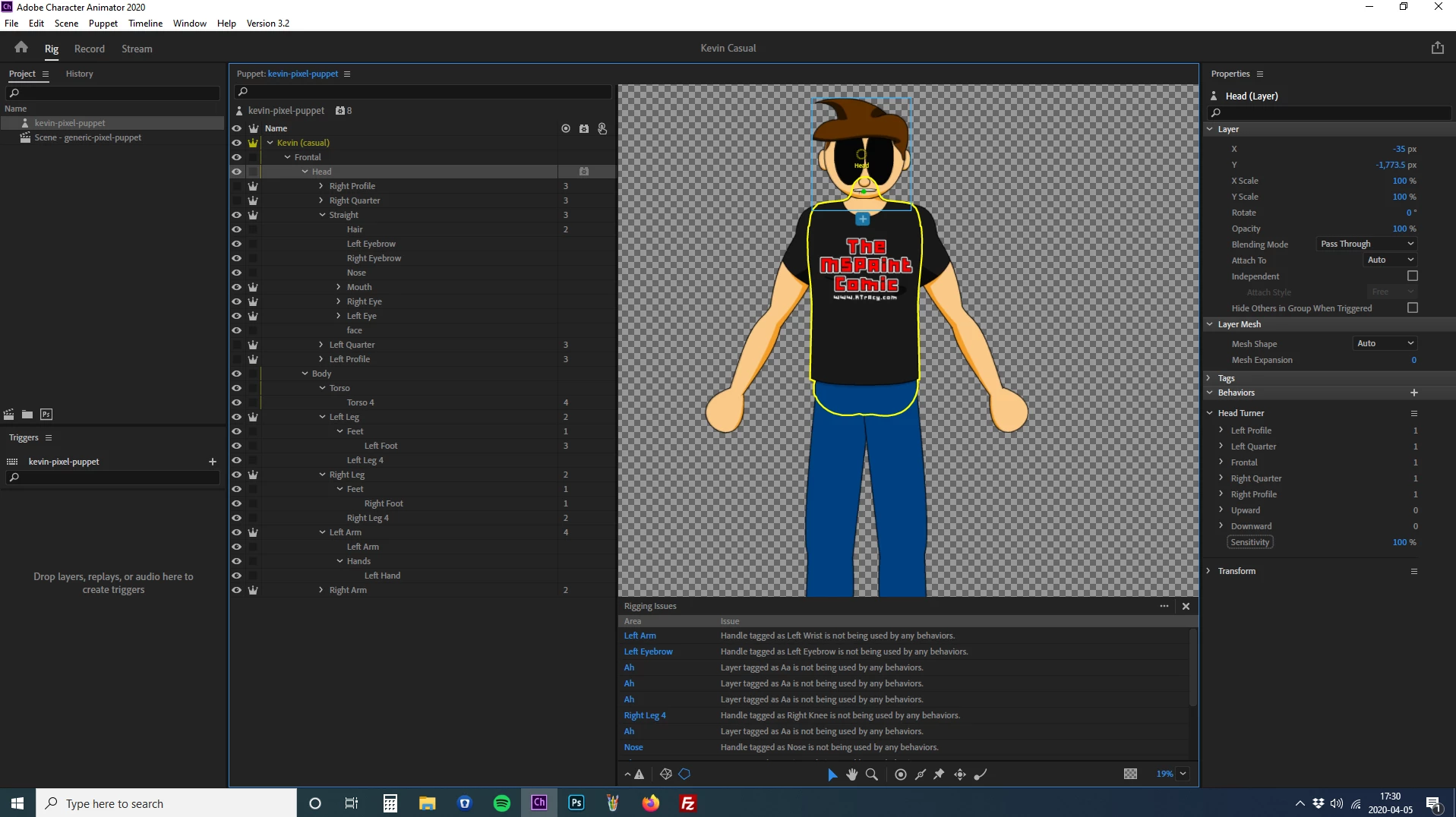
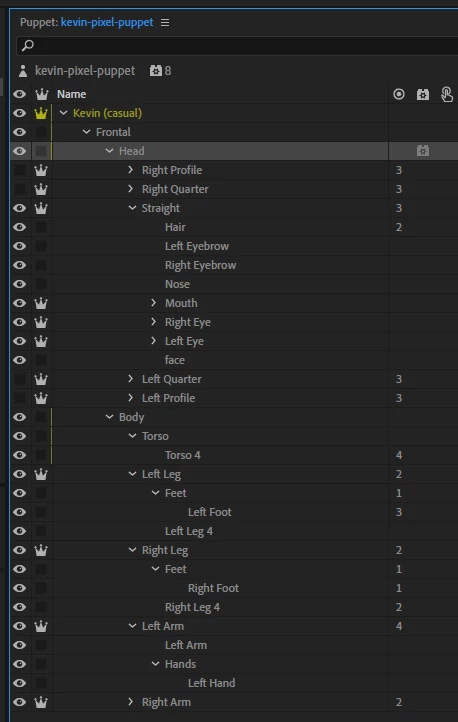


In addition to the screenshots, I've uploaded the Character Animator and Photoshop source files to my FTP.  Feel free to grab them if it helps:
https://ktracy.com/characteranimatorproblems/

This topic has been closed for replies.
Correct answer alank99101739

Because the head profiles are independent, when it moves the body will not move. You could try with independenc off for the head, or put a dragger on the chest and do it manually.


There is a "clever" way to put a second head and face behavior on puppet body, but I normally use the dragger myself.

2 replies

alank99101739
alank99101739Correct answer
Braniac
April 6, 2020

Because the head profiles are independent, when it moves the body will not move. You could try with independenc off for the head, or put a dragger on the chest and do it manually.


There is a "clever" way to put a second head and face behavior on puppet body, but I normally use the dragger myself.

ktracy
ktracyAuthor
Participating Frequently
April 6, 2020

I'm still pretty confident that there are some connection issues, but I think I solved the problem that led me to create this post.  I think I had the head tag assigned to the head group rather than to each of the heads.  The head is still floating around and I have to figure out how to get it to stay on the puppet's neck, but I'm pretty sure that's covered elsewhere in these forums.

"Be Excellent to Each Other." William Preston Esquire & Theodore Logan
alank99101739
Braniac
April 6, 2020

Try setting head position strength of the face behavior to 0. That often solves the floating head problem. Sorry, I missed this post before.