Inspiring
December 7, 2022
Answered

HELP! My Character Animator Project Crashed and won't reopen

  • December 7, 2022
  • 3 replies
  • 1800 views

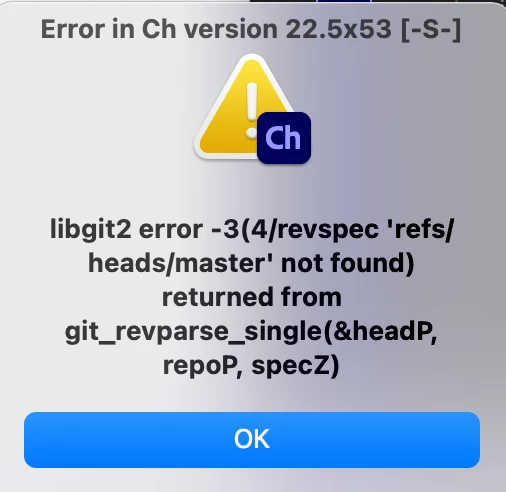
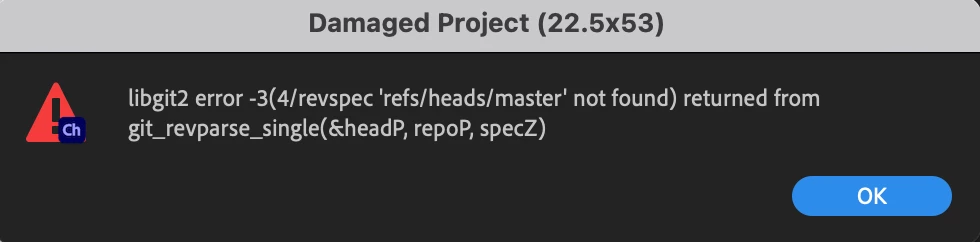
So I ran out of disk space while exporting a puppet and it caused Character animator to crash. Now it geve this error and won't reopen. I spent three days on it. Is there anyway to recover it? Are there any previous versions that I can recover? 
 

Correct answer reverie555

dtull-adobe was able to fix it. It was mostly a matter of renaming the damaged projectdata.rope file in the repo.noindex folder. Once it was named back to projectdata.rope it opened fine. Also in the future. If you are exporting and run out of disk space and crash. Besure to free up your disk space before opening character animator back up. 

3 replies

Erica Schisler
Inspiring
December 7, 2022

We're looking for someone directly on the Character Animator team to help. We'll get back to you as soon as we find the right person. 

reverie555AuthorCorrect answer
Inspiring
December 8, 2022

dtull-adobe was able to fix it. It was mostly a matter of renaming the damaged projectdata.rope file in the repo.noindex folder. Once it was named back to projectdata.rope it opened fine. Also in the future. If you are exporting and run out of disk space and crash. Besure to free up your disk space before opening character animator back up. 

Participant
August 15, 2025

For those following along, this turned out to be a very strange (and honestly kind of disturbing) case. I don't actually work on Character Animator day to day anymore, but try to reply when cases like this come up.

Basically what happened here is that the project file was valid at the lowest level of format validation. The rope format is only changed by appending new records and all the records in the file were valid. The problem was that there were some records and that level of invalidity isn't detected by the automatic repair mechanism. Usually automatic repair reads until it its a malformed block and truncates the file there. This generally works really well, but in this case the blocks were all valid but when it went to interpret them as a project, it failed because there were a few holes. So I found the last point in the file where the content was complete, truncated it at that offset, and then it opened fine.

I haven't actually heard back from Matt to confirm, but I think the project will work. It took me a few days to get time to dig in and understand what had gone wrong. Hopefully it wasn't too late. 😕😕 The disturbing part for me is that this would seem to indicate a hole in error handling or a filesystem that sometimes silently fails to flush writes. It's extremely surprising that it managed to only write valid records but not all of them. 😬

A bug like that was discovered, but it was an earlier version and was believed to be fixed.


Just following up-- Dan's fix indeed worked and I was able to open the project with his new rope file. Not too late at all-- very helpful and much appreciated! 

I work from a network drive and when the crash happened I was in a place with somewhat spotty internet. No idea if that is relevant or not, but maybe it is useful context. 


Inspiring
December 7, 2022

Welp. Went to customer support and after two hours, they were just like "Oh well,  it's damaged" WHY IS THERE NO AUTOSAVE IF THIS TYPE OF THING CAN HAPPEN?  Is there anyone from the Character Animator team that understands the file structures, that could help me retrieve this?? 

TheOriginalGC
Community Expert
Community Expert
December 7, 2022

I don't work for Adobe, so I can't help you. But there is a chance that someone that works there can recover the file. But try not to get your hopes up. You've encountered what CH uses for autosave already.

TheOriginalGC
Community Expert
Community Expert
December 7, 2022

The first thing to try is to hold down the "alt" key while starting to do a fresh start without loading the previous project.

Inspiring
December 7, 2022

That didn't work. Once the character animator is opened without a project opened, and I choose to open to that project. It gives the same error. 

TheOriginalGC
Community Expert
Community Expert
December 7, 2022

Maybe someone with technical expertise can offer assistance in recovering the project. Otherwise, you would have to import the original file into a new project, which sounds like you're trying to avoid.