cool_fritz
Inspiring
July 26, 2018
Answered

Invisible arm with visible hand—Is that possible?

  • July 26, 2018
  • 1 reply
  • 563 views

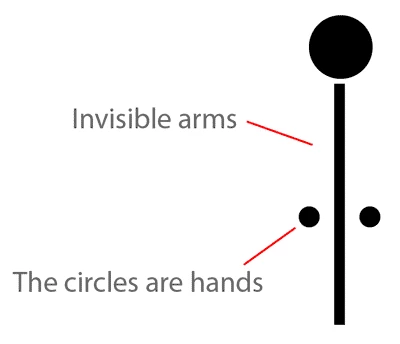
Here's a weird question for you. I want to have a character with circles for hands and no visible arms. I want to be able to move the circles (hands) and have them move as if the arm were there (for the purpose of physics). Ideally the circles would not deform.

Is this even possible in CA? I've tried creating the arms as you normally would and then making the opacity zero, but CA seems to treat that as if the element isn't there.
Thanks,

John
This topic has been closed for replies.
Correct answer alank99101739

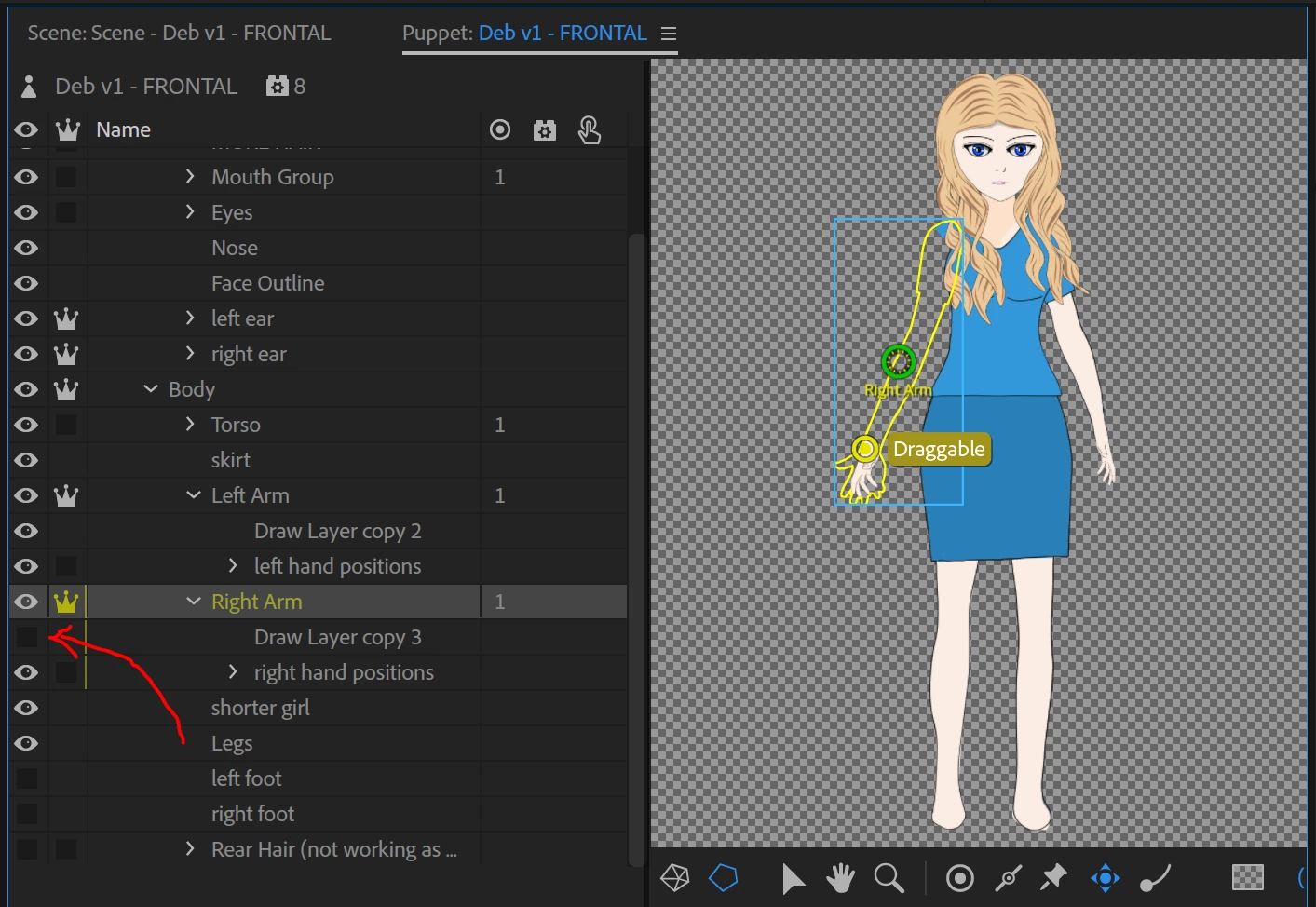
Try using the eyeball icon to make the arm connecting the hand to the body invisible instead. I also found less than around 20% opacity in the artwork seemed to turn into “not there”. But I took an existing puppet with an arm, then in the rigging puppet hierarchy in CH turned off the eyeball for the arm group I had between the body and the hand, Ch then acts as if the arm is still there. You just need to group the hierarchy to make it easy to hide the joining arm. (For you it would be a skinny rectangle to join the circle hand to the body.)

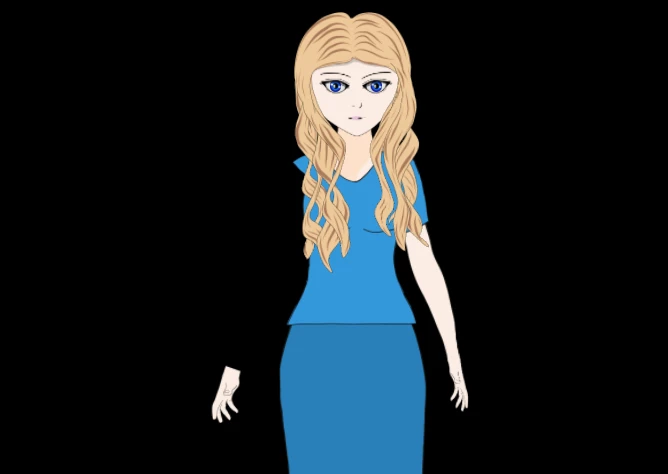
The following shows the hand in the scene in default position.

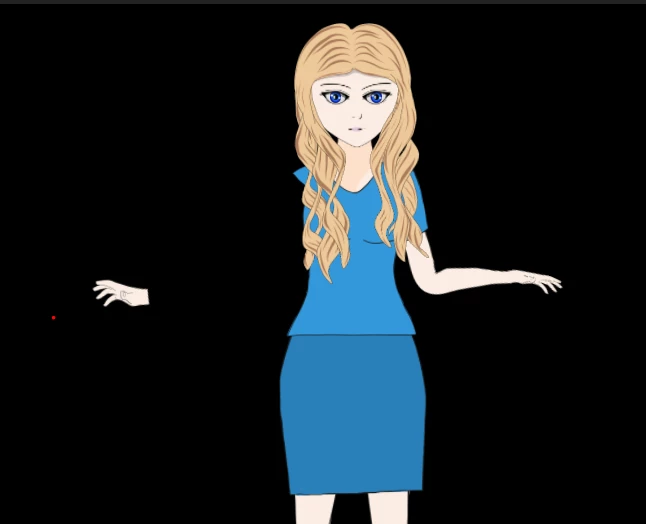
The follow shows the hand dragged - see how it has changed its angle relative to the body, because it thinks its attached still? (It also stays in place when you adjust X/Y, rescale, etc)

1 reply

alank99101739
alank99101739Correct answer
Legend
July 27, 2018

Try using the eyeball icon to make the arm connecting the hand to the body invisible instead. I also found less than around 20% opacity in the artwork seemed to turn into “not there”. But I took an existing puppet with an arm, then in the rigging puppet hierarchy in CH turned off the eyeball for the arm group I had between the body and the hand, Ch then acts as if the arm is still there. You just need to group the hierarchy to make it easy to hide the joining arm. (For you it would be a skinny rectangle to join the circle hand to the body.)

The following shows the hand in the scene in default position.

The follow shows the hand dragged - see how it has changed its angle relative to the body, because it thinks its attached still? (It also stays in place when you adjust X/Y, rescale, etc)

cool_fritz
Inspiring
July 27, 2018

Thank you so much! I'm such a dummy , it never occurred to me I could turn off the eye and have it work. That's exactly what I want.

----------- MacBook Pro 16 | 2.3 GHz 8-Core Intel Core i9 | 32 GB 2667 MHz DDR4 (RAM) | AMD Radeon Pro 5500M 8 GB