



TheOriginalGC
Community Expert
August 27, 2021
Answered

Is it possible to fade PSD layers?

  • August 27, 2021
  • 2 replies
  • 668 views

I can add new objects in PSD layers to the BG or anywhere else I want. I can toggle visibility using triggers. Is there a way to fade something in or out when I trigger it? I tried doing a blend in the timeline, but it doesn't seem to be an option.
This topic has been closed for replies.
Correct answer k_oshiro

I used translation software to convert Japanese into English.

I'm not very good at English. I'm sorry if I misunderstood your meaning.


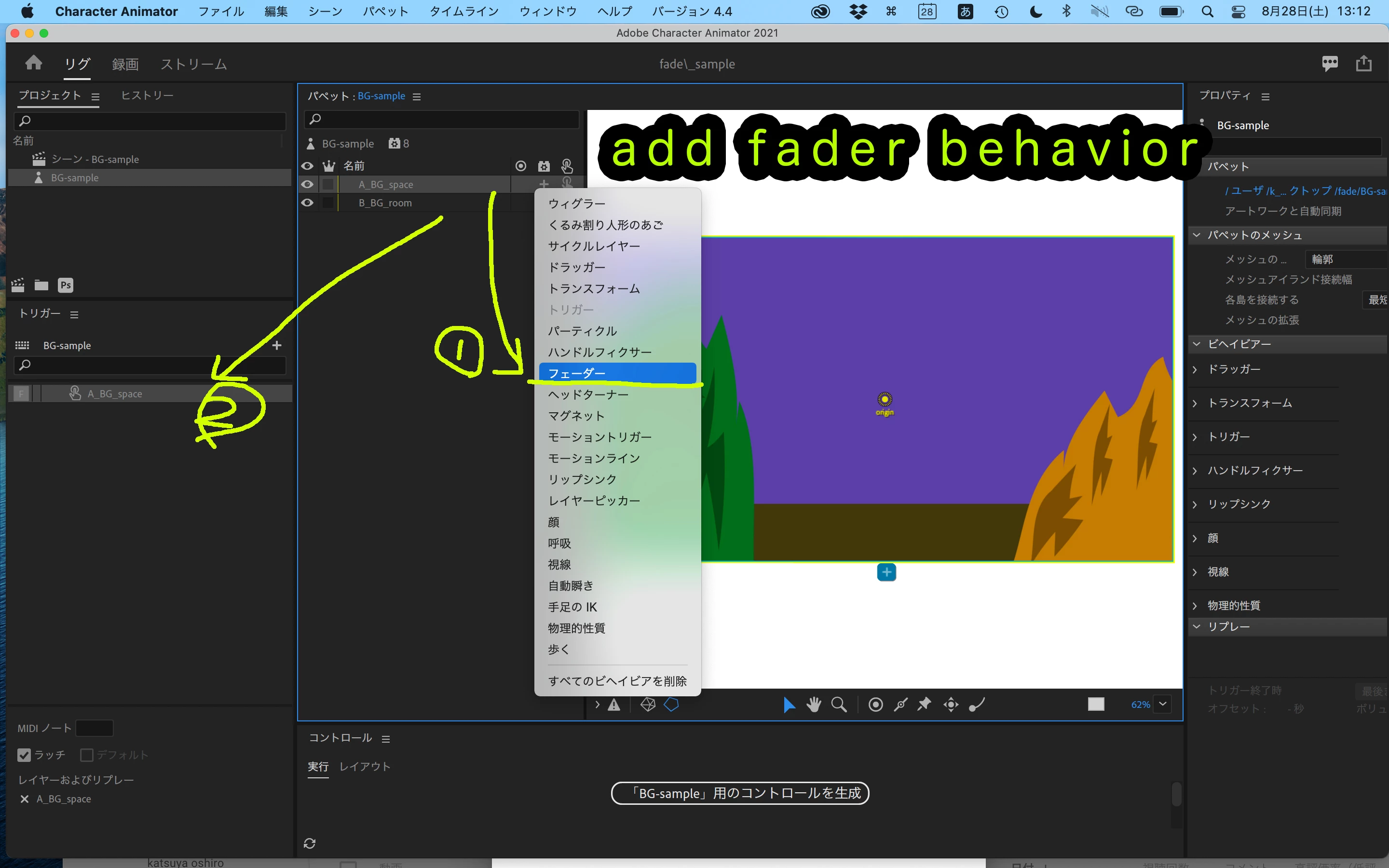
Have you tried using the fader behavior?
Add it to the layer you want to fade.


You can show or hide it by triggering it.
You can also set the duration of the fade.
Thanks.

https://youtu.be/p1SNDeHUXXQ

2 replies

k_oshiro
k_oshiroCorrect answer
Community Expert
August 28, 2021

I used translation software to convert Japanese into English.

I'm not very good at English. I'm sorry if I misunderstood your meaning.


Have you tried using the fader behavior?
Add it to the layer you want to fade.


You can show or hide it by triggering it.
You can also set the duration of the fade.
Thanks.

https://youtu.be/p1SNDeHUXXQ

alank99101739
Brainiac
August 28, 2021

Huh! I never noticed there was a Fader behavior! Thanks @k_oshiro !


https://helpx.adobe.com/adobe-character-animator/using/behaviors/utility.html#fader "The group will fade in when triggered, then fade out when the trigger is released.". (And if you want the opposite (fade out when triggered) I would experiment with a swap set where you have a dummy empty layer and the real layer - it auto un-triggers the "default" of the swapset when you trigger the dummy layer, basically allowing a trigger to hide something (the default) instead of showing something).


alank99101739
Brainiac
August 27, 2021

There is an opacity property, but to fade with a trigger I think you would have to create a replay and trigger that (that is, record and blend /key frame opacity in the timeline)

TheOriginalGC
Community Expert
August 27, 2021

Yes, that was my intention, rather than create some sort of cycle animation. However, there is no blend icon for this particular action in the timeline. 

alank99101739
Brainiac
August 27, 2021

My apologies. I left put a critical detail. Opacity is a property of the transform behavior. You need to add a Transform behavior to the layer you want to fade out, then keyframe etc the opacity value of that behavior.