

Participating Frequently
August 21, 2018
Answered

Mesh issue

  • August 21, 2018
  • 3 replies
  • 2087 views

So I don't know why my right arm mesh outline is too big, changing the puppet mesh to contour does nothing. Every other layer is fine but my right arm help!

This topic has been closed for replies.
Correct answer KJerryK

Here we go, thank you for the different browser suggestion, that worked. Ok so there is the mess and the order of my layers, { the first is the fist, sorry for the type o }
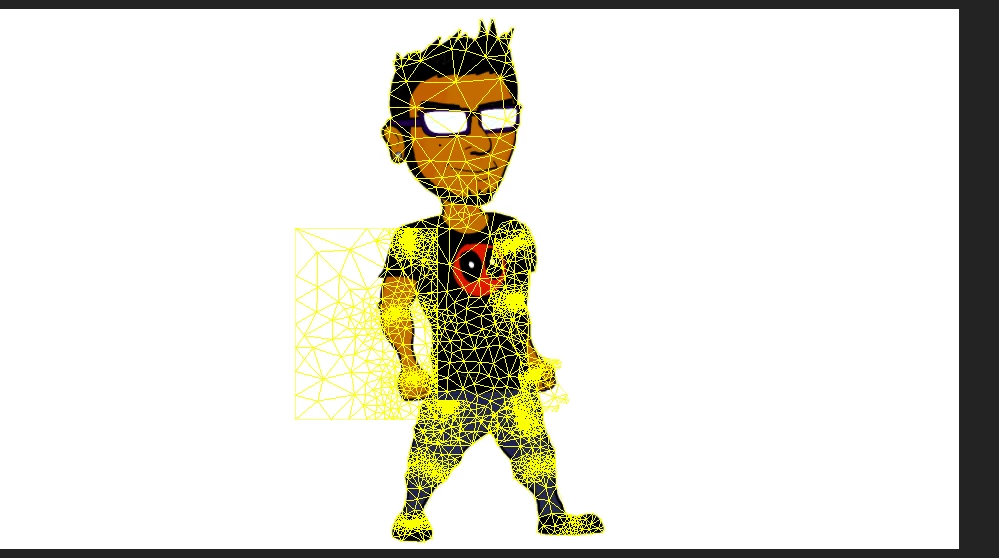
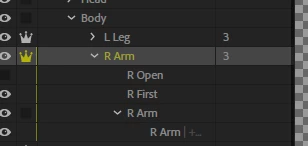
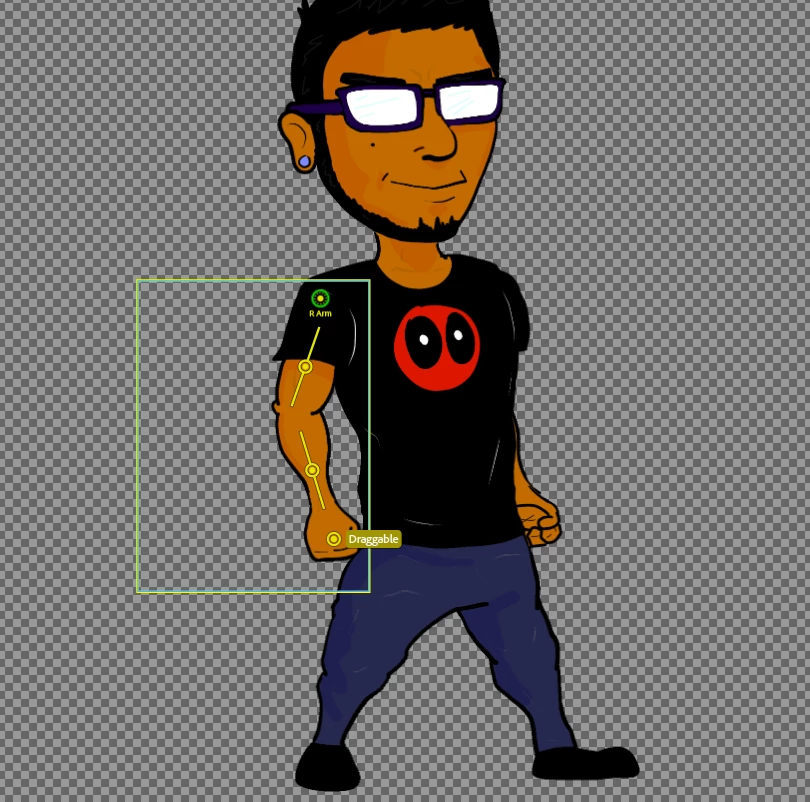
So the first thing you can do is open the puppet in the app where you made it, such as in Photoshop. If Photoshop, individually select each layer with the move tool activated. This will show you which layer has the extra pixels.

3 replies

New Participant
October 12, 2020

I have similar issue can you help?

alank99101739
Braniac
October 12, 2020

See how the yellow outline looks like the mouth, but its in the wrong spot? Go into Photoshop/Illustrator, expand the "Mouth" layer to show all the children layers, then put the eyeball on for all of them. I think you will discover you moved the Neutral layer and resized it, but all the other alternative mouths did not move/resize. Resize them so they all overlap in the right space, then save that file. If it works, hide all the layers except Neutral again.

New Participant
October 12, 2020

i have the same problem,

alank99101739
Braniac
August 22, 2018

Can you include a screenshot of the mesh? That can help a lot. For example, is it a rectangle or an unusual shape? A screenshot of the puppet hierarchy in CH for the arm can help as well. E.g. are there layers present but hidden? (Hidden layers affect the mesh as a trigger might make it visible.)

If I had to guess, there is something in the right arm layer you did not expect (e.g. something slipped into the wrong layer). So I would check the artwork file.

A screen shot of the rig mode with the mesh turned on can help too (select the arm layer to show its mesh).

Participating Frequently
August 22, 2018

I can't add images , for some reason it is forbidden? Any reason for that ?

Participating Frequently
August 23, 2018

So the first thing you can do is open the puppet in the app where you made it, such as in Photoshop. If Photoshop, individually select each layer with the move tool activated. This will show you which layer has the extra pixels.


It was the open hand layer, I deleted that layer and its fine, why would a hand layer cause so much issues?

Regardless thank you