

Answered
remove background
can someone please tell me how can i remove the background of a puppet on adobe illustrator

can someone please tell me how can i remove the background of a puppet on adobe illustrator
Yes please, that would be helpful 🙏
Start in Character Animator. In the Project panel to the left, select your puppet (not the scene). Right-click on the puppet and select "Edit Original" to open up the program it was edited in (usually Photoshop).
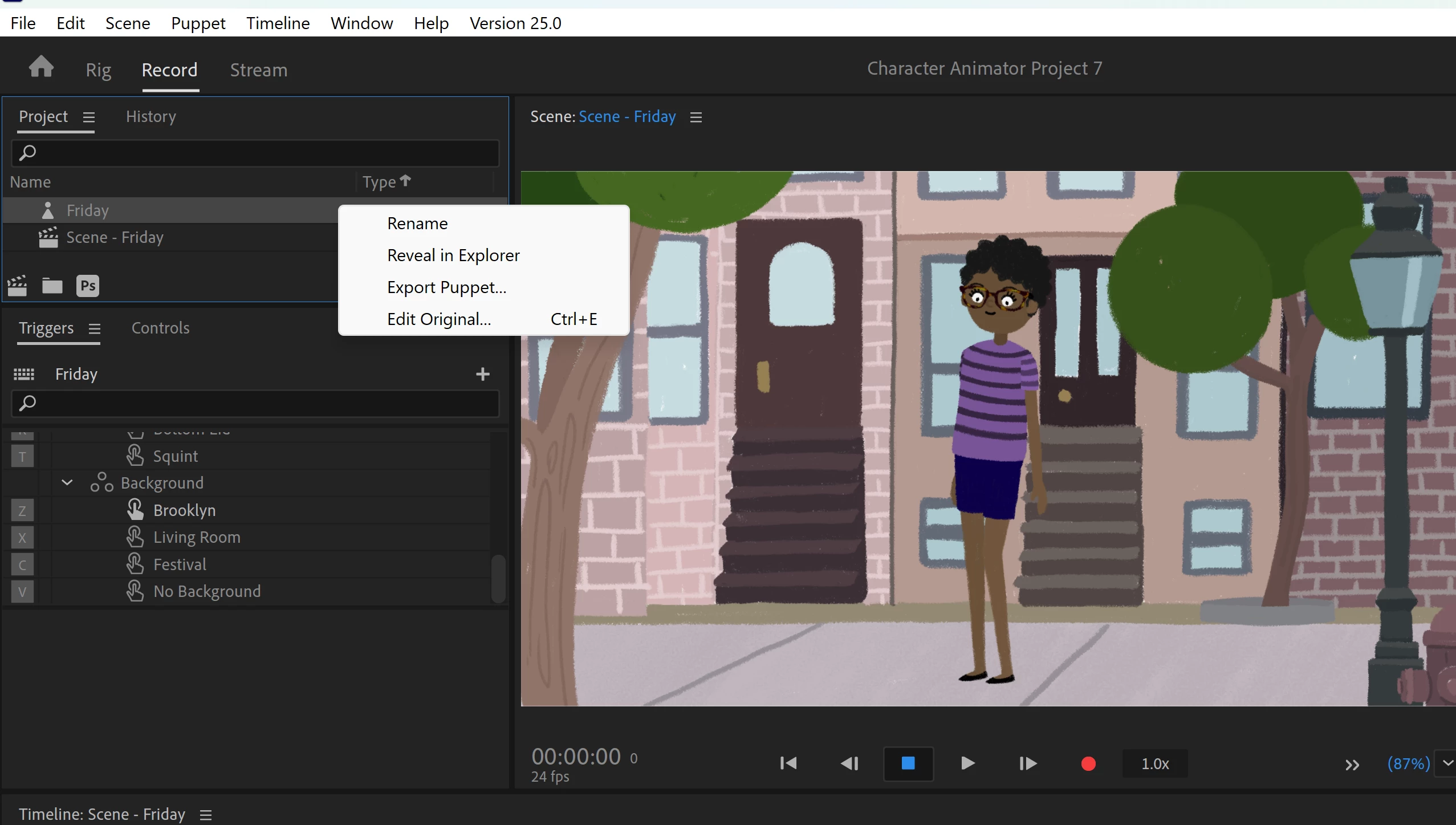
Once you are in Photoshop, find the "Layers" panel. At the bottom of the list of layers is a folder called "Background." Drag background over to the garbage can in the layers panel to delete it.
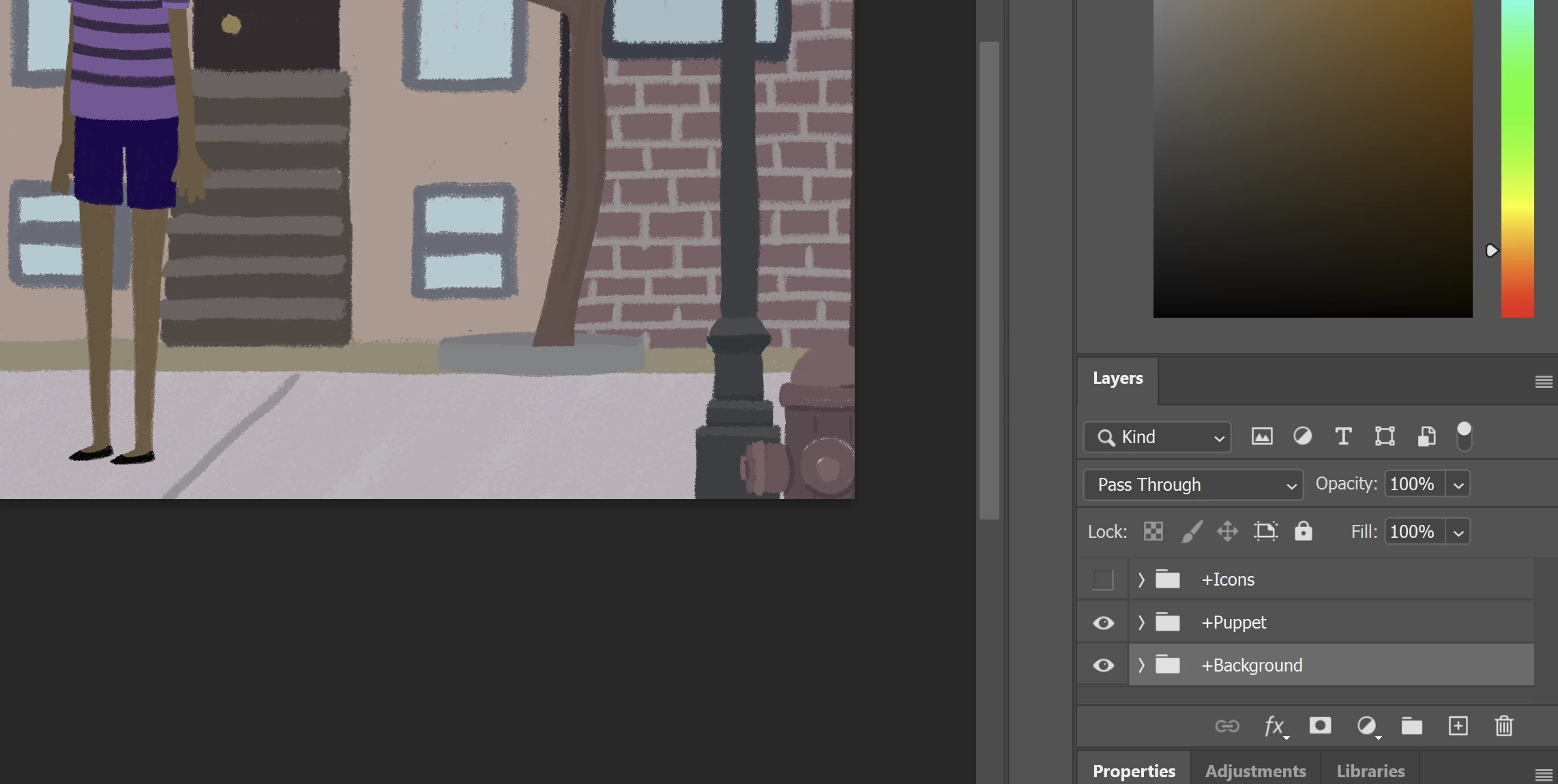
Once the backgrounds have been deleted, save your file and exit Photoshop. When you return to Character Animator, the puppet will automatically update. Then you will be able to add your new background. by importing it and dragging it into your scene beneath your puppet.
Already have an account? Login
Enter your E-mail address. We'll send you an e-mail with instructions to reset your password.
 AdChoices