

alank99101739
Legend
October 21, 2018
Answered

Edit Original for PSD (Photoshop files) not working after upgrade for Ch2019?

  • October 21, 2018
  • 1 reply
  • 831 views

On Windows 10 I can do "Edit Original" for Adobe Illustrator files fine, but when trying for a puppet backed by a PSD file it does not work. It does not load up Photoshop.

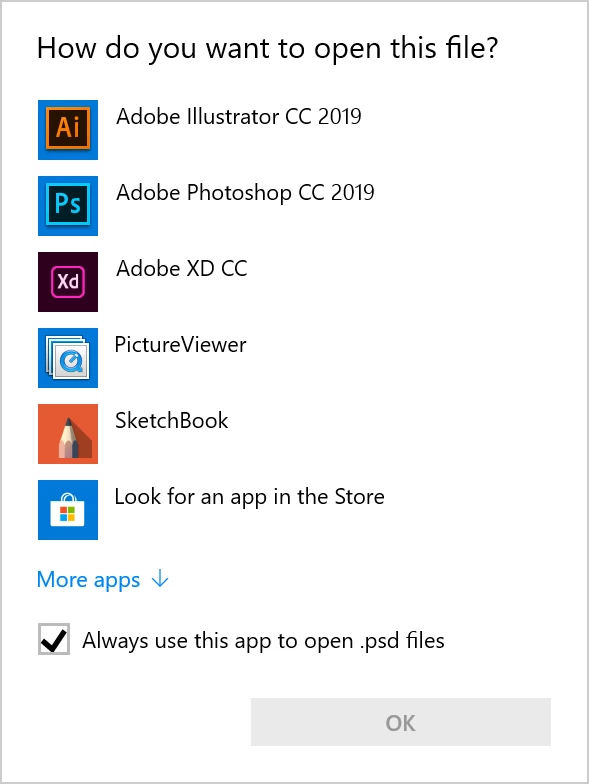
Further, when I double click on a PSD file in Windows Explorer it comes up with a list of choices to use. I pick Photoshop and click the "remember this choice" checkbox, but it still asks every time I double click the PSD file. I am guessing this is why "Edit Original" is not working. (Clicking on .ai files (Adobe Illustrator) works perfectly - its just PSD files.)
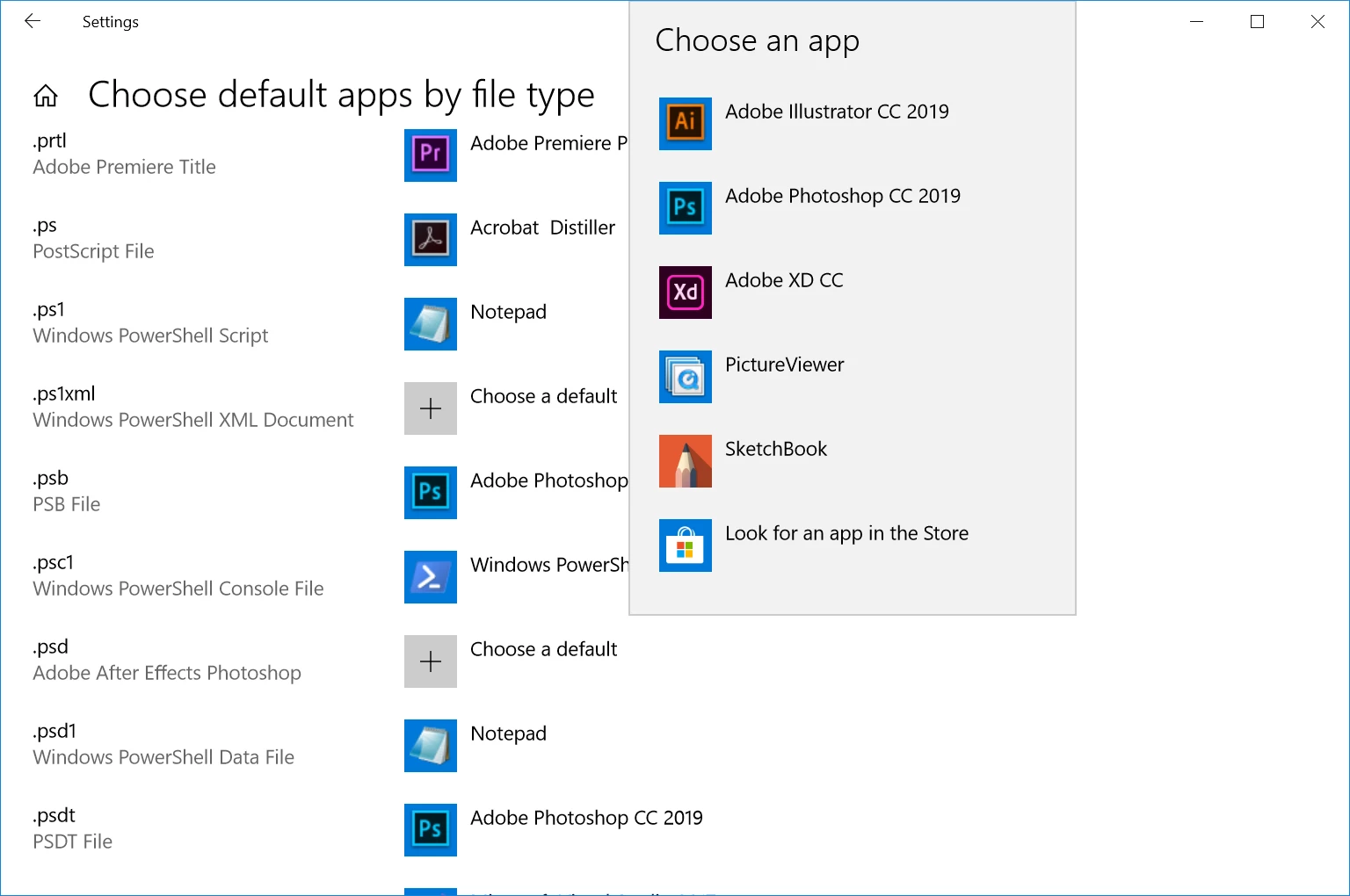
Going via Control Panel, you can work your way through to binding file types based on extensions to default programs. But even after rebooting the computer, I cannot set the app to Adobe Photoshop for .psd files. I click on the "+ Choose a default" then click Photoshop from the popup list, but it remains on "+" (does not change to Photoshop). (I can change the default to PictureViewer - just not Photoshop.)  Any ideas?
    This topic has been closed for replies.
    Correct answer alank99101739

    Okay... so I think an just solved the problem. Not sure why, but...

    I checked the launcher app, and apparently my preferences had set the default install location to C:\Adobe. So I changed this to C:\Program Files\Adobe, then uninstalled and reinstalled Photoshop. Photoshop is now installed under C:\Program Files\Adobe. Now I can set the file extension, and now Edit Original works.

    So it appears Windows only wants to set file extension defaults for programs installed under Program Files... or some similar rule.

    1 reply

    alank99101739
    alank99101739AuthorCorrect answer
    Legend
    October 21, 2018

    Okay... so I think an just solved the problem. Not sure why, but...

    I checked the launcher app, and apparently my preferences had set the default install location to C:\Adobe. So I changed this to C:\Program Files\Adobe, then uninstalled and reinstalled Photoshop. Photoshop is now installed under C:\Program Files\Adobe. Now I can set the file extension, and now Edit Original works.

    So it appears Windows only wants to set file extension defaults for programs installed under Program Files... or some similar rule.