


Question
Adobe Creative Cloud installer and UAC
Hi,
Hope all is well with you.
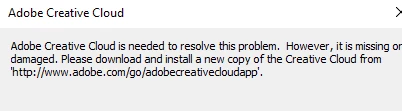
At work, we started seeing the following message after installing Adobe Creative Cloud and trying to update it:
"The installer has detected that the User Account Control(UAC) is turned off.
Please turn it on to be able to proceed with installation."
See picture below as well.
We've turned on UAC and the message still comes up.
UAC is turned off by Group Policy and all necessary securities are in place.
We just recently started seeing this issue, so Adobe CC was working fine before.
Any possible workarounds or suggestions for a fix are greatly appreciated.
Thanks in advance.
Hector
 AdChoices