Hi Artur,
Thanks for the additional info. My inclination is that the issue must somehow be related to user permissions. To that end could you try these:
- Try creating a new administrative account and see if the same issue occurs there.
- Try turning off any antivirus software temporarily and see if the issue still occurs.
- Right click on and get properties on the Creative Cloud app and launch using the Run as Administrator option
- Right click on and get properties on the Creative Cloud app and ensure that it is not set to run in any kind of compatibility mode
Please let me know if these help,
Best,
- Dave
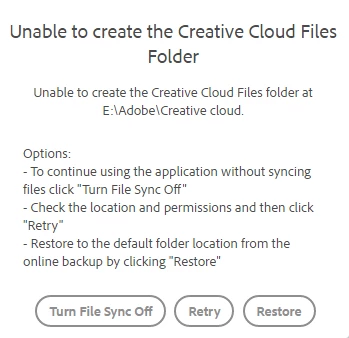
Hello, I just wanted to give my work around to the problem I had in case someone has something similar.
What I did is back up all of my files from the cloud, deleted everything from the cloud and then changed folder location.
Now the new location works and I just copied back there the files I needed, I guess Creative Cloud had some troubles transferring some of my files there automatically.




 AdChoices