


New Participant
June 13, 2022
Answered

CC library updates not syncing

  • June 13, 2022
  • 2 replies
  • 3187 views

Our design team has been using CC libraries to share assets for a while now with no troubles. 


Today, however, some new logo files were added that are not syncing between users. The uploading user has shared screenshots of their library -- showing two additional logos -- that are not appearing for anyone else on the library.


I have verified that syncing is enabled in the CC app for all users and we've done some usual troubleshooting like CTRL+ALT+R refreshes to try to get things synced. 


Any reason why this would be happening out of the blue? Our updates have always synced normally up until today and I'm not sure what to check. Your help is much appreciated!
This topic has been closed for replies.
Correct answer

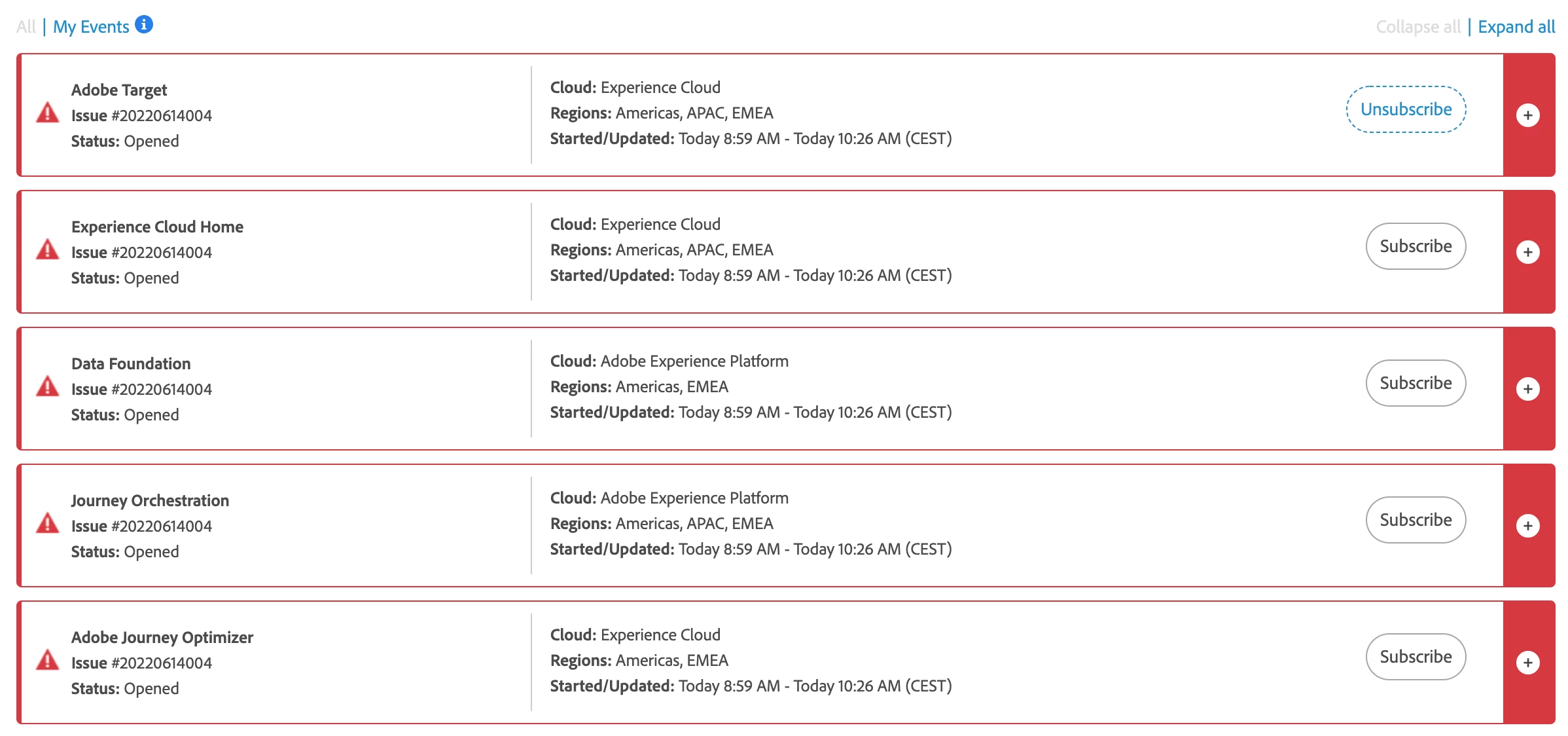
It seems there are multiple major global issues, pretty sure these issues causes the problems. I have the same error on my system since yesterday. For more info: https://status.adobe.com/

@11337358 can you clarify this for us?


2 replies

Correct answer
June 14, 2022

It seems there are multiple major global issues, pretty sure these issues causes the problems. I have the same error on my system since yesterday. For more info: https://status.adobe.com/

@11337358 can you clarify this for us?


New Participant
June 14, 2022

I think you may be on to something, @2929144


After a hard restart and some time, the issue is now resolved. The sync is back online and working as expected. Seems it was some sort of fluke -- possibly related to those broader outages. 


Thanks all!

June 14, 2022

Great! Here i still have the error and no sync connection. Fingercrossed it will be also resolved soon. I am living in Europe so maybe it will be resolved per region...

Neelamk
Brainiac
June 14, 2022

Hi There,


We are sorry for your difficulties as you are unable to sync some files. Could you please let us know what type of files these are? It would be great if you could share with us a screenshot of the error you get. Also, please let us know the version of the Creative Cloud App. How many users are affected? Could you also check if you share other files, does it show the same issue or does it work? 

Please let us know the above details asked to investigate the issue.


Also, you can go through the article below for troubleshooting.

https://helpx.adobe.com/in/creative-cloud/kb/arent-my-files-syncing.html


Please let us know how it goes.


Regards,

Neelam