



powerful_mindset5C18
Known Participant
August 8, 2020
Question

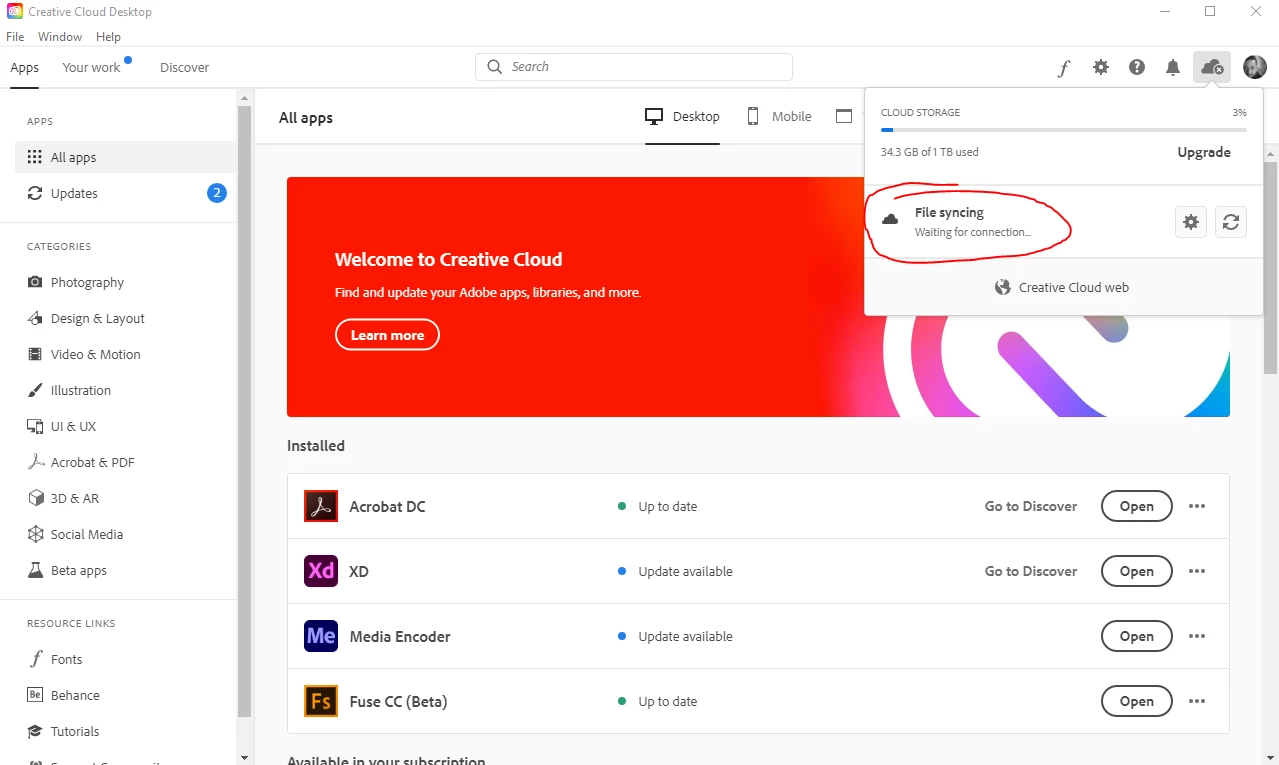
Creative Cloud Desktop (Waiting for connection)

  • August 8, 2020
  • 3 replies
  • 3046 views

Hey There,

My Internet is good, I have the latest Adobe CC Desktop update.

The issue is in File Syncing, it says "Waiting for connection" and  it is not syncinig.

I tried:

  • Restart PC
  • Disabled my Internet Adapter and re-enabled it
  • Relaunch Adoboe CC Desktop App
  • Repair Adobe CC Desktop App

Any ideas?

Thanks
This topic has been closed for replies.

3 replies

Participating Frequently
September 26, 2022

I've just started having this issue has it been fixed?

Dmitriy Gaynetdinov
Participating Frequently
May 2, 2022

I have the same problem –  on two computers. It's been going on for days

Adobe CC Desktop (5.7.01307) 

Inspiring
April 24, 2023

By any chance did you figure out how to fix this issue or did it fix itself on it's own?

kglad
Community Expert
Community Expert
April 24, 2023

@Digital Halftones 


did (or do) you have older adobe apps on your computer?


if so, https://helpx.adobe.com/creative-cloud/kb/aam-error-update-cc-desktop-app.html

Participant
February 20, 2021

I am not sure if there is any solution. I have followed all the advices, deleted OOBE folder, deleted the shared folder, used Adobe CC Cleaner to clean everything, installed Creative Cloud again and it worked! It synchronized the folder successfully. And in few hours, it was broken again. Adobe really needs to fix that and find the source of the problem. Why to use this cloud solution when it is not capable of the primary function it should do? Obviously there are many people who have similar problems with that. My computer is obviously capable to synchronize properly. But why is it so that it works only few hours after complete reinstall? This week W10 machine does not work and W7 machine does not have problems. Few weeks ago W7 machine was not working but the W10 was. Quite unreliable solution.

Participant
March 3, 2021

I'm having the same problem, I've tried what you said and also tried to uninstall everything, it took 10 hours to reinstall and synch all my files, it seemed fine until this morning and now it has problem again. 

Did you fix it or are you still having problems?