


Participant
October 4, 2020
Answered

Creative Cloud, infinite loading

  • October 4, 2020
  • 9 replies
  • 5360 views

I have a very big trouble

The creative cloud app load infinitly and ask me if i want to relaunch the app after 5min.

I tried all the solution gave by adobe, as all uninstall, and it don't work at all, i can install one program, by installing the app with a direct installer, but if i want to install a second one, he will not work

I need it quickly i need some help

Thank you for helping me

T.C
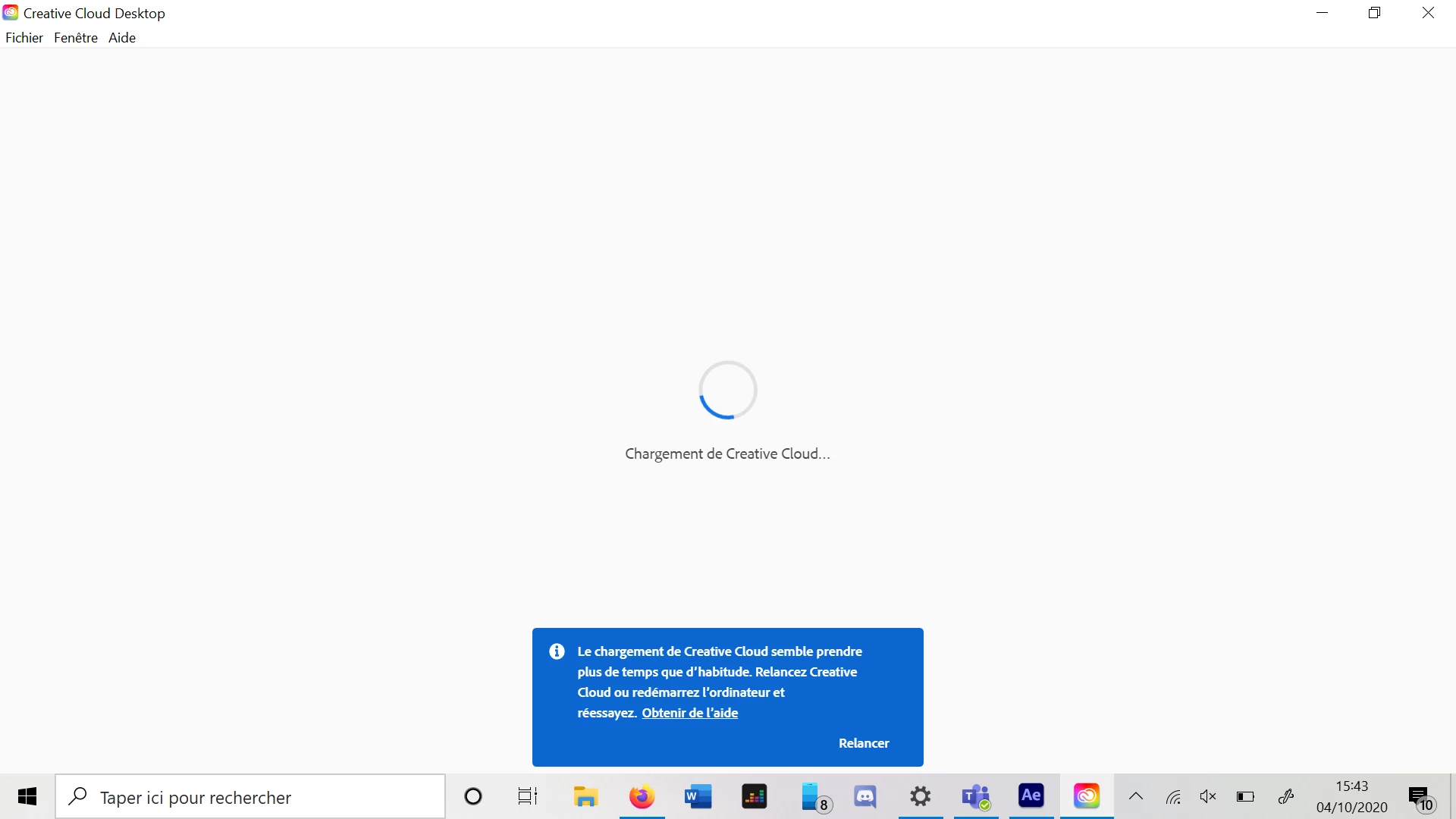
PS : Its written in the blue case "The Creative Cloud loading seems to take more time than habits. Restart Creative Cloud or restart the computer and try again. Have some help"

Disclaimer i have already try all the solution of the button "Have some help"

This topic has been closed for replies.
Correct answer CLAVEL5C29

Easily as i could, i did a hard reset, by going to your parameters, going to "Reset this PC" if you are on windows, start the reset, but be sure to active all the option they propose, to be sure you will delete all the file and set your computer with the brand new parameters and configuration

I hope that will solve your problem

Good Luck

T.C

9 replies

Participant
May 30, 2021

Mismo problema, no es una solución restaurar el sistema.


Alguna otra idea?


Tampoco el programa de limpieza de adobe, sique la carga infinita en Creative Cloud

Participant
January 7, 2021

Mêmeproblème et impossible d'avoir de l'aide ! 


Participant
January 7, 2021

I was suffering, too. I have a new windows laptop and had tried to install, deinstall, clean and so on and so on. Nothing worked. Than I installed "vcruntime140.dll" and it works. So try it if you still have issues.

techtribe
Known Participant
December 3, 2020

its just the worst software adobe ever released und we are forced to use that useless peace of software. A shame!!! Today i decided to delete all my files from the sync folder since they are syncroning now for mor than 4 months😳 


Hard reset and deleting the CoreSync folder content did NOT help!!! The sync is just crap it eats a lot of system power.

Problems started for me with the new windowed cloud software btw who needs that window??? 

Participant
November 23, 2020

I tried everything. Clearner, reinstall, yada yada... I couldn't even uninstall all the components after the cleaner.  What did work: I deleted every folder with the name Adobe on it and installed OpenShot which is open source and free and it is so stable and clean. 

Participant
November 23, 2020

A solution that worked for me. I also got the infinite loading of the desktop app. Reinstall, the whole works, nothing helped.

A simple solution: start your apps one by one individually from your apps-folder. The checking dialog, the acces dialog to document, desktop etc. work it thru. When all the apps done? No more problems, CC-desktop works flauwless. 

Participant
January 8, 2021

A reply to myself for I don't know how to edit the answer.

My OS is MacOS Big Sur.

Participant
October 5, 2020

UPDATE + SOLVED

I used the Creative Cloud Cleaner Tool to fully remove all files. Here is the link.

https://helpx.adobe.com/creative-cloud/kb/cc-cleaner-tool-installation-problems.html

It took roughly 5 minutes to follow these instructions and to reinstall. After doing so, the Adobe Creative Cloud opened up as it is supposed to! Thank you all for your help. If anyone else is having any of these issues listed in this thread, please, PLEASE, save yourself the trouble of spending hours trying to find a solution and just use this tool!

Imedia-MP
Participating Frequently
October 5, 2020

I've tried the tool several times without success. 

Participant
November 12, 2020

Same problem trying this several times but didn't worked

Participant
October 5, 2020

If it can help someone, i fixed the problem by just rebooting all my computer, deleting all files on it, and now i can use CC without any problem, have download all my softwares, but i had to restart to zero with my computer 

Participant
October 5, 2020

I'm glad you were able to fix it on your end! I'm am still stuck on the blue wheel. I have tried deleting everything, restarting PC, and reinstalling. Maybe I am missing a file or something. Could you possibly list the locations I need to go to make sure I delete each and every file? Or do you have a specific guide/tutorial that you followed? Thanks.

CLAVEL5C29AuthorCorrect answer
Participant
October 5, 2020

Easily as i could, i did a hard reset, by going to your parameters, going to "Reset this PC" if you are on windows, start the reset, but be sure to active all the option they propose, to be sure you will delete all the file and set your computer with the brand new parameters and configuration

I hope that will solve your problem

Good Luck

T.C

Participant
October 5, 2020

I am having the same exact issue. I have relaunched and uninstalled using the uninstaller. Re-installed. Still the same problem. Pretty frustrating for a first time Adobe purchaser/user! Hopefully, someone can help solve this issue!

Participating Frequently
October 5, 2020

I've had the same issue too, although relaunching and in one case restarting my Mac did sort out the problem, I am increasingly unhappy with Creative Cloud, there constantly seem to be small issues which cause me stress

Participant
November 23, 2021

THIIIIIIS, lo que dice este usuario es totalmente cierto.

Participant
October 4, 2020


Update : My computer is brand new and i tried a lot of new things

I tried to install Creative cloud with my account on an other computer, it works

I tried to create a new user on my computer and restart to install CC, doesn't work

I tried to test my connect, and my "hosts" file, they seem to be good, the only thing is when i try the test of this page : https://helpx.adobe.com/fr/x-productkb/policy-pricing/activation-network-issues.html, i have this answer, and its not the waited page, see on this picture

I tried as i said before to completly erase adobe of my computer with the cleaning tool

I saw that because i installed three times CC on three different computer, that my computer where CC doesn't work was detected when i need to disconnect one device to have access to CC

But still not work on my computer

Please i really need help, thanks for those who will help me

T.C