



fotism
Participating Frequently
March 29, 2021
Question

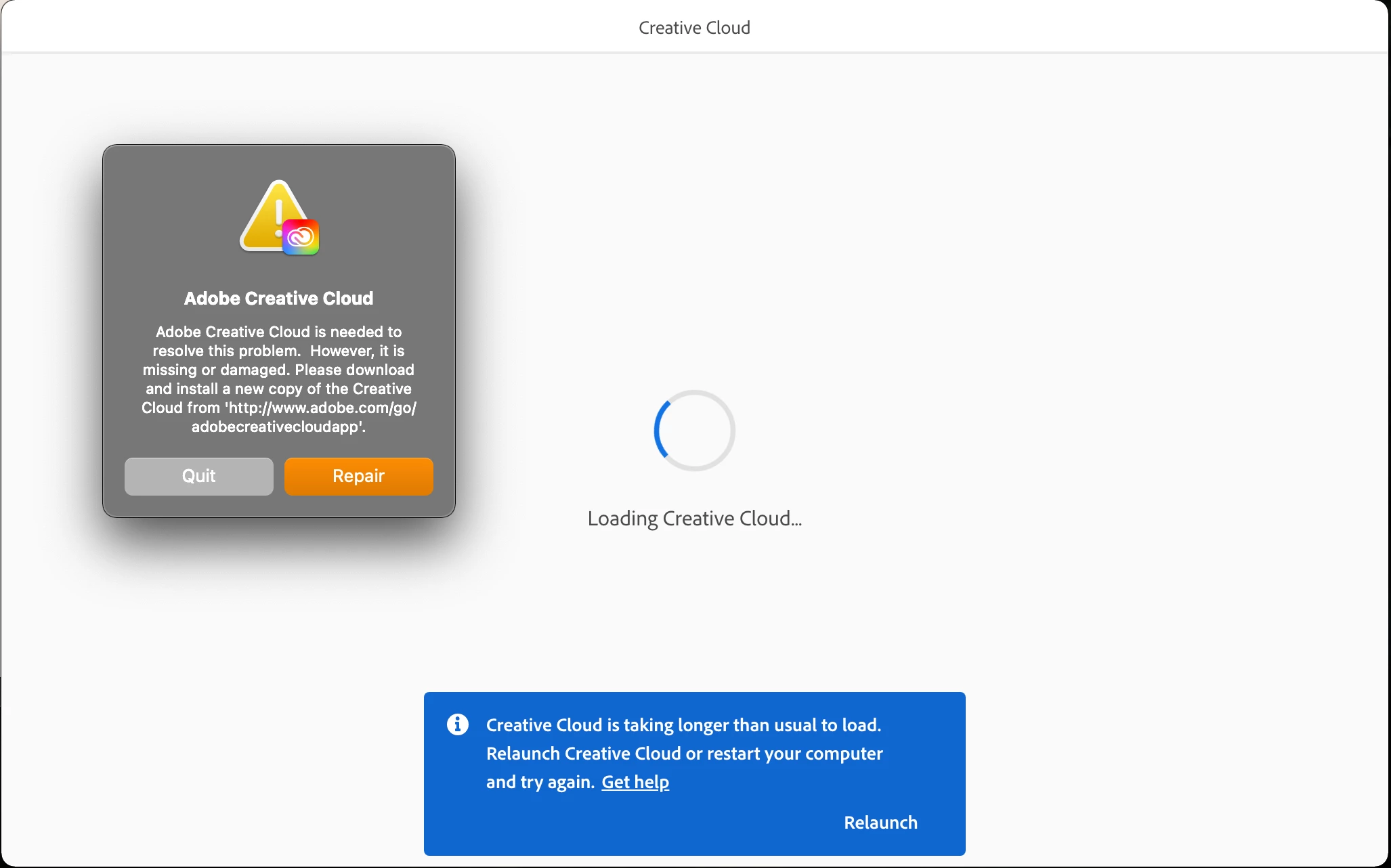
Creative Cloud is taking longer than usual to load!

  • March 29, 2021
  • 2 replies
  • 10909 views

Creative Cloud is taking longer than usual to load every time I open my Mac.
I've tried many time to remove and reinstall it (removing OOBS files) or clicking the 'Repair' button but the problem instists! I'm very desperate because I have no idea what to do!

Any idea or help?


Many thanks,

./Fotis
This topic has been closed for replies.

2 replies

New Participant
October 22, 2022

Hi I finally found a solution Try running Creative Cloud app as an admin. It Helped me.

Inspiring
February 20, 2023

Thanks for giving us hope. Can you be more specific on this? What steps did you take?

kglad
Community Expert
February 20, 2023
kglad
Community Expert
March 30, 2021

first, reset the cc app:

to reset the cc desktop app, make sure it's in the foreground, then press:

Win: Ctrl + Alt + R
Mac: Cmd + Opt + R

if that fails, try to repair
https://helpx.adobe.com/download-install/kb/creative-cloud-install-stuck.html

if that fails go ahead and uninstall/reinstall per the above link

if that fails, do a clean cc install following each applicable step:

uninstall every cc app including preferences, https://helpx.adobe.com/creative-cloud/help/uninstall-remove-app.html
then uninstall the cc desktop app, https://helpx.adobe.com/creative-cloud/help/uninstall-creative-cloud-desktop-app.html
clean your computer of cc files per http://www.adobe.com/support/contact/cscleanertool.html
check for, and if available, update your os
repair all ms visual c++ versions that can be repaired.
update your ms visual c++, if it can be updated
restart your computer (don't skip this)
reinstall the cc desktop app, https://helpx.adobe.com/uk/download-install/kb/creative-cloud-desktop-app-download.html
if you're unable to install the cc desktop app at this stage, use the link at the bottom of the page at https://helpx.adobe.com/uk/download-install/kb/creative-cloud-desktop-app-download.html
use the desktop app to install your cc programs/trials

fotism
fotismAuthor
Participating Frequently
March 31, 2021

Hi kglad, 


Thanks for the quick responce.

I've already followed all the above steps many times in the past (I know them very well :)).

I tried once again yesterday (according to your responce) but the problem came back today when I open my Mac!!

I cannot find where the problem comes from.

The only part that is not clear (in your message) to me is about the "ms visual c++ versions".

I'm using Mac and as far as I know VS Mac does not support C++.


Many thanks kglad, 🙂
./Fotis

kglad
Community Expert
March 31, 2021

see if you can capture a log of the issue, https://helpx.adobe.com/creative-cloud/kb/cc-log-collector.html and then contact adobe support.


using a browser that allows popups and cookies, contact adobe support during pst business hours by clicking here, https://helpx.adobe.com/contact.html

click contact us (= cryptic icon in the lower right)

in the chat field, type AGENT
be patient, it can take quite a while to reach a human