


Armadillo77
Known Participant
December 11, 2020
Answered

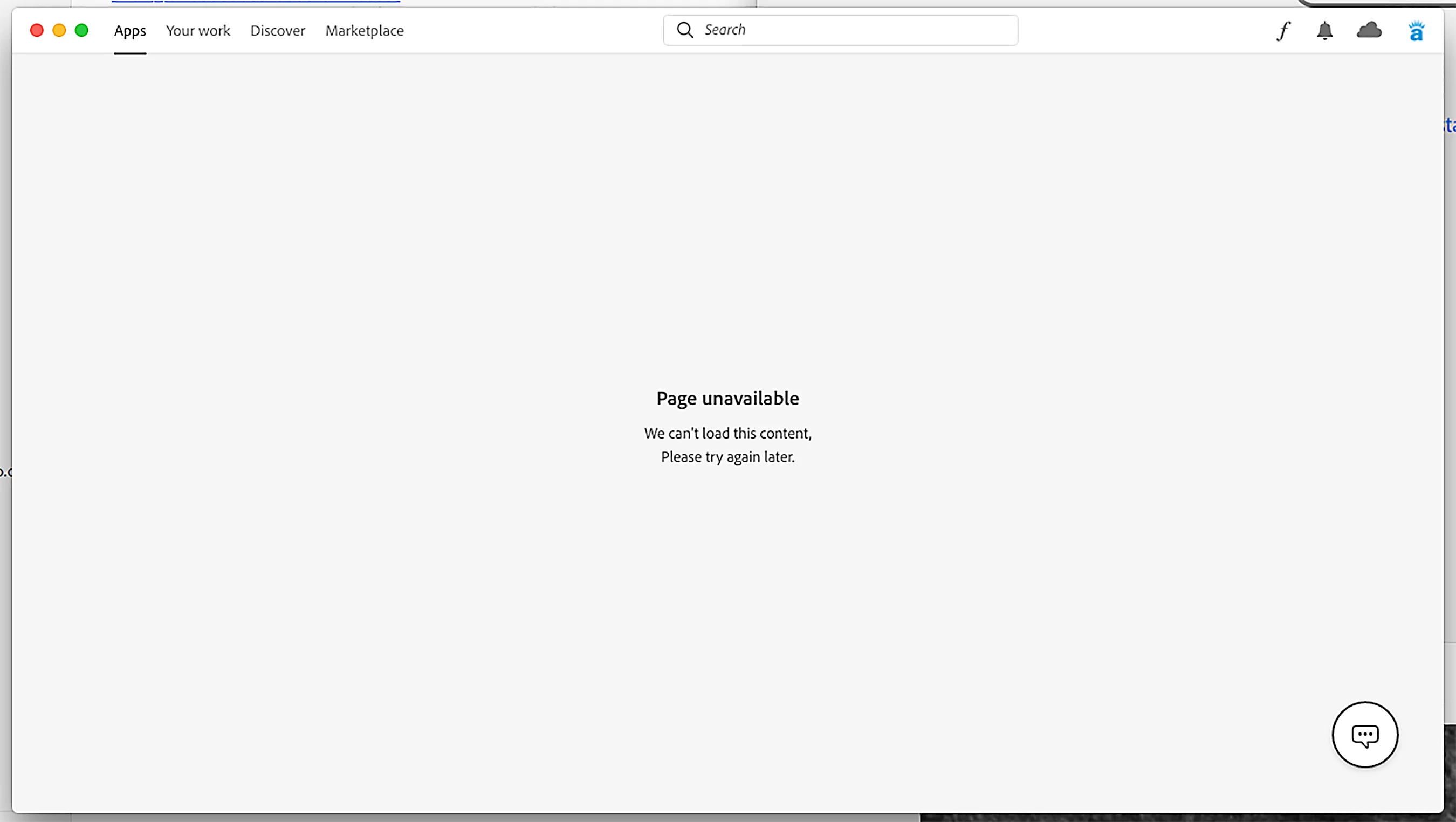
Page Unavailable - We can't load this content, tray again later

  • December 11, 2020
  • 8 replies
  • 26376 views

I've been getting this window message in CC for the last few days. Just got off a 45 minute remote session with support to no solution. Any thoughts?

 

This topic has been closed for replies.
Correct answer kglad

using a browser that allows popups and cookies, contact adobe support during pst business hours by clicking here, https://helpx.adobe.com/contact.html

click contact us (= cryptic icon in the lower right)

in the chat field, type AGENT
be patient, it can take quite a while to reach a human

8 replies

New Participant
April 20, 2023

For me, both Home and Apps Tabs do not show anything
Resetting the Adobe CC while it's active by pressinng:

Mac: CMD + OPTION + R

Home Tab begins to show contents, and the search for Adobe CC Uninstaller on my Mac and attempted to uninstall it. A conffirmation appeared to either uninstall it or repair then I clicked repair, after it finished, everything is working now.

I hope it will solve for someone.

kglad
Community Expert
Community Expert
April 20, 2023

the current full cc desktop app fix (not including people with licensing issues) is:


reset the cc desktop app by making sure it's in the foreground, then press:

Win: Ctrl + Alt + R
Mac: Cmd + Opt + R


if that fails, repair per https://helpx.adobe.com/download-install/kb/creative-cloud-install-stuck.html


if that fails, uninstall using the correct uninstaller from https://helpx.adobe.com/creative-cloud/help/uninstall-creative-cloud-desktop-app.html#sa_src=web-messaging and then reinstall using*


if that fails, do a clean cc install carefully following each applicable step:

uninstall every cc app including preferences per https://helpx.adobe.com/creative-cloud/help/uninstall-remove-app.html

then uninstall the cc desktop app, again using the correct uninstaller per https://helpx.adobe.com/creative-cloud/help/uninstall-creative-cloud-desktop-app.html#sa_src=web-messaging

clean your computer of cc files per http://www.adobe.com/support/contact/cscleanertool.html

check for, and if available, update your os

if windows is your os, repair all ms visual c++ versions that can be repaired (use google if you don't know how to do this)

if windows is your os update your ms visual c++, if it can be updated (use google if you don't know how to do this)

restart your computer (don't skip this)

reinstall the cc desktop app using the "alternative download links" at the bottom of the page at https://helpx.adobe.com/download-install/kb/creative-cloud-desktop-app-download.html

use the desktop app to install your cc programs/trials

NOTE: win 11 users that have trouble with the latest win 10 installer often have success with the older win 10 installer.

eckerdiego
New Participant
January 6, 2022

For me the problem was solved using the solution described here [Creative Cloud installer stuck]: https://helpx.adobe.com/download-install/kb/creative-cloud-install-stuck.html

New Participant
January 8, 2023

I've tried so many other methods to fix this issue and yours finally did it.  Thank you!

tylertc04
Participating Frequently
June 23, 2021

neither of the suggested solutions worked...

kglad
Community Expert
Community Expert
June 24, 2021

read carefully 

BenHutchison
New Participant
May 15, 2021

This may be unrelated, but I just started getting this error yesterday with Creative Cloud 5.4.5.550 for Windows. Creative Cloud installation repair did not fix it. It was caused by the Adobe Genuine Monitor Service (AGMService) being disabled.

I fixed it by setting that service's Start Type to Automatic and starting it, killing all Creative Cloud user processes like "Creative Cloud.exe", "Adobe Desktop Service.exe", and "CCLibrary.exe", then restarting Creative Cloud. If you don't kill those processes, starting AGMService won't fix anything.

I'm not sure why this just started happening, I've kept that service disabled for years and it's never prevented the Creative Cloud apps tab from loading before.

New Participant
May 15, 2021

Thank you so much for this! I was fighting with the awful, constantly crashing Photoshop 22.4 all day yesterday and unable to revert to the previous version because of this CC desktop app problem. Repeated the steps you outlined above and now I'm FINALLY reinstalling Photoshop (previous, working version!)

joel11559205
New Participant
May 14, 2021

This problem is happening for many of our users. Repairing the Adobe CC desktop app did not help. Uninstalling and reinstalling everything did not help either. Please help with this, we have multiple users that cannot update their apps right now. Thank you.

Known Participant
May 14, 2021

Yes. We're having the same issue with Muliple Macs. Sure seems like there is a problem on Adobe's end. Any information would be appreciated. Thanks

New Participant
May 14, 2021

Hello,

While awaiting for a fix, have you tried logging into the Adobe account online to view your plan. From there, I  selected the download button for Download, install, or update your desktop applications ... the CC window appears like the CC desktop app on my computer. I was able to update my apps. It's kind of a round about way, but alteast I can make sure all of my apps are updated and working.

Hopefully this helps.


see screen shots

New Participant
May 14, 2021

I FOUND WHY BUT I DON T KNOW THE SOLUTION!!!!!

For me... the problem is because of the account... i just made an account with tempmail and everithing worket fine... IT S MOETHING WITH MY ACCOUNT. I f i try to open any Adobe app when i m on my personal and broken account.... it says something about ,,my documents not found" or something with error. I DON T KNOW WHAT IS!!!!!:(((((((((((( PLEASEEE HELP MEEEE ( THE_ENES#9726 -> DISCORD)


kglad
Community Expert
kgladCommunity ExpertCorrect answer
Community Expert
May 14, 2021

using a browser that allows popups and cookies, contact adobe support during pst business hours by clicking here, https://helpx.adobe.com/contact.html

click contact us (= cryptic icon in the lower right)

in the chat field, type AGENT
be patient, it can take quite a while to reach a human

New Participant
May 12, 2021

I am using a Mac and experienced te same issue. This soved my problem:

Help > Check for Updates

The application downloaded and installed an update in less than one minute.

The Adobe suite apps are all appearing in the page, as they should.


kglad
Community Expert
Community Expert
December 11, 2020

try resetting the cc app: To reset the Creative Cloud desktop app, make sure it's in the foreground, then press:

Win: Ctrl + Alt + R
Mac: Cmd + Opt + R

if that fails, try to repair
https://helpx.adobe.com/download-install/kb/creative-cloud-install-stuck.html

if that fails go ahead and uninstall/reinstall per the above link

if that fails, do a clean cc install following each applicable step:

uninstall every cc app including preferences, https://helpx.adobe.com/creative-cloud/help/uninstall-remove-app.html
then uninstall the cc desktop app, https://helpx.adobe.com/creative-cloud/help/uninstall-creative-cloud-desktop-app.html
clean your computer of cc files per http://www.adobe.com/support/contact/cscleanertool.html
check for, and if available, update your os
restart your computer (don't skip this)
reinstall the cc desktop app, https://creative.adobe.com/products/creative-cloud.
if you're unable to install the cc desktop app at this stage, use an administrator account (solution 4 here, https://helpx.adobe.com/creative-cloud/kb/creative-cloud-missing-damaged.html)
use the desktop app to install your cc programs/trials

Armadillo77
Known Participant
December 18, 2020

Called Customer Care. They helped me for 45 minutes but their shift was ending, so we stopped. Called again the next day. Customer Care had me delete and reinstall all my CC apps, as well as my CS6 apps. That worked, AND now I have a nice clean install of everything! I feel like Sheldon Cooper!