


"Adobe Crash Processor" hogging system memory
Hi there. I'm using a Mac, running 13.7.5. I use a variety of Adobe apps, predominantly Photoshop, Illustrator, and Acrobat, but also occasionally InDesign and Audition.
Every day, or sometimes multiple times a day, Adobe Crash Processor launches, and proceeds to gobble up several GB of system memory.
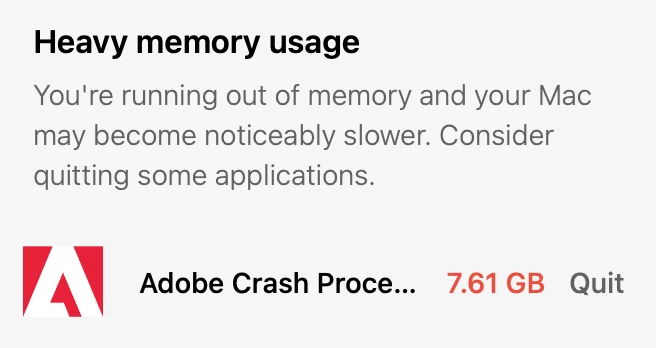
It does not seem contingent on my actually using any Adobe app (aside from Creative Cloud running in the background). This might go without saying, but: when I do use the apps they aren't crashing, so I don't see any reason why the crash processor should be activating in the first place.

I can terminate the process with Activity Monitor, but it inevitably recurs. I've tried rebooting the computer and updating the apps to the latest versions, but this doesn't seem to have any effect. I could upgrade my OS to Sonoma or Sequoia, but if anyone has another solution that might forestall an entire OS upgrade I'd like to try that first.
Any help anyone has would be appreciated! I've seen a few other threads across the internet with people having this problem, but none of them seem to eventually get to a solution 😕😕
Final note: Adobe wouldn't let me post this without a topic, but the only topics it allowed me to choose from were "File sync," "Collaboration," "Libaries," or "Cloud storage web assets," none of which are even slightly close.
 AdChoices