


Participant
October 5, 2022
Question

What happened to the timeline button for versioning Cloud documents?

  • October 5, 2022
  • 2 replies
  • 1690 views

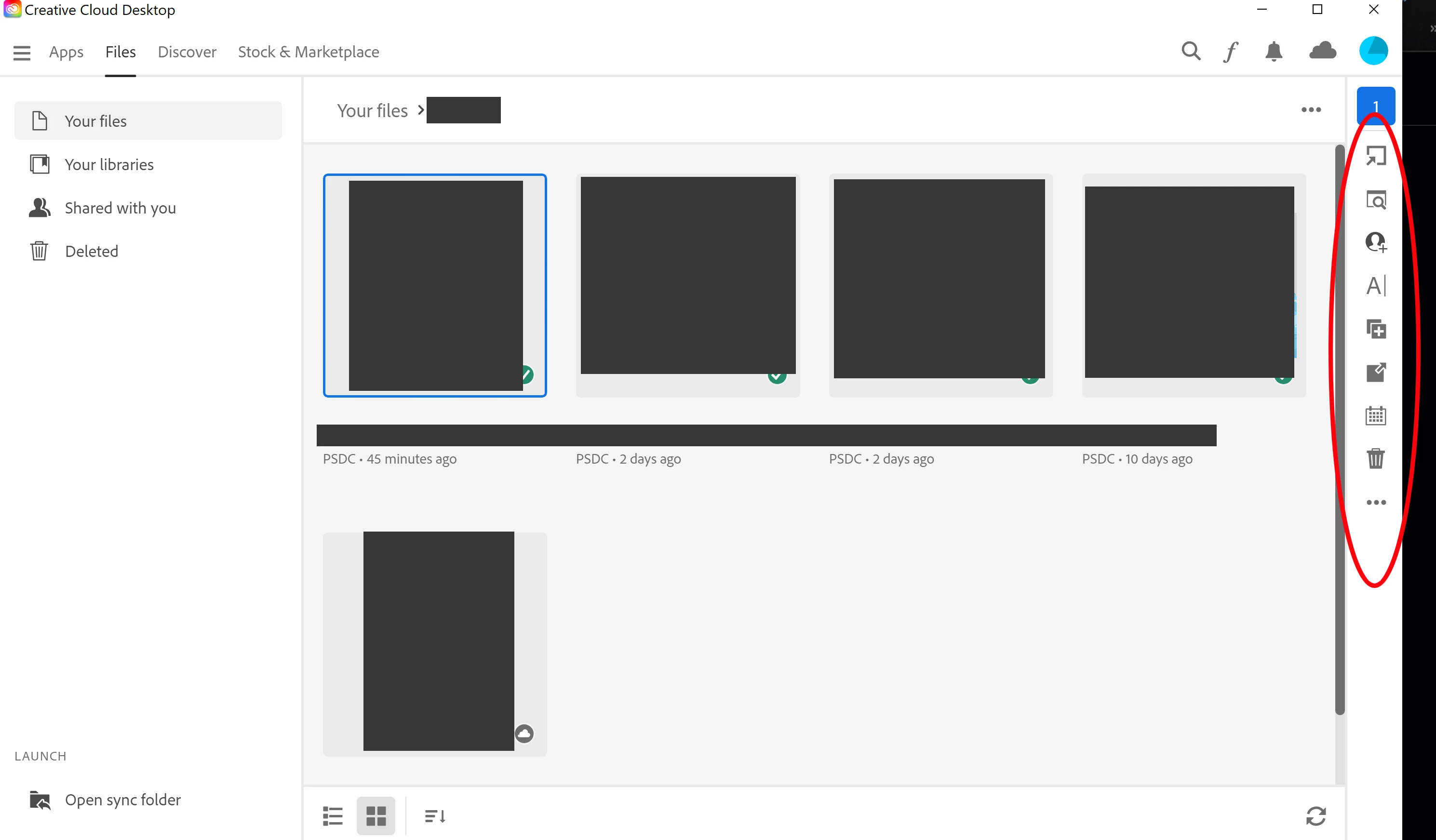
I need to access a previous version of a .psdc from my Cloud files. The current documentation has instructions for versioning documents that include a "timeline" button which grants access to previous versions of a Cloud document. I am currently using Creative Cloud Desktop version 5.9.0.372. I will also point out that the "timeline" button is absent from the Creative Cloud web app too. 
 

This topic has been closed for replies.

2 replies

Participating Frequently
November 28, 2022

I am experiencing the same issue precisely.


Has Adobe eliminated the function for restoring previous versions of a file in Creative Cloud? If so, it would be good if they would make that clear in the help documentation.

Tarun Saini
Community Manager
Community Manager
December 13, 2022

Hi @paulbowman @Farground, As per your screenshot, you are checking the Creative Cloud Desktop App, yet the versioning icon is present on the Creative Cloud website, www.assets.adobe.com. The version history will be visible on the right rail of the preview when viewed through the Creative Cloud website.


Let me know if that helps.


Regards,

Tarun

McKinleyAlanSmith
Participant
July 29, 2023

No it's not there. Please advise where versioning is? 
It seems there has been some awful UI changes which resulted in versioning being hard to find (unless it's removed altogether), so please advise how to revert to a previous version?  


I just used this feature for the first time a few weeks ago. Tried to use again today and had this same missing button issue. Super frustrating and disapointing from Adobe (especially since I found a dumb work around in a couple minutes).


I used the desktop CC app, navigated to the file, selected it and clicked "view on web" (hidden under the ellipses on the far right). Suddenly the timeline button was there even though it wasn't when I went directly there on the web version?? Hopefully works for other people too!

Tarun Saini
Community Manager
Community Manager
October 6, 2022

Hi there,


We're sorry to hear about your difficulties. To assist you further, please confirm if you're referring to this button on the timeline which has versioning info of the file in the Creative Cloud.

Regards,

Tarun


FargroundAuthor
Participant
October 7, 2022

Yes, that is the button.