jsocean
Participating Frequently
September 21, 2017
Answered

Add old CS3 to new Mac

  • September 21, 2017
  • 2 replies
  • 8578 views

I purchased a CS3 9 years ago. I know there are new versions out there but I don't do a lot of personal graphic editing anymore. When I upgraded my Mac, I lost Adobe. I have been the rounds with support and their final suggestion was to post a question here.

I don't want anything more than what I have. I know there used to be single use and multiple device use programs but customer service indicated mine was multiple.

I was issued a new serial number but customer service says that my information doesn't match now.

I'm so confused by this whole mess.

I'm at a loss as to what to do next...

JB

    This topic has been closed for replies.
    Correct answer Jeffrey_A_Wright

    I am sad to say, that is what I did. I have included a screen shot showing what I received this time.
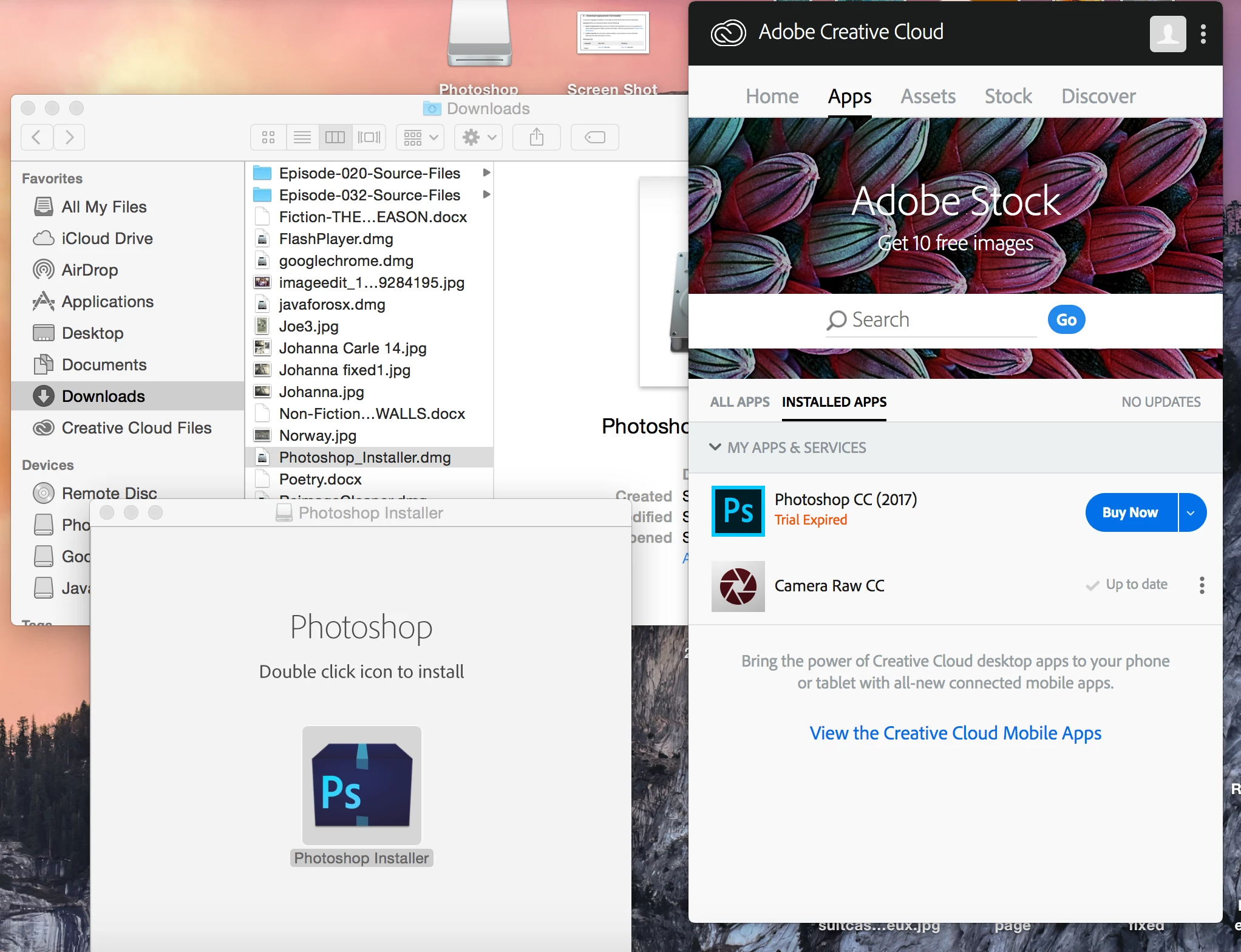
    As you can see, after running the DMG file and this time finding DiskImageMounter, I was excited to think it was successful, then I double-clicked the icon in the box bottom left and the box on the right appeared which is still not the free program my original was. I am so appreciate of all the time that you and Jeff have given to this issue but it does appear at this point, there is no way to use my original CS3.

    I even tried to re-load my original CD, which I hadn't tried before because I was pretty sure it wouldn't work and...it didn't.


    Jsocean the Akamai Netsession Interface you downloaded is the application you need to use to download Creative Suite 3.  To download the installation files you will need to use the Akamai Download Manager which is installed from the DMG file you posted in message #16 of this discussion.

    Jsocean I would recommend reviewing the following documents which discuss the use of the Akamai download manager:

    1. Troubleshoot Adobe Akamai Download Manager downloads
    2. Troubleshoot the Adobe Akamai Download Manager 3

    The documents are a bit old but they do match the software being used to provide the Creative Suite 3 downloads.

    Kglad when I ran through the CS3 download and install process I found that we are using the Akamai Download Manager to serve the CS3 downloads.  The download is provided based off the valid serial number provided by the individual visiting the page.


    2 replies

    jsocean
    jsoceanAuthor
    Participating Frequently
    September 22, 2017

    The suggested download did not support my original CS3 and required that I have the Adobe CS already installed on my Mac, which I don't, that's the whole issue.

    Thanks for your feedback anyway...

    Jeffrey_A_Wright
    Community Manager
    Community Manager
    September 25, 2017

    Jsocean I am sorry that you are unable to install Adobe CS3.  Where are you getting stuck in the process?  The link offered by Kglad in message #1 should install fine on Mac OS Yosemite (10.10).

    Can you post a screen shot of the current error that you are experiencing?  Details on how to post a screen shot can be found at FAQ: How do I capture and post a screen shot or video? .

    In the image you posted in message #2 it looks like you opened the DMG file with a text editor.  Please use the Finder to open the DMG file once it is downloaded.  If the file is not downloading properly then please use an alternate web browser.

    jsocean
    jsoceanAuthor
    Participating Frequently
    September 26, 2017

    what is the file name of the cs3 installation file that you downloaded?


    Akamai NetSession Interface

    kglad
    Community Expert
    Community Expert
    September 21, 2017

    unless your mac is old (with an old os), you can expect problems.

    if you os is old and you have a single user license, you can use this to install cs3, https://helpx.adobe.com/creative-suite/kb/activation-fails-cs3-acrobat-8.html

    if you have an enterprise license, you don't need an activation server.

    jsocean
    jsoceanAuthor
    Participating Frequently
    September 22, 2017

    Kglad, thank you for your suggestion. I did as you suggested and received the image below but Adobe did not open....

    kglad
    Community Expert
    Community Expert
    September 22, 2017

    that looks like you're trying to open something with a text editor.  ie, you're NOT using a compatible os.

    do you have sierra?  if so, sierra's not compatible with older software. adobe's posted a work-around:  https://helpx.adobe.com/creative-cloud/kb/install-creative-suite-mac-os-sierra.html
