


Participating Frequently
January 15, 2017
Question

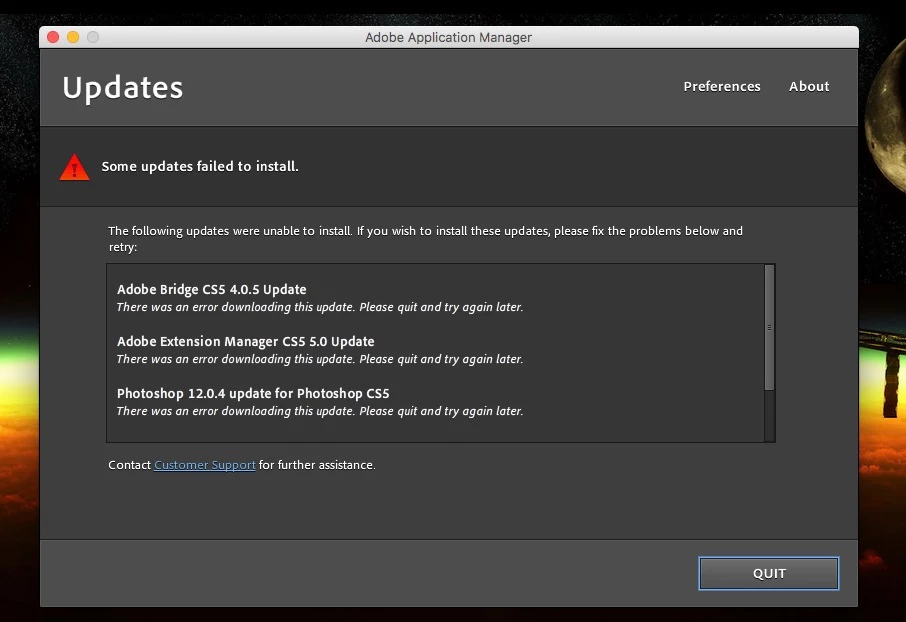
Adobe Application Manager: "some updates failed to install"

  • January 15, 2017
  • 1 reply
  • 3415 views

I have been receiving notifications to update applications for well over a year.  Each attempt to do so results in the following message (screenshot below).  No specific reason is given.  I am using a licensed product.  Clicking "customer support" brings me to a page stating "upgrade error: this serial number is not for a qualifying product".  
    This topic has been closed for replies.

    1 reply

    kglad
    Community Expert
    Community Expert
    January 15, 2017

    update by downloading the files directly and then applying them:  http://www.adobe.com/downloads/updates/

    Participating Frequently
    January 18, 2017

    I downloaded the files as directed. Unable to install manually. Receiving the following message.

    phubenthal
    Participating Frequently
    January 19, 2017

    Yes Phubenthal the steps described in the document, and offered by Kglad in post #7, are required to allow Creative Suite installations to be successful under macOS Sierra.


    Thanks, Jeff.  Before I follow those steps, should I uninstall my currently installed CS5 apps  ?