


Participating Frequently
January 15, 2017
Question

Adobe Application Manager: "some updates failed to install"

  • January 15, 2017
  • 1 reply
  • 3415 views

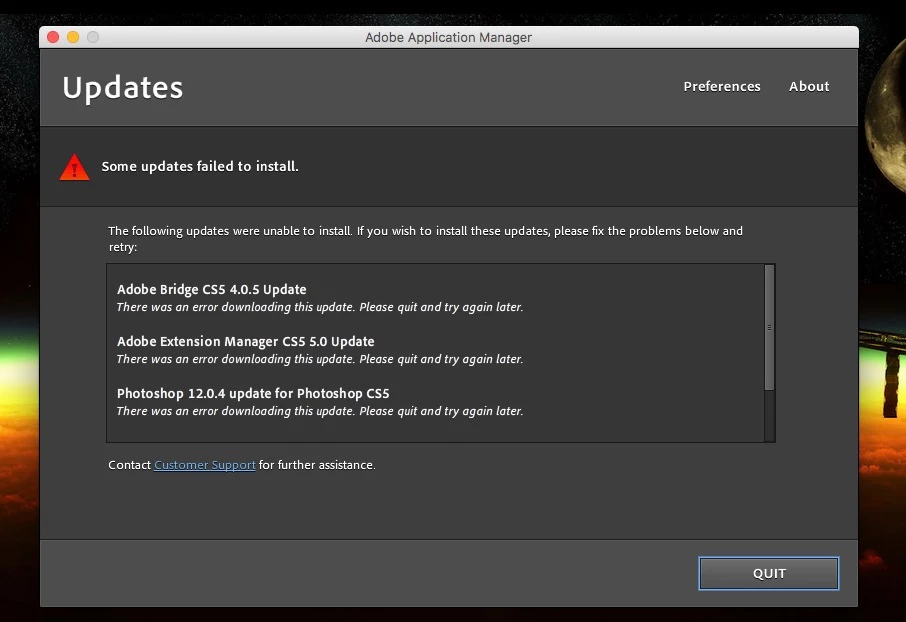
I have been receiving notifications to update applications for well over a year.  Each attempt to do so results in the following message (screenshot below).  No specific reason is given.  I am using a licensed product.  Clicking "customer support" brings me to a page stating "upgrade error: this serial number is not for a qualifying product".  
    This topic has been closed for replies.

    1 reply

    kglad
    Community Expert
    Community Expert
    January 15, 2017

    update by downloading the files directly and then applying them:  http://www.adobe.com/downloads/updates/

    Participating Frequently
    January 18, 2017

    I downloaded the files as directed. Unable to install manually. Receiving the following message.

    Jeffrey_A_Wright
    Community Manager
    Community Manager
    January 20, 2017

    Jeff, unfortunately those suggestions didn't help, but I have made partial progress. Here's what I've done:

    1. I tried the steps at Installing Creative Suite on macOS 10.12 (Sierra), and it did install 116MB of something. When that was done I tried to update again, but I got the same error messages as before (U43M1D207).
    2. I uninstalled CS5, ran CC Cleaner, and reinstalled CS5, following the steps at Installing Creative Suite on macOS 10.12 (Sierra). The installation seemed to go fine, and I got slightly fewer error messages in the PDApp log this time. But then I tried to update again, and again I got the same error messages.
    3. I updated AAM from the patch at Adobe - Adobe Application Manager : For Macintosh : Adobe Application Manager and tried to update again, but again I got the same error messages.
    4. I uninstalled Creative Cloud (which got installed when I updated AAM) and tried updating again. This time it finally occurred to me to try updating individual applications, and a few of them worked, namely Bridge, Extension Manager, InDesign, Photoshop, and the Photoshop Camera RAW update. The rest are still giving me U43M1D207 errors but I'm giving up for now.

    Ok thank you for the update Phubenthal.  I would recommend bookmarking this discussion in case you decide to attempt to reapply the updates at a future time.