


Participating Frequently
December 4, 2013
Question

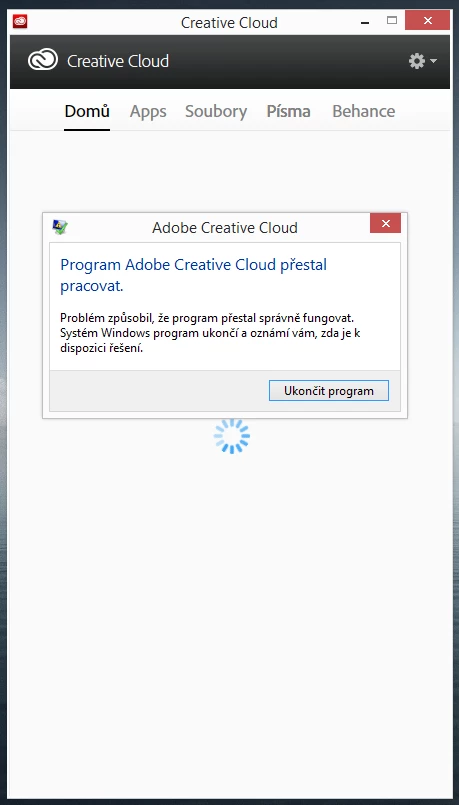
Adobe CC crashed after start (after upgrade to Windows 8.1)

  • December 4, 2013
  • 1 reply
  • 559 views

Hi there,

yesterday i uprgraded windows from 8.0 to 8.1 and now my Adobe creative cloud wont to start.

I tried to reinstall, delete registry, adobe cc cleaner and nothing works.

Thanks for suggestions
This topic has been closed for replies.

1 reply

Participating Frequently
December 4, 2013

Nobody?

Here is maybe one more usefeul information to fix this issue...
After i lunch Adobe CC and error comes it is still in task manager.

Please I need to fix this problem asap because i have lot of work to do.

Jeffrey_A_Wright
Community Manager
Community Manager
December 4, 2013

JakubBielesch please try creating a new local Administrator account.  Once the account is created then try running the Creative Cloud desktop application under the new account.  This can help determine if your file permissions under your current account have become compromised.

Participating Frequently
December 5, 2013

I already tried but not working... There is no problem with permissions. Now im refreshing my windows to factory default, then ill apply all updates, including Windows 8.1 and then i will try to instal Creative Cloud. If this will not help, it will be problem with Windows 8.1 and Adobe CC compatibilty.


Factory defaults for windows system, then apply all updates, apply windows 8.1 upgrade and then install adobe cc. - this works for me.

Problem solved.