


James Heming
Known Participant
October 7, 2015
Question

Adobe Genuine Software Validation Failure.......whaaaaat??!

  • October 7, 2015
  • 2 replies
  • 6150 views

This is driving me utterly mad.

I get an email from Adobe promoting the Creative Cloud and the cross platform version of Lightroom. Looks good. Think I'll download the trial and see how it works. Currently running LR4 which I bought as a standalone a couple of years back.

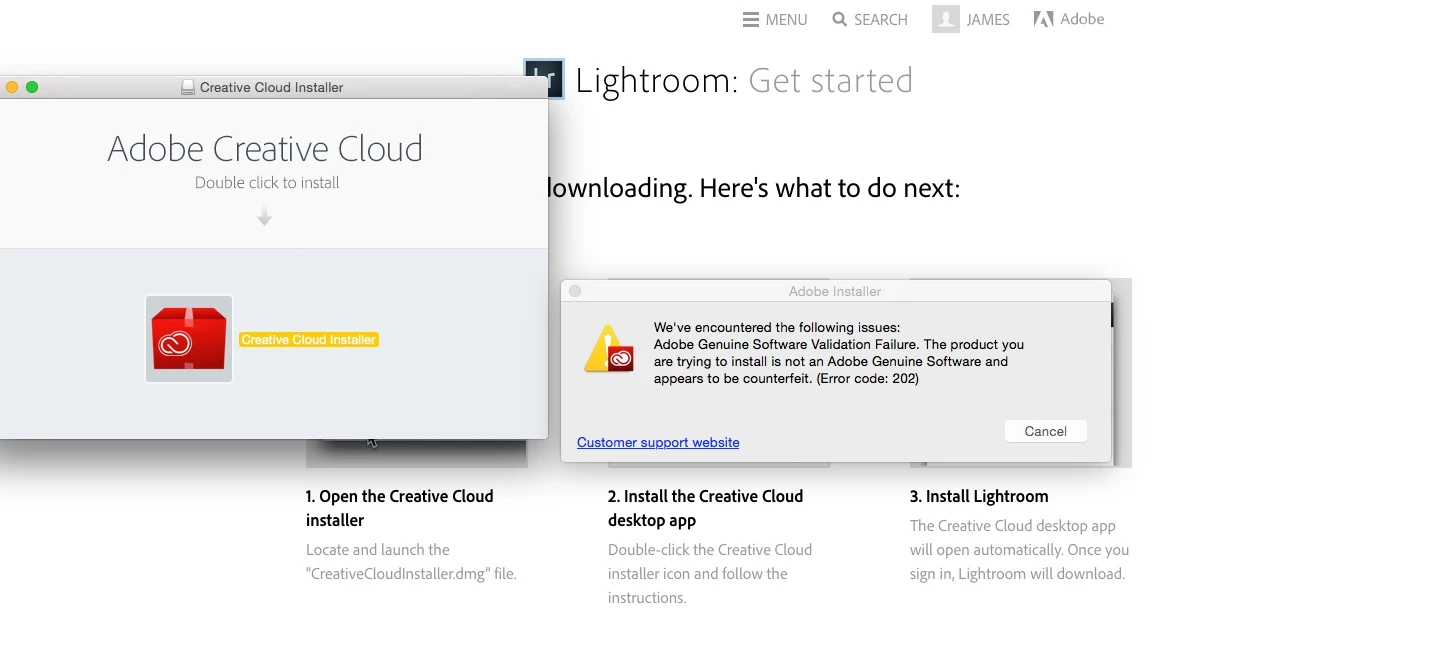
All I get everytime I try and run the installer is the the error window attached saying the software seems to be counterfeit! I mean what? I'm downloading it from Adobe for goodness sake!

Seriously, Adobe, this shouldn't be happening. Why would I invest if I can't even get past go?

Any help much appreciated.
This topic has been closed for replies.

2 replies

James Heming
Known Participant
October 18, 2015

Many thanks for the info. Ended up having to use the direct download links.

Thinking this could be a wider issue with my Mac as I always have to find a manual download when FLASH needs updating.

Wondering what my computer doesn't like about auto updates....

Govardhan.V
Participating Frequently
October 18, 2015

The Update setup file is getting downloaded to default location without any issues i,e ~/Library/Application Support/Adobe/AAMUpdater/1.0  , however there is an issue while extracting the downloaded compressed Update setup file.

We tried renaming 1.0 folder , so that new 1.0 folder will be created. it did not resolved the issue .

Possibilities are there that it might be due to insufficient permissions for Adobe folder or due to some other reasons for that we will need to check Error log.

You may try providing full permissions to Adobe folder under both User as well as System Libraries. Then attempt for Update installation via CC app.

James Heming
Known Participant
October 8, 2015

Many thanks for getting back.

Sadly that hasn't worked. Any other ideas?

Staggering Adobe is making me work this hard!

Govardhan.V
Participating Frequently
October 8, 2015

Along with that ,if present  Trash Adobe Creative Cloud and Adobe Application Manager folders from Utilities folder.

Then try again .

Still same ?? let us know .