


friedrich-wilhem_golueke
New Participant
March 2, 2017
Answered

adobe_oobelib.dll error while starting Windows

  • March 2, 2017
  • 2 replies
  • 2195 views

Hello!

While booting the system I get the following error message:
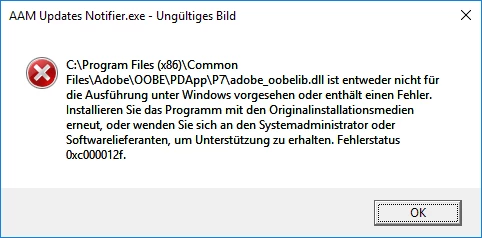
Starting the Crative Cloud i usually get this error message:
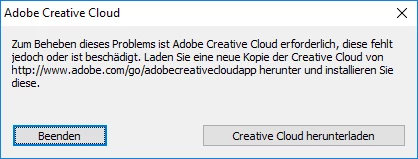
O.K. - no Problem - download the new Version and install it new. But doing this i will get the same Message: The installation routine stops after a few seconds and brings just the abowe shown message.

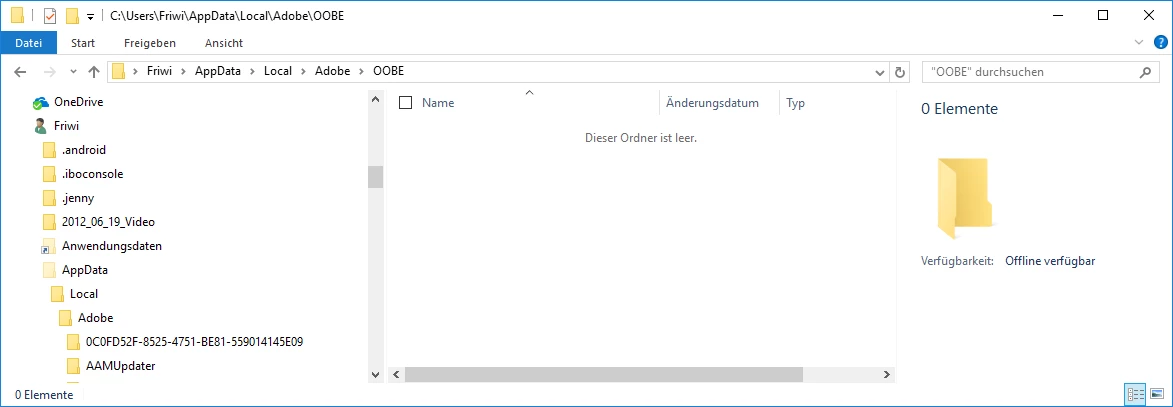
In a comparable post to the adobe_oobelib.dll problem it was recommended to delete all files in the folder ...\local\adobe\oobe. I did so but nothing changed.
When starting Photoshop or LIghtroom nothing happens - these applications do not start and no Errormessage is presented.

I would apprechiate if you can give me further advice on how to fix this. Thanks in advance.

Best regards,

Friedrich-Wilhelm

This topic has been closed for replies.
Correct answer Jeffrey_A_Wright

Friedrich-Wilhem Golueke I would recommend utilizing the steps listed in Error: "Adobe Creative Cloud is needed to resolve this problem" to resolve the current error.  If you have any questions regarding any of the listed steps you are welcome to update this discussion.

2 replies

Kanikas
Community Manager
Community Manager
March 14, 2017
kglad
Adobe Expert
March 2, 2017

restart your computer after clearing that folder.

friedrich-wilhem_golueke
New Participant
March 3, 2017

I restarted several times, tried to install Creative Cloud and deleted the folder multiple. The problem is unchanged.

Cannot use Photoshop and Lightroom.

kglad
Adobe Expert
March 3, 2017

using a browser that allows popups and cookies,  contact adobe support during pst business hours by clicking here and, when available, click 'still need help', http://helpx.adobe.com/x-productkb/global/service-ccm.html