



Can't unzip downloaded Premiere Elements 11
Forum experts,
Downloaded Software: Adobe Premiere Elements 11 (full version... not trial
version)
Computer: Dell XPS M1330 with Win 7
Available hard disk space: 70 GB
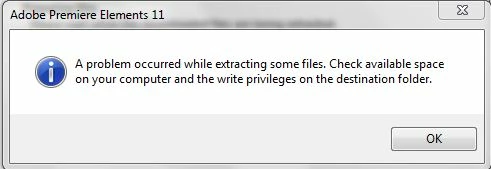
When the installer program (PremiereElements_11_LS15_win32.exe) tries to
unzip the download files , it produces a pop-up error saying, "A problem
occurred while extracting some files. Check available space on your
computer and write privileges on the destination folder." (See attached
screen shot).
This happens regardless of where I save the file. I've tried unzipping to
the desktop, to a directory one level below the C: root, and to a directory
in "my documents"... but the result is the same.
I've also tried running the unzip as administrator. That makes no
difference.
I have 70GB space open on my HD, so space is not an issue.
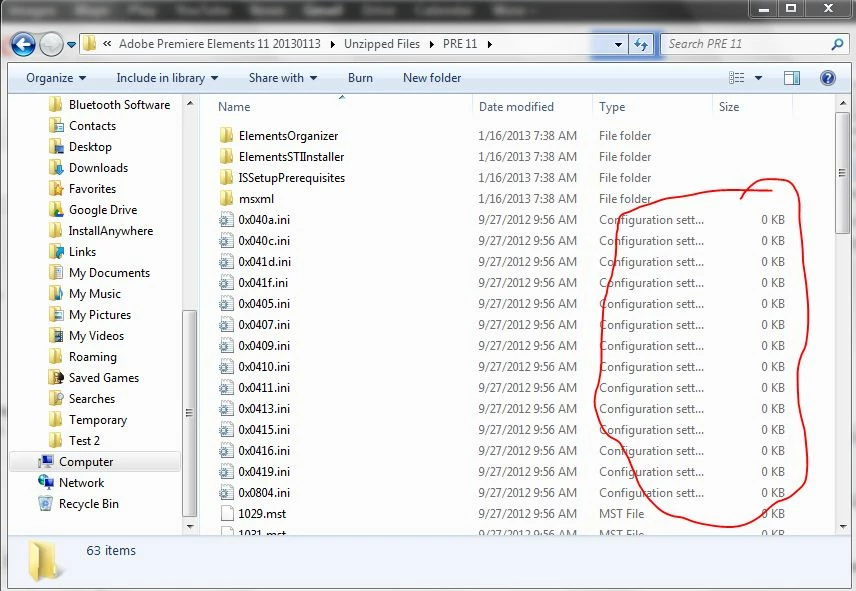
Looking in the extracted files that "survived" the unzip, I see that many
of them (including the initialization files) have zero bites size. The
setup.exe file is there, but it chokes when it tries to read the blank
init. files. (See attached screen shot).
What's wrong with this unzip process?
It's bad enough that the download took almost 8 hours... Now I've been
pulling my hair out with this unzip problem for another 4 hours. Please
help.
Thanks everyone...
RJ
======================
Update:
I tried disabling my virus protection before running the extract file (as suggested in article http://helpx.adobe.com/tech-comm-suite/kb/error-problem-occurred-extracting-archive.html). ... But that had no effect. 
Please help!
 AdChoices