


sv8796038
New Participant
April 7, 2016
Answered

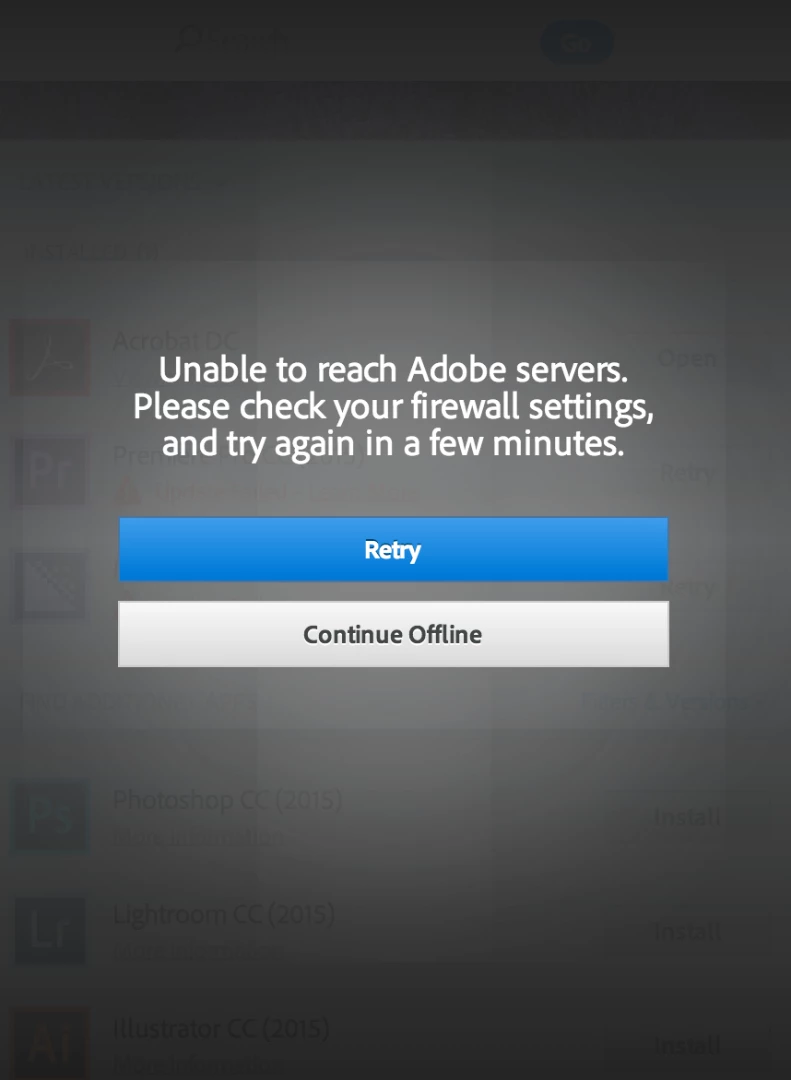
Cannot reach adobe servers, check firewall settings

  • April 7, 2016
  • 2 replies
  • 14885 views

Trying to update Creative Cloud for the past three days. Keep getting the same message: 'Unable to reach Adobe servers. Please check your firewall settings, and try again in a few minutes'.

Tried a range of things:

-tried different internet in different location

-internet settings have't changed and i'm not using any virus protectors, but firewall is off

-creative cloud cleaner to fix host files

-uninstalled CC and reinstalled

-uninstalled Premiere P and reinstalled

-checked that I can reach adobe servers

-installing a trial of Premiere from adobe website

Anyone any tips - i've written to Adobe chat but will try anything in the meantime.

Thanks!
This topic has been closed for replies.
Correct answer kglad

check your hosts file. 

for help with that and other common secure adobe.com connection problems read, http://helpx.adobe.com/x-productkb/policy-pricing/activation-network-issues.html

2 replies

New Participant
February 1, 2022

I have been trying unsucessfully to install   photoshop. I have been paying monthly since September. Can someone from adobe help me please?


John T Smith
Community Expert
February 1, 2022

>someone from adobe


This is a public forum, NOT Adobe support


Be sure to remain signed in with your Adobe ID before accessing the link
Do be aware that Adobe's staffing is impacted by the virus, so wait times are long
-you MUST make sure that your browser does NOT block ads, scripts, or pop-ups
-you MUST also allow 'cookies' in your web browser for the link to work
This link will go directly to the chat option
Type "Agent" in the chat box to bypass the chatbot and be connected to a person
-Meaning type in the word Agent without the quote " " marks
https://helpx.adobe.com/contact.html?rghtup=autoOpen
- or https://helpx.adobe.com/contact/phone.html
.
Adobe does NOT do support by email, so beware of answering anyone who sends you a private message
-click for more information about scammers https://tinyurl.com/10791730

kglad
kgladCorrect answer
Community Expert
April 15, 2016

check your hosts file. 

for help with that and other common secure adobe.com connection problems read, http://helpx.adobe.com/x-productkb/policy-pricing/activation-network-issues.html