


andreap98918671
New Participant
August 17, 2016
Answered

Creative cloud installer.dmg isn't working

  • August 17, 2016
  • 1 reply
  • 634 views

Hey everyone,

I just wanted to download Lightroom. I've used the trial version before so I had CC downloaded and installed already. After trial i deleted CC.

Now is impossible to install CC again.

My firewall is turned on. I used CC cleaner tool - i cleaned all installations were found, except Fix Host File - it was unable to delete.

After restarting computer and download and open CreativeCloudInstaller.dmg and after doubleclick here:
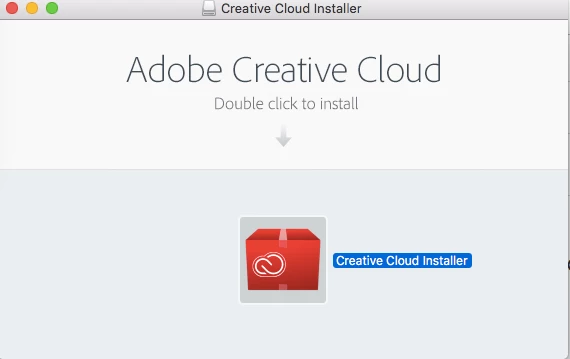
Then i clicked Ok here -
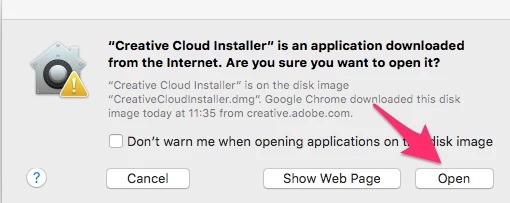
And after that nothing hapenned. It is impossible to install it.

I hope someone here can help. Thanks in advance!

This topic has been closed for replies.
Correct answer Atul_Saini

Hi Andreap98918671,

As you are unable to install this Creative Cloud using its setup, I would recommend you to check Gatekeeper options, which are found in Apple menu > System Preferences… > Security & Privacy > General tab under the header "Allow applications downloaded from:" and Choose Anywhere from the window.

For screenshots check this link: OS X: About Gatekeeper - Apple Support​ and Share the results.

Thanks.

1 reply

Atul_Saini
Community Manager
Atul_SainiCommunity ManagerCorrect answer
Community Manager
August 18, 2016

Hi Andreap98918671,

As you are unable to install this Creative Cloud using its setup, I would recommend you to check Gatekeeper options, which are found in Apple menu > System Preferences… > Security & Privacy > General tab under the header "Allow applications downloaded from:" and Choose Anywhere from the window.

For screenshots check this link: OS X: About Gatekeeper - Apple Support​ and Share the results.

Thanks.