


courtneyb10621135
Inspiring
September 1, 2017
Answered

CS4 Unable to Connect

  • September 1, 2017
  • 2 replies
  • 3824 views

OS: Sierra OSX

Initial Activation with Serial Number:  1st it says that it's being used on 2 or more computers. I verified with adobe that that wasn't possible because I only have a macbook pro (photoshop works there) and the imac (where I'm trying to use it).

Initially I was able to launch photoshop but was just getting this message, so I contacted support. The rep had me delete host files and then finally said to reinstall.
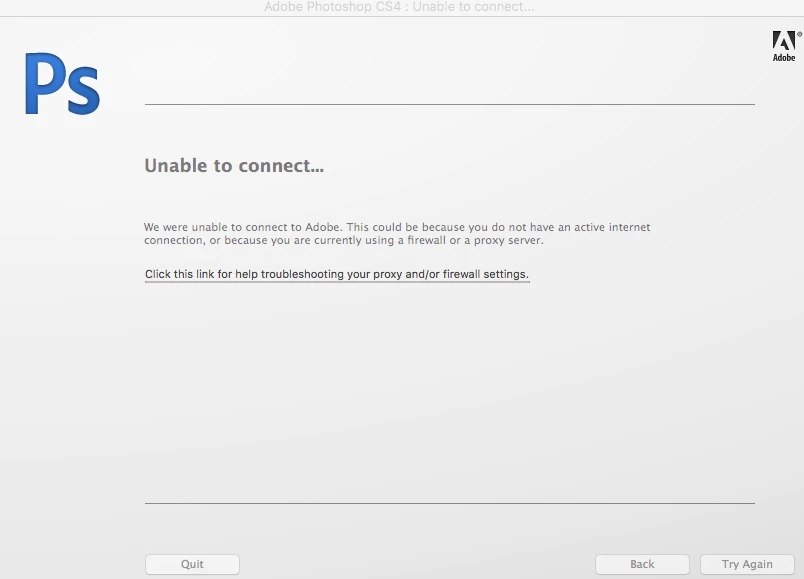
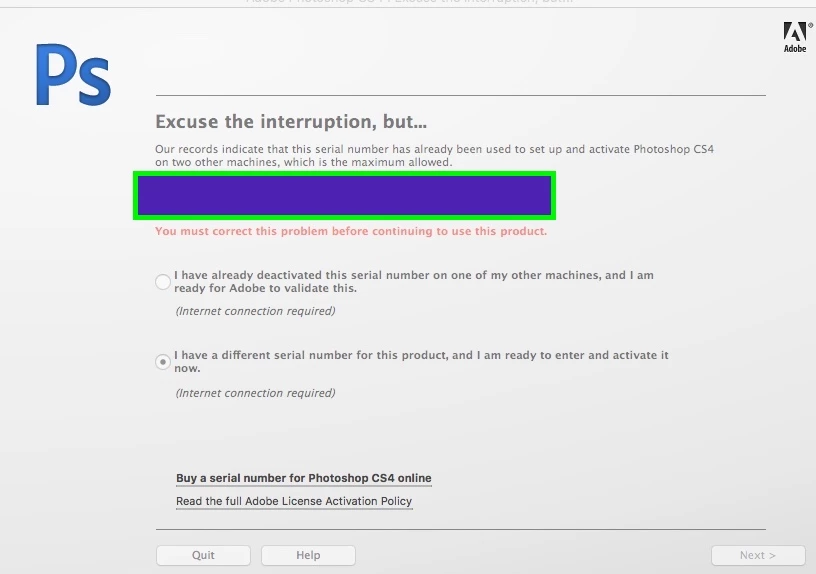
Above is the error msg I now get in addition to the 1st image. Called support and they verified that according to their records, it had not reached maximum and they showed it only on 1 other computer (the laptop).

What I've tried so far:

-Everything under the troubleshoot guide

-Contacted customer service via chat and telephone. They started to end convo's with "I must inform you that we no longer provide support for CS4 or earlier, please use the forums"

-When I searched forums regarding the now activation error problem it says to contact customer support. (so I'm chasing my tail here basically)

I don't know what else to say other than I own the software and have for years, it is only on one (rapidly dying) macbook pro and I need to make sure I don't lose the software. It is not on any other computers and I've verified that that it has not reached it's "limit" with support. No idea why this is a problem or how to fix it.

Thank you for any and all help ❤️

This topic has been closed for replies.
Correct answer courtneyb10621135

Conclusion: Apple computers are not compatable any previous Adobe software according to a member of the sales team.

Hope this saves someone a month of their time, more than 15 uninstalls & reinstalls, allowing some random person remote connection, downloading cleaner tools, deleting files, and messing around in terminal windows. Not to to mention somewhere in the neighborhood of 20+  hours with "customer support".  Could have just told me to use a windows computer. :/

2 replies

courtneyb10621135
courtneyb10621135AuthorCorrect answer
Inspiring
September 23, 2017

Conclusion: Apple computers are not compatable any previous Adobe software according to a member of the sales team.

Hope this saves someone a month of their time, more than 15 uninstalls & reinstalls, allowing some random person remote connection, downloading cleaner tools, deleting files, and messing around in terminal windows. Not to to mention somewhere in the neighborhood of 20+  hours with "customer support".  Could have just told me to use a windows computer. :/

Jeffrey_A_Wright
Community Manager
Community Manager
September 25, 2017

Courtney my apologies for the late response but I was out of the office until this Monday morning.

I reviewed case 0189326573 and 0223216072 and it appears that they attempted to lead you through the unlocking process.  This is the process that allows the serial number eligibility requirement to be waived and allow for installation.  It does appear that this process was unsuccessful.

I have requested that a full version Photoshop CS4 serial number be added to your account.  This means that your upgrade serial number will be invalidated during the process.  Once the new serial number is added to your account Courtney; it will be available under your account at http://www.adobe.com/.

Overall Courtney you are in a much better position than when you started this discussion.  As discussed in message #17 and #21 the removal of the cached licensing data should allow for a successful installation once your serial number is accepted.

You are also welcome to contact our support team directly to locate the account that contains the qualifying serial number for your upgrade Courtney.

You will want to provide any alternate e-mail addresses or phone numbers that may have been used to register the software.  When I reviewed case 0223216072 and 0189326573 it appears that only the unlocking process was conducted and there was not search for the previous eligible Adobe software title that might be registered under another account.

I have requested that you be contacted via e-mail once the new Photoshop CS4 serial number is available Courtney.  The process can take up to 2 to three business days.

gener7
Community Expert
September 1, 2017

While  support cannot offer CS4 Tech support, they can reset your activations. Please ask for that specifically.

courtneyb10621135
Inspiring
September 7, 2017

They won't do it. They just keep having me download and re-intall over and over again. Customer service is terrible. Any other suggestions?

Jeffrey_A_Wright
Community Manager
Community Manager
September 19, 2017

Jeff,

Did as instructed and now it's asking for the original CS serial number. It said if I didn't have it to go back and select "trial" so I did. Now it's looking for CS or the trial expires in 30 days. I don't see my original CS serial # in my adobe account. Am I supposed to find this on the laptop because I'm pretty sure it overwrote the original files during the upgrade.

Closer but not there yet, what's next?

Also, thank you for your efforts, today feels like there was at least a little change and that's is nice.


Excellent Courtney it sounds like you are making progress.  I reviewed the account, associated with the e-mail address you used to post to this forum, and I show a Photoshop CS4 for Mac serial number registered under the account.  You can find information on how to locate your registered serial number at Find your serial number Courtney.

The serial number itself is for an upgrade for Photoshop CS4 but the serial number should be accepted without asking for a previous version.

Please try the serial number under your account at http://www.adobe.com/ if you are asked to enter an eligible serial number then I would recommend contacting our support team directly to locate the software you upgraded Photoshop CS4 from.  Since it is a Photoshop CS4 upgrade that would indicate you had an older Adobe product that you were upgrading from Courtney. 

If you do need to locate the serial number from your older Adobe product then please contact our support team directly at Contact Customer Care​.  Please be prepared with any alternate e-mail addresses or phone numbers that the software may have been registered under.

If you have any additional questions, or encounter additional errors, please do not hesitate to update this discussion Courtney.