


Participating Frequently
December 28, 2012
Question

Download Error (Even after OS reinstall!)

  • December 28, 2012
  • 2 replies
  • 5450 views

Hey,

Since the latest update to AAM it seems i cannot download and use adobe applications. Its really frustating, I have even tried a remote session with technical support and they went on to blame me for using Windows. Perfect.
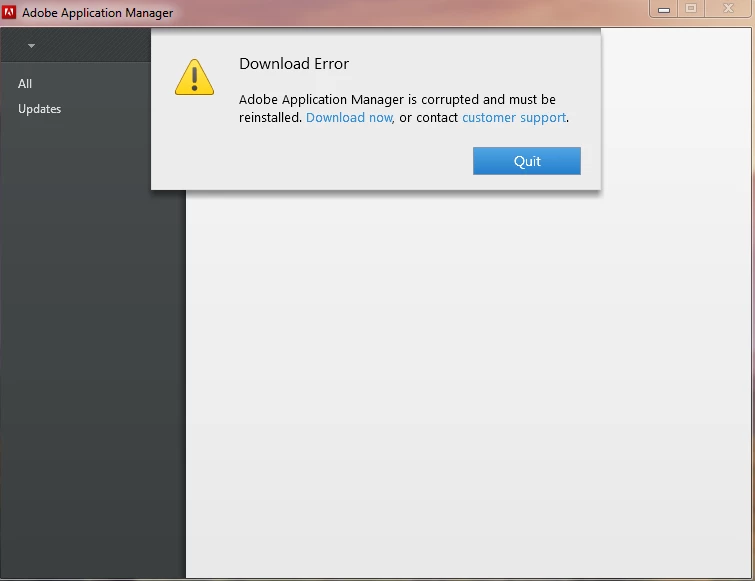
I have tried reinstalling windows, drivers etc from the basic level, after this i went ahead and installed AAM after this occured it seemed to corrupt.

I just want this fixed..Yes ive used the repair tool and the uninstall tool which has been put in a FAQ, it simply wont work.

Your input on this matter would be most greatful.

Kind Regards

Oliver

This topic has been closed for replies.

2 replies

Participating Frequently
December 28, 2012

I just went ahead and installed the http://www.adobe.com/support/downloads/detail.jsp?ftpID=4773

(under the request of support)

still broken

Participating Frequently
December 28, 2012

Was asked to do this a second time, did as requested with same error happening.

Jeffrey_A_Wright
Community Manager
Community Manager
December 31, 2012

The update for AAM is 55mbs and its these files which are courrupt. i have tried multiple times to download them without success. in browser, outside of browser, via updater etc. The Adobe Download Assistant worked fine thought its now just apply updates for Adobe Products which is going to be a problem.

Are the Engineers on AAM aware of these issues in relation to the AAM showing as corrupt? it seems to be a common issue.


For most users removing all Adobe Creative Software and running the CS Cleaner Tool usually resolves this difficulty.  The key is making sure that all applications requiring AAM are removed prior to ensuring AAM itself is removed.  It seems like you have already performed these steps according to your case history.

Participating Frequently
December 28, 2012

I am using Windows 7 32 Bit