

New Participant
January 14, 2018
Answered

Erro C301

  • January 14, 2018
  • 4 replies
  • 23503 views

Eu formatei meu computador e fui tentar reinstalar os programas da Creative Cloud, porém agora, aparece essa mensagem:
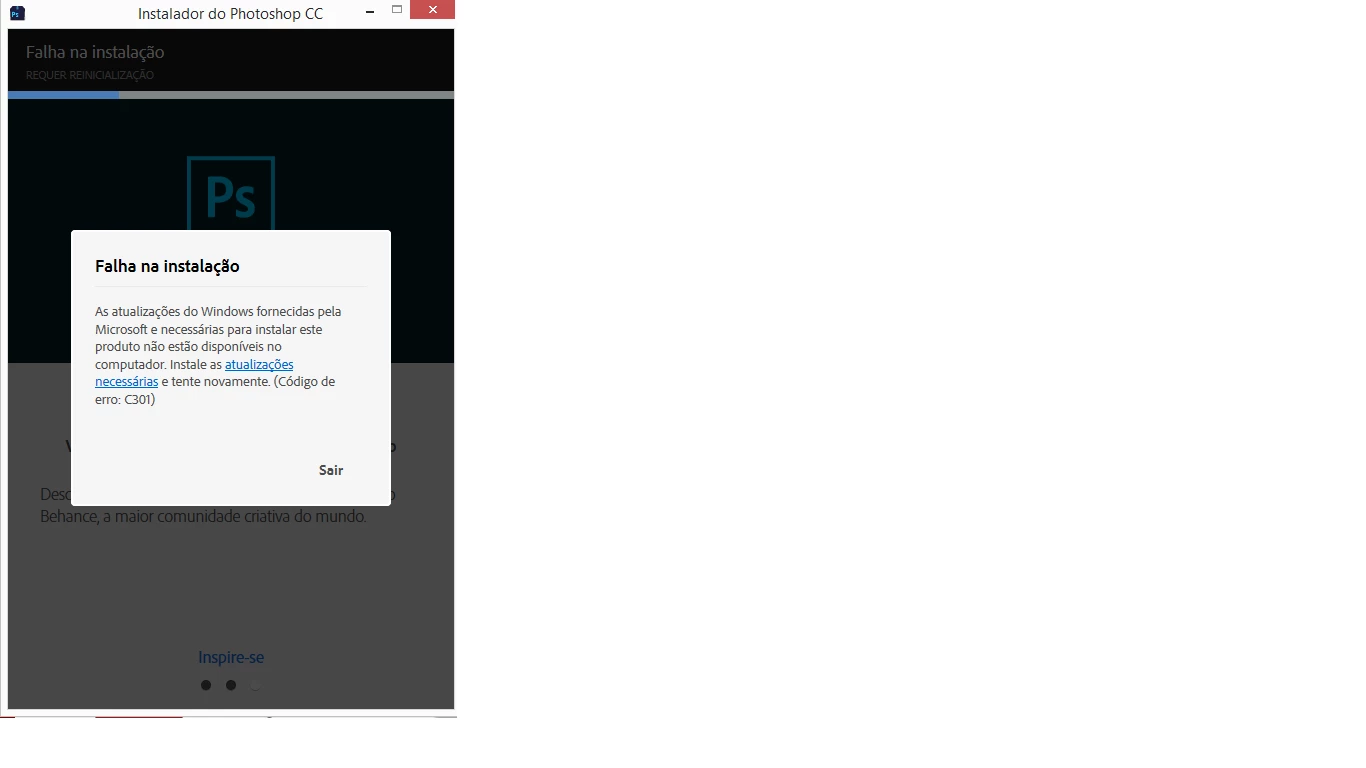
Não sei mais o que fazer, isso acontece com TODOS os programas da Adobe.

This topic has been closed for replies.
Correct answer Bani Verma

Hi Alyonas80863638,

As you have mentioned you are unable to install Adobe Creative cloud apps as it fails with an error code "C301",

I would recommend you to uninstall the Microsoft Visual C++ Redistributable 2015, see the steps on how to do that in the below help document:

Errors "Exit Code 6" and "Exit Code 7" installing Adobe CS6, CS5.5, CS5, Premiere Elements, and Photoshop Elements

Once uninstalled, use the below link to manually download and install Microsoft Visual C++ Run-time 2015:

Download Visual C++ Redistributable for Visual Studio 2015 from Official Microsoft Download Center

Let us know if this helps.

4 replies

New Participant
November 23, 2020

I used this and it completely fixed the issue for me.

https://helpx.adobe.com/download-install/kb/creative-cloud-install-stuck.html

New Participant
April 13, 2019

Hi,

I tryed all the suggestion refered here and nothing worked with me. Any other option I can try to solve this error?

Ana

Gerry Mander
New Participant
March 29, 2020

Delete the Adobe software and buy some that works.

Known Participant
May 24, 2018

I have the same error, but no Visual Studio 2015 installed. But 2008, 2010, 2012, 2013 and 2017. What now?

Bani Verma
Community Manager
Community Manager
May 24, 2018

Hi Wdburgdorf,

As you are getting error 'Error code 301' while installing Creative Cloud apps, and you don't see Microsoft Visual C++ Redistributable 2015 installed in your machine.

I would recommend performing the steps shared in my reply above on Microsoft Visual C++ Redistributable 2013 and Microsoft Visual C++ Redistributable 2017.

Use the following link to download them: https://support.microsoft.com/en-in/help/2977003/the-latest-supported-visual-c-downloads

Let us know if this helps.

nashwaak
New Participant
April 2, 2020

i see the people with mac arent getting any answers


This is very disappointing: saw Error 301 on my Mac, tried reinstalling Creative Cloud from a fresh download, but the error persisted, so ended up here… finding that the best Mac solution available is to simply wait and hope it goes away. Generally expect more from Adobe software than bugs that may or may not go away with time.

Bani Verma
Community Manager
Bani VermaCommunity ManagerCorrect answer
Community Manager
January 15, 2018

Hi Alyonas80863638,

As you have mentioned you are unable to install Adobe Creative cloud apps as it fails with an error code "C301",

I would recommend you to uninstall the Microsoft Visual C++ Redistributable 2015, see the steps on how to do that in the below help document:

Errors "Exit Code 6" and "Exit Code 7" installing Adobe CS6, CS5.5, CS5, Premiere Elements, and Photoshop Elements

Once uninstalled, use the below link to manually download and install Microsoft Visual C++ Run-time 2015:

Download Visual C++ Redistributable for Visual Studio 2015 from Official Microsoft Download Center

Let us know if this helps.

New Participant
January 15, 2018

Thank you so much for that!! Just solve my problem.

Bani Verma
Community Manager
Community Manager
January 16, 2018

You're Welcome!