

New Participant
March 7, 2014
Answered

Error Code U44M1P2003 when updating to PS12.1?

  • March 7, 2014
  • 4 replies
  • 4159 views

Error Code: U44M1P2003e: Can anyone help with why I get this when Adobe auto updater failed to update PS12.0 to 12.1?

This topic has been closed for replies.
Correct answer

Hi,

Logs suggest that Patch is trying to apply update @ C:\Program Files (x86)\Adobe\Elements 12 Organizer\AMT\Elements 12 Organizer\ElementsOrganizerRevelAgent.exe.

It seems some registry has got corrupted.

Please save all your work and uninstall PSE12 and PRE12(you need to uninstall both)

Install PSE12 and PRE12  again and try to apply patch. It should work.

If doesn’t then we can have a connect session and I will look into the machine.

Thanks,

Shikha

.


Hi Shikha,

Sucess, I have managed to get both updates for PSE 12 and PRE 12 to version 12.1.

Very interesting to see this prompt;
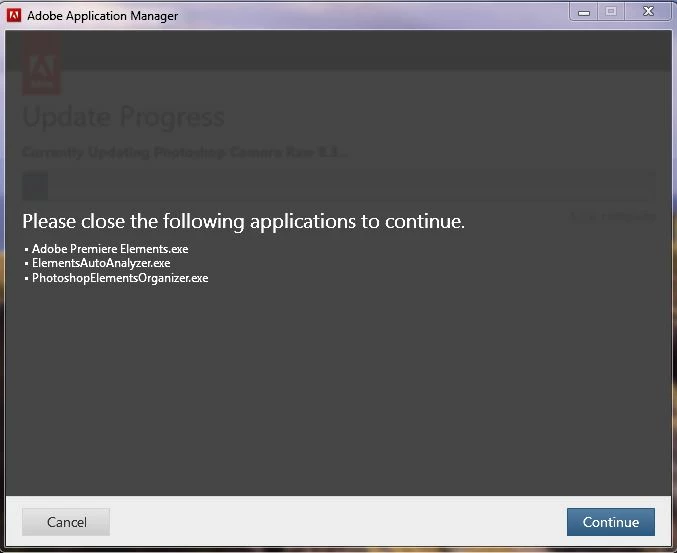
Notice that two organizers were reported as running. My system was working it socks off trying to deal with the resources required for the organisers both. It seems to be a quirk of Elemets 12 that the organisers are working away draining system resource when in fact they should in my optinion be requested to organise on demand of the user. This would ensure that intensive cpu energy would be reserved for the rendering processes required for some edits rather than the somewhat extra 'nice to have' organiser processes.

Of course the only way to shut these processes down is to use the task manager to kill them off. Even then they return univited to swamp your valuable CPU resource.

That aside, you may have some further suggestions of how to manage this activity, I would appreciate any of your comments.

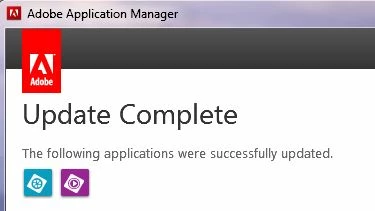
At the end of the day, what you suggested worked and finally I got this screen display;
Thank you for your assistance.

4 replies

March 8, 2014

I am totally confused now!!!

After hours of messing about having tried to do this patch 4 or 6 times prior to downloading a new trial version that came out to be the same version 12.0, I tried again to update the patch. At least 5 or maybe 6 times I tried and got the same results as I show with these screen shots.

I had decided to give up and continue with my video project. Out of curiosity I checked the 'About' tab on the help menu and found this;  Version 12.1 (20140225.12.1.620828). I thought that must be an error, then I tried the text style changer which only worked once in version 12.0. It worked correctly, I can now change text styles as often as I like without having to shut down the program!

The daft part is, my 12.1 version still claims there is an update and it still crashes out with the same error code you and the rest of us is getting when I try to update. I must have a half fix.

Signing off as totaly confused.com!

Adobe Employee
March 9, 2014

Hi,

PRE12.1 patch applies to both PRE12 and Elements Organizer 12.

The patch was somehow able to update PRE12 but not Elements Organizer 12.This is why you can see updatedversion of PRE12 on your machine.

But it is recommended that you patch both Organizer and PRE12 to avoid any discrepancies.

Can you pelase share PSE12dot1Patcher.log(you will find them in %temp%) at shigoel@adobe.com for looking into the issue exactly?

Thanks,

Shikha

New Participant
March 8, 2014

Me too. Exactly as Andersdn and Macvideo.  But at least my installation issue seems to have gone away after the 3rd trial download and registration - no thanks to Adobe though  The Bangalore "help" centre was useless on both occasions I attempted to use it....What a shambles.

March 8, 2014

I have the same problem, I get this message each time I try to update to 12.1;

Adobe Premiere Elements 12.1 update

There was an error installing this update. Please quit and try again later. Error Code: U44M1P2003

Adobe Photoshop Elements 12.1 update

There was an error installing this update. Please quit and try again later. Error Code: U44M1P2003

I do not follow this backup/Sync suggestion either.

Participating Frequently
March 8, 2014

Exactly the same problem here.

Tried three time, twice with anivirus and firewall turned off, just in case.

I do not understand the backup/Sync suggestion.

March 8, 2014

I tried to switch off antivirus too and started the process as administrator, still no luck.

I am currently downloading a trial version of premiere from Adobe website thinkng that may be at version 12.1 to see if that gets around the problem. I have also tried the chat line today at Adobe, they suggested I ring the telephone support line. I am in the UK and there is no support until Monday am.

Several other users are experiencing the same problem in other threads.

GautamBahl
Community Manager
Community Manager
March 7, 2014

Hi Andersdn,

Simply disable Backup/Sync and run the update again.

Thank you for posting on Adobe Forums.

New Participant
March 7, 2014

Sorry but I don't think I have 'backup/sync' as an option with my version of PS12.0 & the auto update.  I'm not updating from the 'cloud' & the update popup appears when I'm actually in PS12.0 & click the update option?