

Answered
Error Code U44M1P2003 when updating to PS12.1?
Error Code: U44M1P2003e: Can anyone help with why I get this when Adobe auto updater failed to update PS12.0 to 12.1?

Error Code: U44M1P2003e: Can anyone help with why I get this when Adobe auto updater failed to update PS12.0 to 12.1?
Hi,
Logs suggest that Patch is trying to apply update @ C:\Program Files (x86)\Adobe\Elements 12 Organizer\AMT\Elements 12 Organizer\ElementsOrganizerRevelAgent.exe.
It seems some registry has got corrupted.
Please save all your work and uninstall PSE12 and PRE12(you need to uninstall both)
Install PSE12 and PRE12 again and try to apply patch. It should work.
If doesn’t then we can have a connect session and I will look into the machine.
Thanks,
Shikha
.
Hi Shikha,
Sucess, I have managed to get both updates for PSE 12 and PRE 12 to version 12.1.
Very interesting to see this prompt;
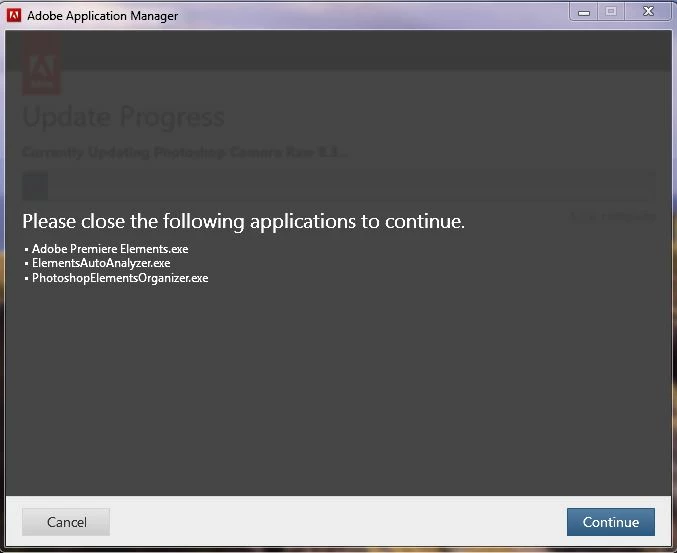
Notice that two organizers were reported as running. My system was working it socks off trying to deal with the resources required for the organisers both. It seems to be a quirk of Elemets 12 that the organisers are working away draining system resource when in fact they should in my optinion be requested to organise on demand of the user. This would ensure that intensive cpu energy would be reserved for the rendering processes required for some edits rather than the somewhat extra 'nice to have' organiser processes.
Of course the only way to shut these processes down is to use the task manager to kill them off. Even then they return univited to swamp your valuable CPU resource.
That aside, you may have some further suggestions of how to manage this activity, I would appreciate any of your comments.
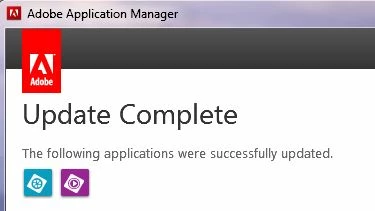
At the end of the day, what you suggested worked and finally I got this screen display;
Thank you for your assistance.
Already have an account? Login
Enter your E-mail address. We'll send you an e-mail with instructions to reset your password.
 AdChoices