


patriciap74083151
Participant
February 19, 2018
Answered

HELP!! Adobe Installation Error 202 - tried all other threads

  • February 19, 2018
  • 3 replies
  • 4863 views

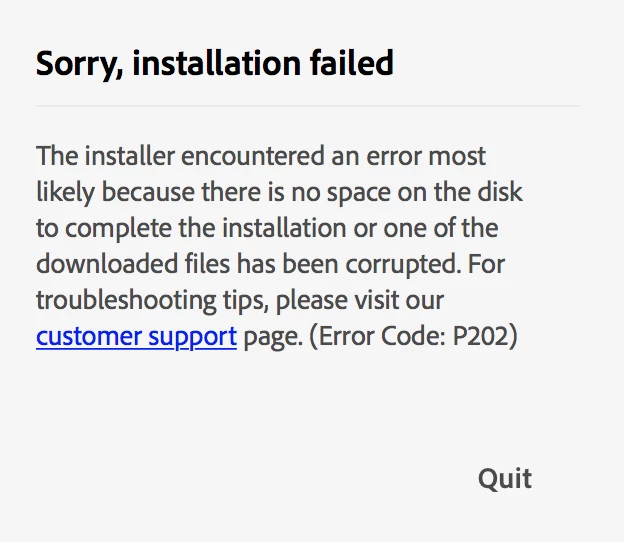
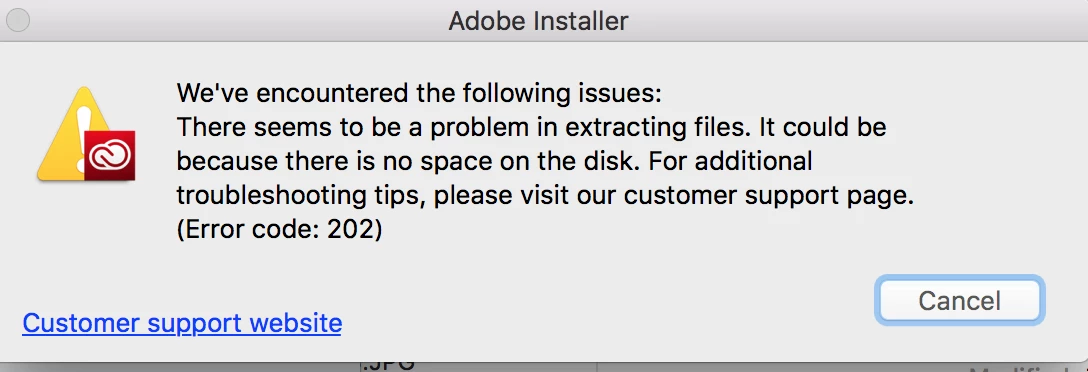
I recently changed jobs and had to change my Adobe credentials. I uninstalled all of the software and attempted to reinstall other the updated credentials with my new employer, and can not get it to work (error messages below). I've tried EVERYTHING from the other threads and nothing seems to be working.

Any new advice, ANY HELP would be greatly appreciated. I'm on a MacBook Pro 2015, OS Sierra 10.12.6.
This topic has been closed for replies.
Correct answer kglad

uninstall everything cc including preferences, https://helpx.adobe.com/creative-cloud/help/uninstall-remove-app.html

then uninstall the cc desktop app, https://helpx.adobe.com/creative-cloud/help/uninstall-creative-cloud-desktop-app.html

clean your computer of cc files per http://www.adobe.com/support/contact/cscleanertool.html

restart your computer (don't skip this)

reinstall the cc desktop app, https://creative.adobe.com/products/creative-cloud.

if you're unable to install the cc desktop app at this stage, use an administrator account (solution 3 here, https://helpx.adobe.com/creative-cloud/kb/creative-cloud-missing-damaged.html)

use the desktop app to install your cc programs/trials

3 replies

Bani Verma
Community Manager
Community Manager
February 26, 2018
patriciap74083151
Participant
February 26, 2018

Thanks for all the tips @kglad. Unfortunately, I went through all of those steps and to no avail. I'm at a complete loss.

kglad
Community Expert
Community Expert
February 26, 2018

using a browser that allows popups and cookies,  contact adobe support during pst business hours by clicking here and, when available, click 'chat', http://helpx.adobe.com/x-productkb/global/service-ccm.html

or contact the Adobe Twitter team at @AdobeCare

kglad
Community Expert
kgladCommunity ExpertCorrect answer
Community Expert
February 19, 2018

uninstall everything cc including preferences, https://helpx.adobe.com/creative-cloud/help/uninstall-remove-app.html

then uninstall the cc desktop app, https://helpx.adobe.com/creative-cloud/help/uninstall-creative-cloud-desktop-app.html

clean your computer of cc files per http://www.adobe.com/support/contact/cscleanertool.html

restart your computer (don't skip this)

reinstall the cc desktop app, https://creative.adobe.com/products/creative-cloud.

if you're unable to install the cc desktop app at this stage, use an administrator account (solution 3 here, https://helpx.adobe.com/creative-cloud/kb/creative-cloud-missing-damaged.html)

use the desktop app to install your cc programs/trials