



LMn0P
Known Participant
December 12, 2017
Answered

Multiple(52) HDhelper.exe services in my Startup folder under Creative Cloud

  • December 12, 2017
  • 1 reply
  • 2859 views

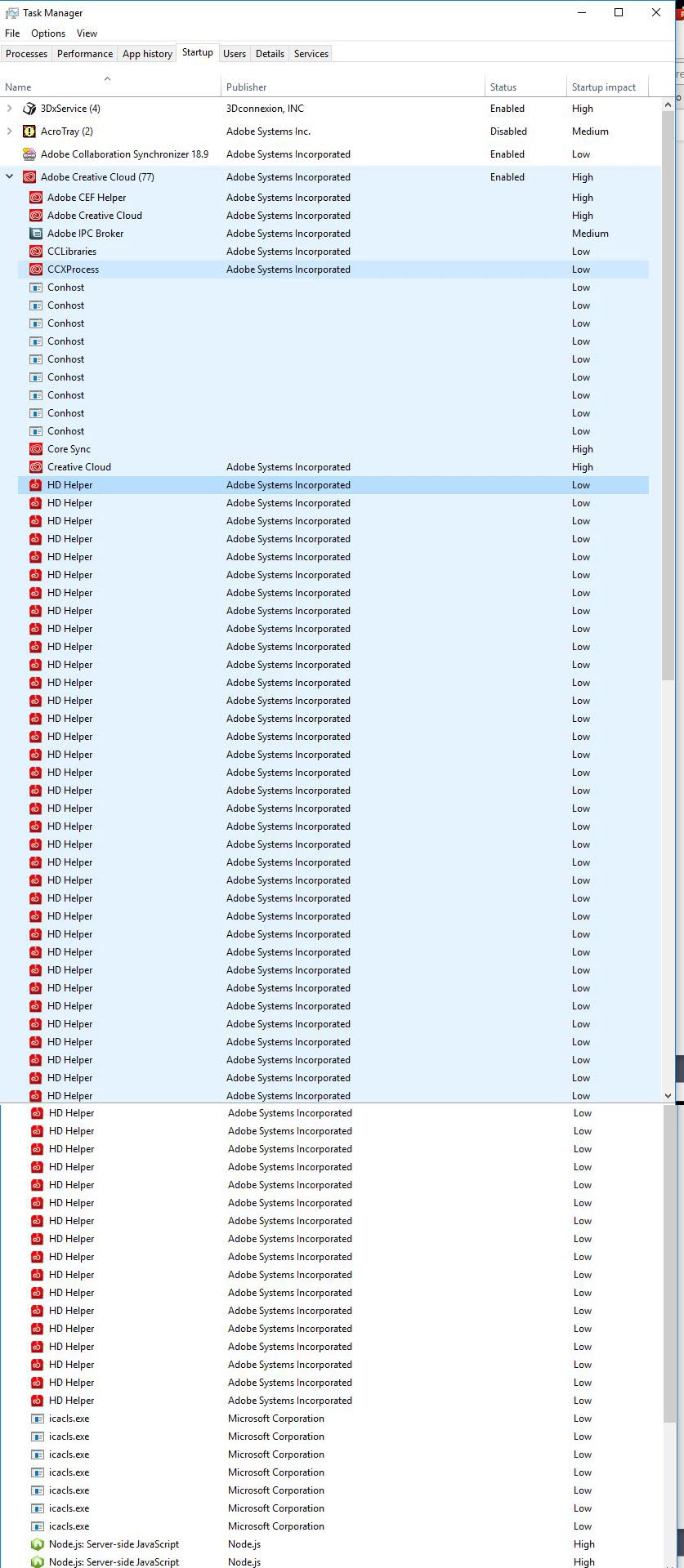
Explanation and question..., I'm going through my startup folder and disabling items not needed at startup.  My Windows 10 PC is suffering from nasty freezups and wait times while doing remedial tasks and often when I have Adobe apps/photoshop open.  I get to "Adobe Creative Cloud" in the list of startup items which also has "(77)" after the name.  I click the drop down arrow and I see this massive list of duplicate services. (9x) conhost, (52x) HD Helper,  (7x) icacls.exe,  (2x) Node.JS Server-side JavaScript.   Can someone tell me if this seems correct,or if this shows that something is wrong with my setup?  The Adobe CC software is up to date as far as I know, just recently having another full apps update. 

(example image of Adobe Creative Cloud startup items)  - This list is so long I had to stitch two screen grab images together to show it.
Windows 10pro, PC

HP Z440 workstation

32gb of ram
This topic has been closed for replies.
Correct answer kglad

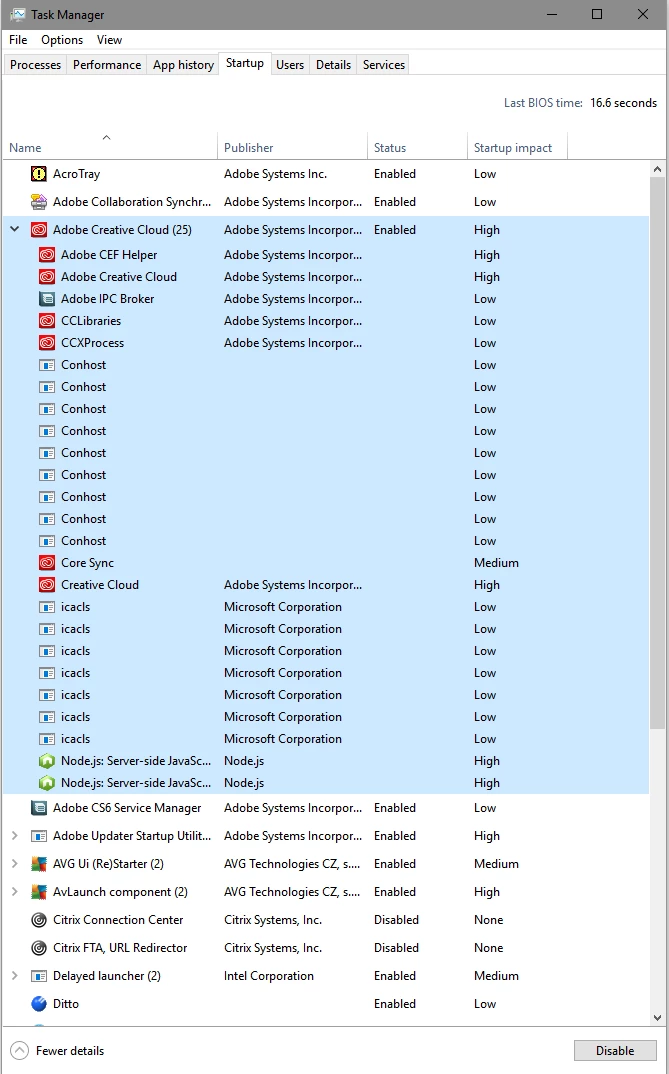
that is absolutely not correct.  here are my win 10 startup programs:

1 reply

kglad
kgladCorrect answer
Adobe Expert
December 12, 2017

that is absolutely not correct.  here are my win 10 startup programs:

LMn0P
LMn0PAuthor
Known Participant
December 12, 2017

Thank you for showing your example kglad!  That's what I needed to see for comparison.

Now I just need to figure out what is wrong on my end causing this.

kglad
Adobe Expert
December 12, 2017

i don't know what's causing that.

if you have any sync'g (like font or file), i would disable that and restart computer.  if those helper files are missing no longer repeated, i'd look for something that's not able to sync.

if all those helper were there and you're thinking about reinstalling cc (which i'm not sure it necessary), do it completely:

uninstall everything cc including preferences, https://helpx.adobe.com/creative-cloud/help/uninstall-remove-app.html

then uninstall the cc desktop app, https://helpx.adobe.com/creative-cloud/help/uninstall-creative-cloud-desktop-app.html

clean your computer of cc files per http://www.adobe.com/support/contact/cscleanertool.html

restart your computer (don't skip this)

reinstall the cc desktop app, https://creative.adobe.com/products/creative-cloud.

if you're unable to install the cc desktop app at this stage, use an administrator account (solution 3 here, https://helpx.adobe.com/creative-cloud/kb/creative-cloud-missing-damaged.html)

use the desktop app to install your cc programs/trials