


fredb57404322
Known Participant
January 16, 2019
Answered

Older version [How to re-install CS2 on Windows 7 laptop?]

  • January 16, 2019
  • 2 replies
  • 4615 views

I was referred to the forum by Adobe support because I had a problem installing my old Photoshop CS 2 on to my laptop.

Deactivation and activation did not work because that server is now offline.

I have the original disk and serial #,  (it worked a week ago on my recently crashed laptop).

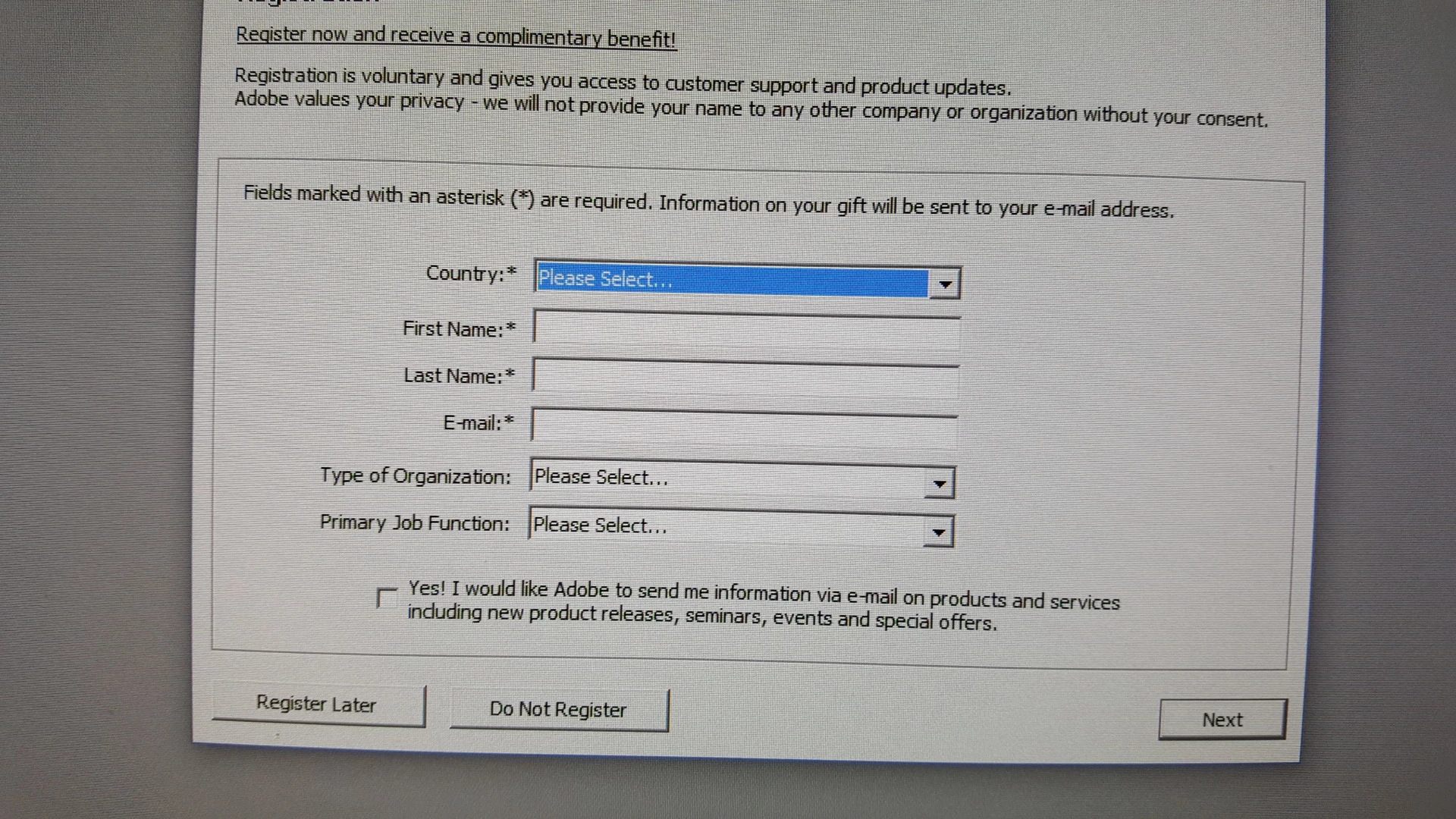
On this laptop Photoshop launches, but once you try to do something, a registration screen pops up, blocking use of the program.

I'm a senior and the $9.99 a month for a new version (with features I'll never use) will be a challenge.

Can I have my older version back, please?

Thanks for your time.
    This topic has been closed for replies.
    Correct answer gener7

    my laptop runs Windows 7. The CS 2 and Acrobat 7 version you have provided runs on newer versions of Windows.

    The non-activation download provided runs OK on Windows 7. Have you tried it?


    Is this the screen you see?

    2 replies

    olmaf2298017
    Participant
    June 24, 2019

    I am assuming you can no longer download CS2 and new registration . . . have tried several times using above info and nothing seems to be available . . .

    Participant
    June 25, 2019

    I also tried all the links but none seem to work. I changed an employee's PC today and there is no way to reinstall CS2 even if you have the license number....

    John T Smith
    Community Expert
    Community Expert
    June 25, 2019

    Adobe removed old links from public view https://theblog.adobe.com/changes-to-creative-cloud-download-availability

    -also read https://prodesigntools.com/adobe-limits-software-downloads.html

    How to get a previous version... Read reply #10 https://forums.adobe.com/thread/2620448

    -Also read https://helpx.adobe.com/in/download-install/kb/downloaded-older-app.html

    -And https://helpx.adobe.com/x-productkb/global/find-downloaded-file-app.html

    -OR... Go to https://www.adobe.com/about-adobe/contact.html

    -click on the Chat bot on the bottom right hand corner of the first screen

    --the chat bot is the circle with a funny looking box with 3 dots inside

    -click on Downloading or Installing, then type Agent

    Do NOT let the support agent tell you to come to the forums for help... no user in a public forum has access to Adobe's internal links, you MUST obtain the program and update links from Adobe support

    AND when you finally do have a download link, be sure to copy every file you download to an external drive (or 2 or 3) so you never have to hunt for download links if they are moved again... also make a text file containing ALL of your serial numbers and copy that file as well

    gener7
    Community Expert
    Community Expert
    January 16, 2019

    Because Adobe took the servers down, they will supply you with a free downloadable non-activation CS2 and a new serial number for it.

    Read the instructions carefully. Download Adobe Acrobat 7 and Adobe Creative Suite 2 products

    fredb57404322
    Known Participant
    January 16, 2019

    I tried.It went right back to the Activation Page where I entered the serial #.Thank you for your response and effort,

    On Tuesday, January 15, 2019, 9:25:30 PM EST, gener7 <forums_noreply@adobe.com> wrote:

    Older version

    created by gener7 in Photoshop - View the full discussion

    Because Adobe took the servers down, they will supply you with a free downloadable non-activation CS2 and a new serial number for it.


    Read the instructions carefully. Download Adobe Acrobat 7 and Adobe Creative Suite 2 products

    If the reply above answers your question, please take a moment to mark this answer as correct by visiting: https://forums.adobe.com/message/10871964#10871964 and clicking ‘Correct’ below the answer

    Replies to this message go to everyone subscribed to this thread, not directly to the person who posted the message. To post a reply, either reply to this email or visit the message page:

    Please note that the Adobe Forums do not accept email attachments. If you want to embed an image in your message please visit the thread in the forum and click the camera icon: https://forums.adobe.com/message/10871964#10871964

    To unsubscribe from this thread, please visit the message page at , click "Following" at the top right, & "Stop Following"

    Start a new discussion in Photoshop by email or at Adobe Community

    For more information about maintaining your forum email notifications please go to https://forums.adobe.com/thread/1516624.

    This email was sent by Adobe Community because you are a registered user.

    You may unsubscribe instantly from Adobe Community, or adjust email frequency in your email preferences

    fredb57404322
    Known Participant
    January 16, 2019

    >The serial # on the box is invalid

    Way back in the 1st reply you were told that you can't use your original installer OR serial number, I will repeat

    1 - UN-install and completely remove all traces of your original CS2

    2 - download the new installer and use the new serial number

    CS2 + Acrobat 7 + Audition 3 (AND EARLIER) Activation Server is gone, so read below

    https://helpx.adobe.com/creative-suite/kb/cs2-product-downloads.html?promoid=19SCDRQK

    You MUST use the special version and serial number on the page, not your original disc or serial number


    I am not seeing a new serial number. I have deleted my CS 2 and downloaded from link provided.