



Answered
Problem installing Lightroom 6: another instance of the installer is already running
Hi,
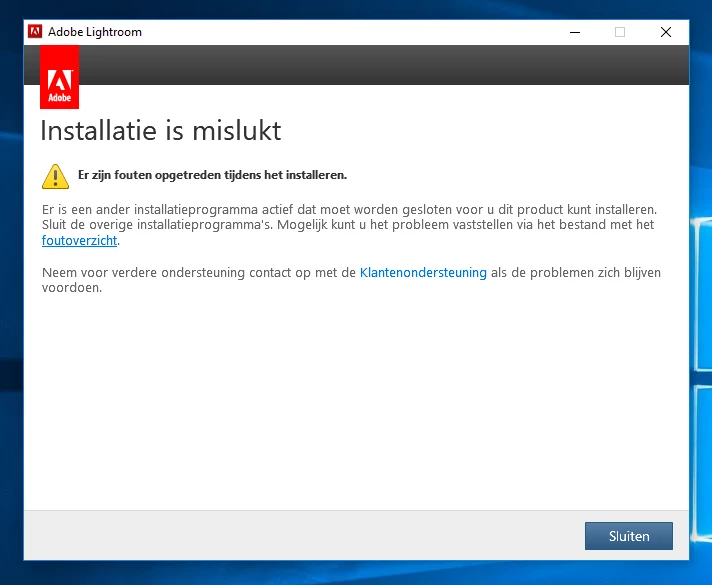
When I first tried to install lightroom 6.0 I got an error message after the "preparing for install" loading screen, right after inserting the license key.
The message was (translated from Dutch):
"Installation failure. Errors came up during installation. Another installation program is active and needs to be cloes before you can install this product."
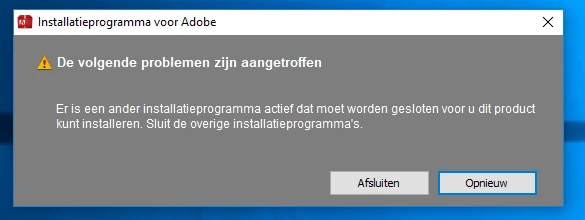
Now I get almost the same error message immediately after starting the installation, even after rebooting.
The message now reads (translated from Dutch):
"The Adobe installation program is already active. Close the other Adobe-installation programs and choose Retry if you want to proceed"
Some info:
- I've rebooted several times
- I've stopped the Windows Installer instance
- I'm sure there isn't another installation active in the Task Control screen
- I'm on Windows 10, 64 bit
Please help,
Thanks, Dion

 AdChoices