


Participating Frequently
November 26, 2017
Question

Problem reactivating Adobe Creative Suite 3 Web Premium

  • November 26, 2017
  • 1 reply
  • 625 views

Can someone please help me with this, 2 live chats, uninstalling, reinstalling and they told me to post my issue in the forum !!!!

Im using windows 10, just recently updated the system on Nov. 23, 2017 and my Adobe CS3 Web Premium started giving me this "Temporary Activation" window where none of the options work!
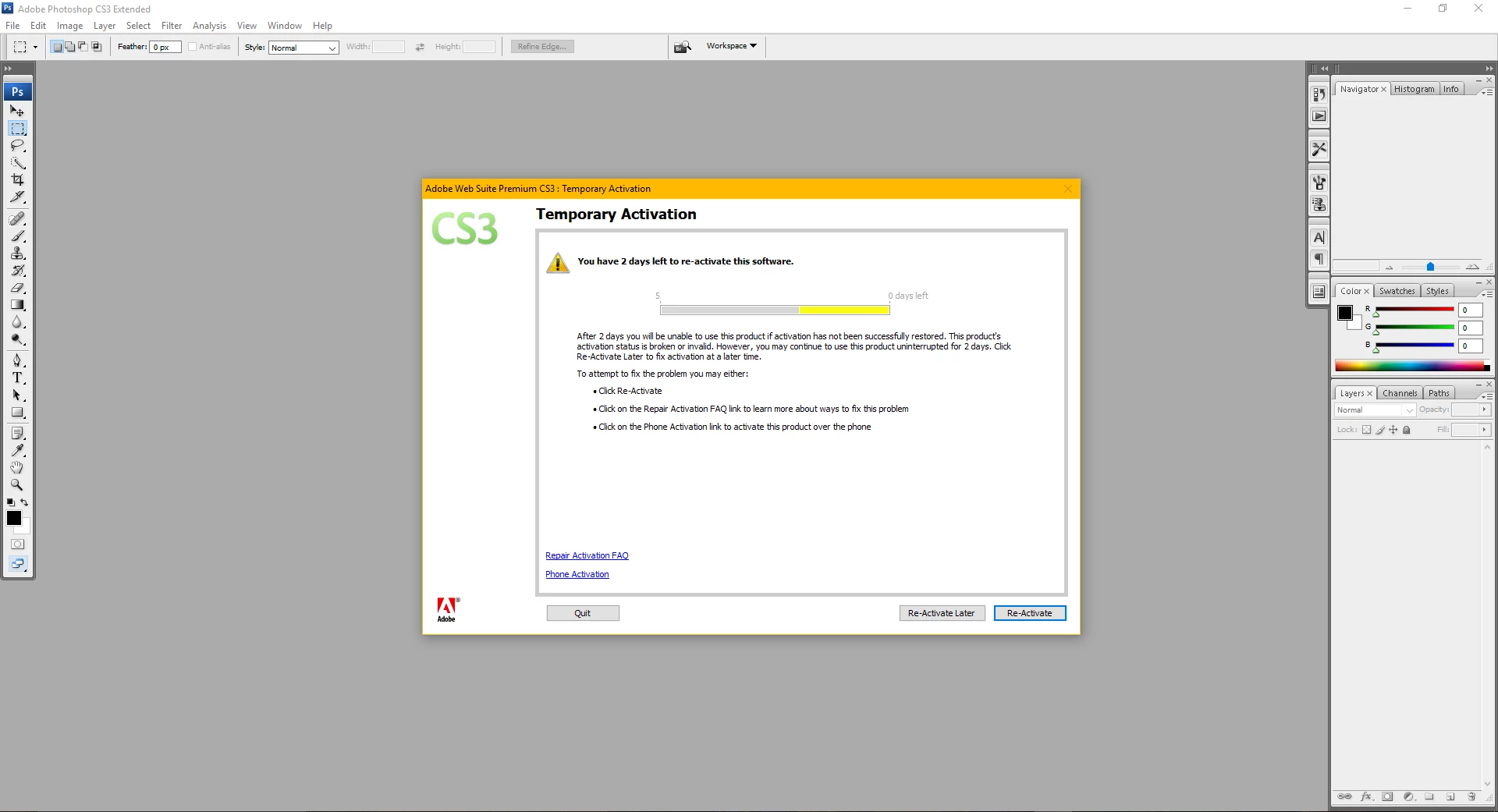
can someone help!!!

Thank you,

Steven

[Here is the list of all Adobe forums... https://forums.adobe.com/welcome]

[Moved from Comments forum to the specific Program forum... Mod]

This topic has been closed for replies.

1 reply

John T Smith
Community Expert
November 26, 2017

CS3 and Acrobat 8 activation server is retired see reply #1 https://forums.adobe.com/thread/2372929

-you MUST use the special serial number AND the special installer, not your originals

-includes a link to get the special version AND links to help with activation problems

Two ideas that MAY work to install and/or run old programs in Windows 10

-RIGHT click the program icon or EXE and select a compatibility mode in the pop up option window

-or Run as Administrator http://forums.adobe.com/thread/969395 to assign FULL Windows permissions may help... says Encore, but sometimes required for ALL Adobe programs (this is NOT the same as using an Administrator account)

Owners of old programs simply have problems with Windows 10... none of which is Adobe's fault... Adobe did not change your old program to make it stop working... Microsoft changed their operating system and THAT is why your old program won't work, not because of anything Adobe did... Also... every time Microsoft issues a Win10 update, there is the risk that an old program that HAS been working after the initial Win10 upgrade will STOP working... bottom line, old programs require a matching old operating system

Participating Frequently
November 27, 2017

Thanks, John, for your prompt reply

I've done that already and followed the steps for the 3rd, 4th, 5th time, but the same problem persists, I'm still getting the Temporary Activate window

Mind you it was working fine in windows 10, until the update on the 23rd, when adobe went bazerk on me

BobLevine
Community Expert
November 27, 2017

Such is the danger of an unsupported configuration. Any update at any time can bring you down.

Have you tried running the apps in Windows 7 compatibility?

I’m sorry, but if you’ve tried that along with the new serial number and procedures, to activate it you’re pretty much on your own here.