
Participant
September 28, 2022
Question

Security issue
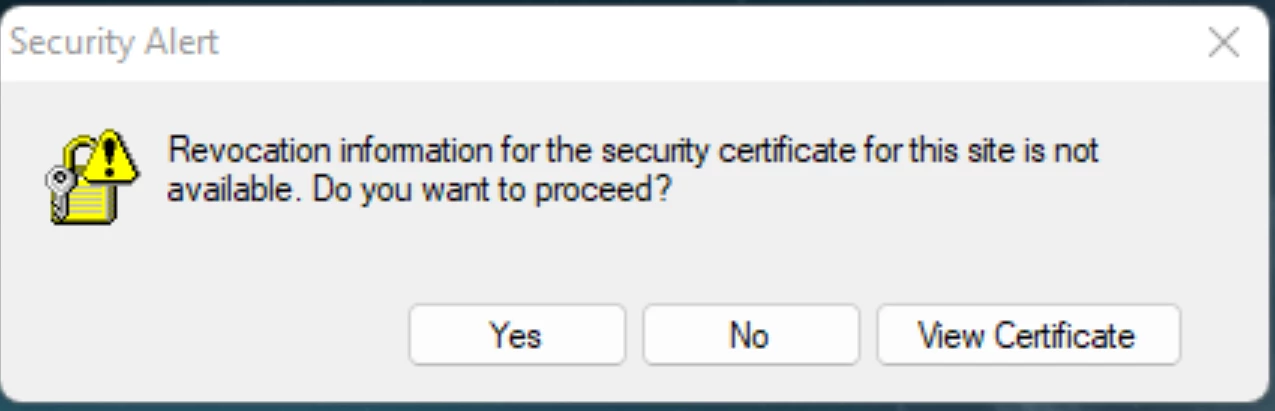
 I have reached out on the forums before about this issue and the solution resolved it for a little while however it came back, I decided to remove all associate adobe products and uninstall them, ofcourse I then do not recive these issues. After trying to install creative cloud again I found that the problem appears only with creative cloud.

It appers to create a large number of adobe credentials and also this security issue.

Ce sujet a été fermé aux réponses.

2 commentaires

AxelMatt
Community Expert
Community Expert
September 28, 2022
My System: Intel i7-8700K - 64GB RAM - NVidia Geforce RTX 3060 - Windows 11 Pro 25H2 -- LR-Classic 15 - Photoshop 27 - Nik Collection 8 - PureRAW 5 - Topaz Photo
kglad
Community Expert
Community Expert
September 28, 2022

use the "alternative download links" at page bottom here - https://helpx.adobe.com/download-install/kb/creative-cloud-desktop-app-download.html


start with the Windows 10 version 1903 and later(64-bit) installer


if that fails, try the Windows 10 versions below 1903 (64-bit) installer


Shivangi_Gupta
Community Manager
Community Manager
September 28, 2022

Hi there,

We're here to help. Do you get this notification specifically when you try to install Adobe Creative Cloud desktop application? Are you logged in to your user account with admin rights?

Also, have you checked if your system meets the requirements to install Adobe Creative Cloud? https://helpx.adobe.com/creative-cloud/system-requirements.html


Let us know.

Participant
September 28, 2022

Yes, Once I tried to install Creative cloud 1(image 1) prompt shows up and I click retry and then before I even try to login with my adobe account it prompts me with 2(image 2). I am an administratior and the only user of this system, as well as my pc meeting system requirements being windows 11 pro, CPU - I9 12900k   GPU - GTX 3060    RAM - 5600hz 32GB - if that is what you ment by system requirements.


1

1^

2 ^