New Participant
May 21, 2018
Answered

Unable to uninstall Adobe CC apps

  • May 21, 2018
  • 1 reply
  • 4904 views

Hi,

My LR CC was not working correctly (edit in PS option to be precise) and I decided to reinstall Adobe CC and both apps hoping it might fix it.

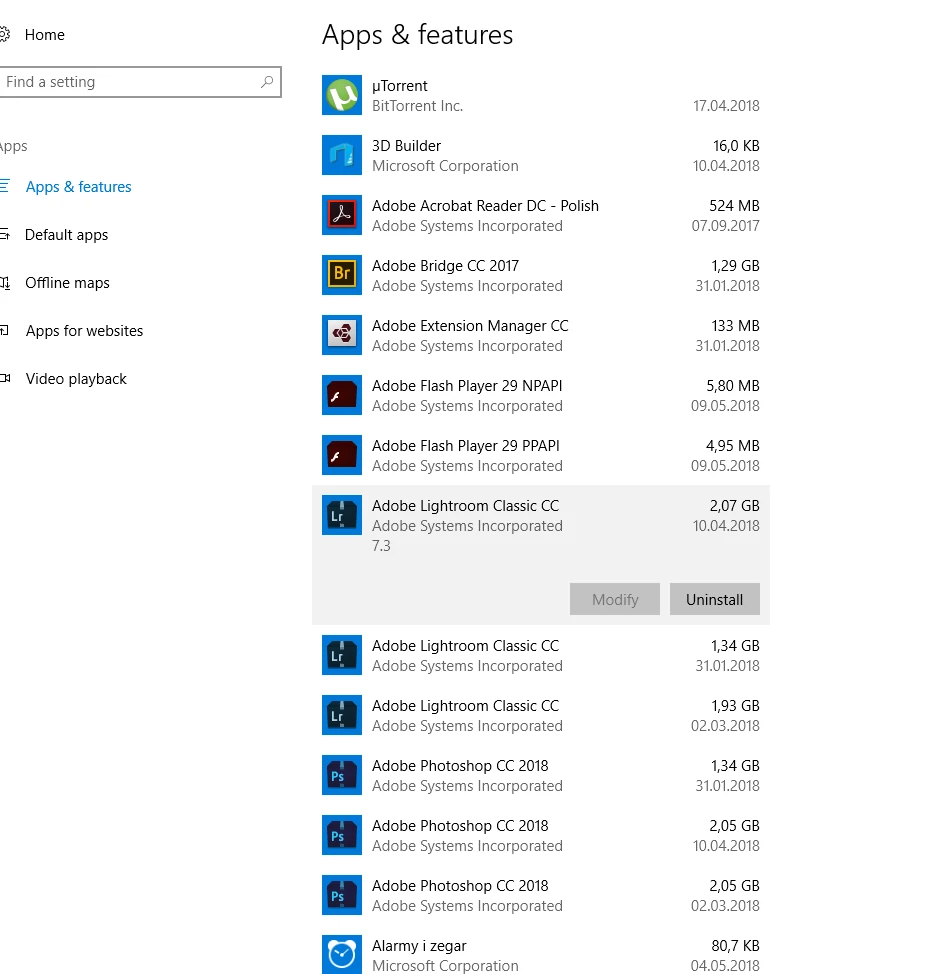
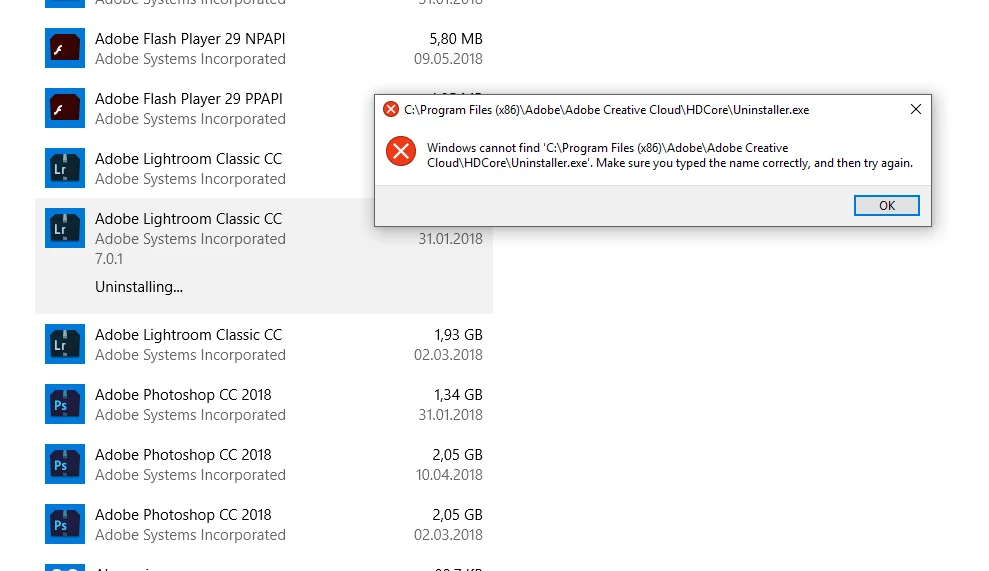
What I found out was that I had 3 different versions of both LR (7.01, 7.2, 7.3) and PS (19.0, 19.1.1, 19.1.3) installed! I tried to uninstall old versions but the Windows uninstaller doesn't work at all (I can only uninstall Adobe CC Desktop App). The apps are not showing in Adobe CC desktop app (although PS and LR seem to work - with some errors mentioned at the beginning).

I tried Adobe CC Cleaner Tool but it doesn't even show any version of PS or LR installed on my computer.

Any ideas how can I get rid of unwanted versions of PS and LR and start a clean installation? (I don't want to format the whole drive and install the system and all the other apps from scratch)

Thanks,

Tomasz
This topic has been closed for replies.
Correct answer Jeffrey_A_Wright

I located OOBE only under "users" catalog. I had to quit Lightroom to rename it.

There was no OOBE catalog in "Program Files (x86)"


Ok, thank you for the update, Paintitb1ack.  If you do not see \Program Files (x86)\Common Files\Adobe\OOBE, then please make sure you have hidden files and folders selected as being visible.    The Common Files folder is hidden by default under Windows.

You can find details on how to toggle this setting at https://support.microsoft.com/en-us/help/14201/windows-show-hidden-files .  If you have been unable to locate the \Program Files (x86)\Common Files\Adobe\OOBE and rename this folder then it could explain why the error has continued to be unresolved.

1 reply

kglad
Community Expert
Community Expert
May 21, 2018

uninstall everything cc including preferences, https://helpx.adobe.com/creative-cloud/help/uninstall-remove-app.html

then uninstall the cc desktop app, https://helpx.adobe.com/creative-cloud/help/uninstall-creative-cloud-desktop-app.html

clean your computer of cc files per http://www.adobe.com/support/contact/cscleanertool.html

restart your computer (don't skip this)

reinstall the cc desktop app, https://creative.adobe.com/products/creative-cloud.

if you're unable to install the cc desktop app at this stage, use an administrator account (solution 3 here, https://helpx.adobe.com/creative-cloud/kb/creative-cloud-missing-damaged.html)

use the desktop app to install your cc programs/trials

New Participant
May 22, 2018

If it was that simple I guess I wouldn't start this thread... Adobe Creative Cloud and Adobe CC Cleaner don't recognize any of the programs installed so I can't uninstall it.

Jeffrey_A_Wright
Community Manager
Community Manager
May 22, 2018

Paintitb1ack, please make sure to complete the steps listed in Adobe Creative Cloud, needed to resolve this problem, is missing or damaged as suggested by Kglad in message #1.  The solutions listed include a utility which can be utilized to remove the current installation of the Creative Cloud desktop app.  Based on your most recent post it does not appear you have completed solution two through 4 listed in the document.

Please update this discussion if you have any questions on how to implement any of the steps in Adobe Creative Cloud, needed to resolve this problem, is missing or damaged