


Participant
August 21, 2023
Question

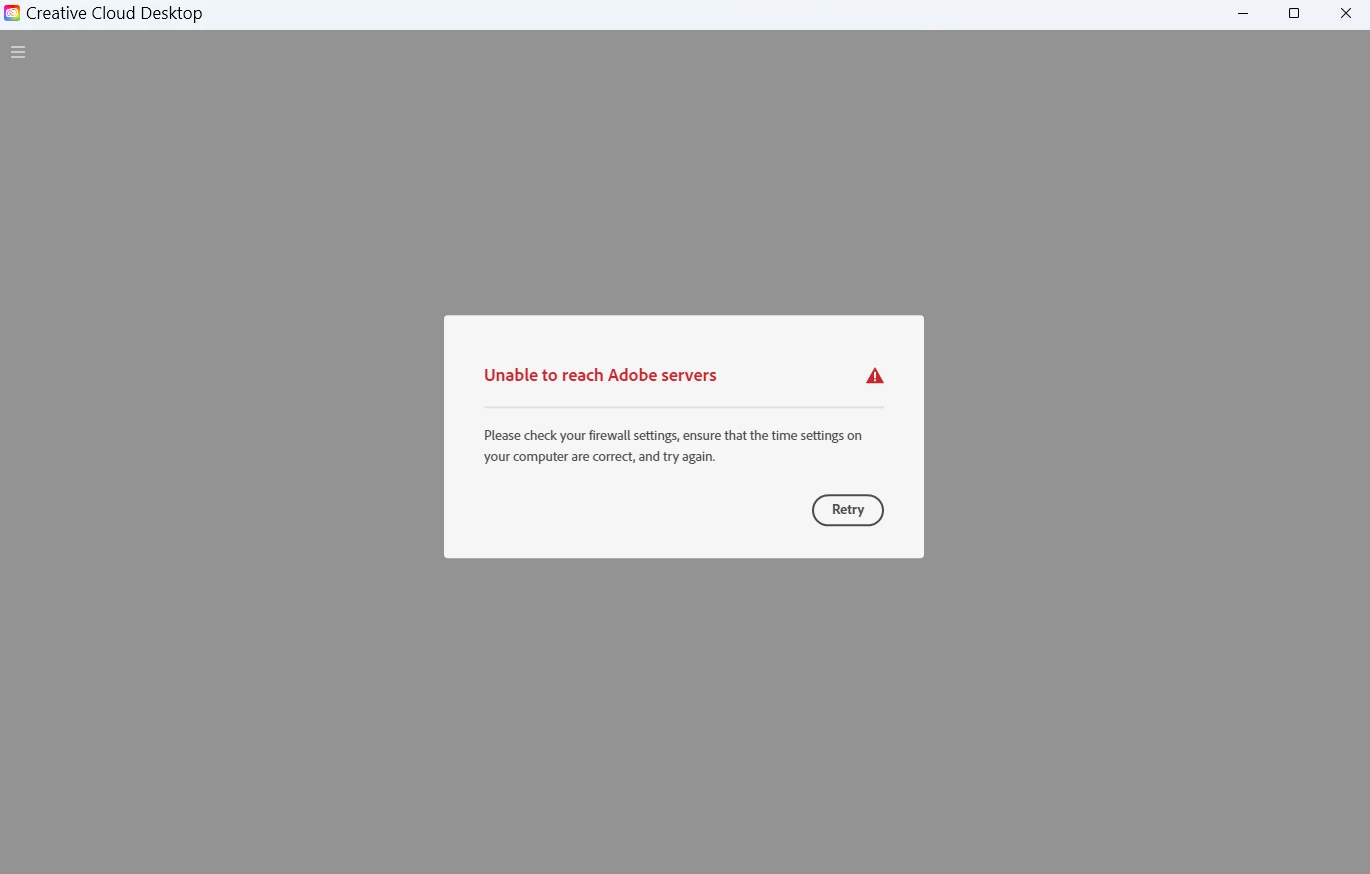
Unable to use creative desktop app
  • August 21, 2023
  • 2 replies
  • 294 views

I currently can use the apps as I am still signed in however the app launcher doesn't reach the Adobe servers, I already reinstalled the app but it didn't ask me to sign in again. The issue is still the same. running Windows 11 with the last update

    This topic has been closed for replies.

    2 replies

    Community Manager
    August 21, 2023

    Hey David, 

    We're sorry for the trouble. In addition to the suggested articles by @kglad and @ashelymorgon, check this out: https://helpx.adobe.com/download-install/kb/unable-to-reach-adobe-servers.html

    We hope it helps.

    Regards,

    Shivangi

    kglad
    Community Expert
    Community Expert
    August 21, 2023

    adobe connection errors are common and are not related to whether you're connected to the internet.  they're related to connecting to adobe's secure servers.


    if you have a non-current os, your default browser must support tls 1.2, https://helpx.adobe.com/x-productkb/multi/eol-tls-support.html


    to test your default browser's tls you can use , https://clienttest.ssllabs.com:8443/ssltest/viewMyClient.html


    otherwise, confirm that you can connect to the secure adobe servers by reading, http://helpx.adobe.com/x-productkb/policy-pricing/activation-network-issues.html


    do you see both logos after clicking "link"?


    if you can and still see a connection error try these steps, https://helpx.adobe.com/download-install/kb/common-network-connectivity-issues.html


    if those all fail, white list the adobe network endpoints, https://helpx.adobe.com/enterprise/kb/network-endpoints.html


    or, if you’re trying to activate a perpetual license, you can try offline activation by disconnecting your computer from the internet, starting activation and using https://aoes-stage.licensingstack.com/aoes/aoes/v1/imsauthstatus


    -----------

    in the future, to find the best place to post your message, use the list here, https://community.adobe.com/

    p.s. i don't think the adobe website, and forums in particular, are easy to navigate, so don't spend a lot of time searching that forum list. do your best and we'll move the post if it helps you get responses.


    <"moved from using the community">
    Participant
    August 24, 2023
    Hi ! the problem is definetily within the antivirus program, once disabled
    for 5 min my CC desktop app has initiated correctly
    --
    Kind regards,
    *David León*

    *Design & digital solutions / *+1 561 593 0313 - Miami, FL / Website
    <>
    [image: Linkedin] <> [image:
    Behance] <>
    <> <>
    <>
    <>
    kglad
    Community Expert
    Community Expert
    August 24, 2023

    @davidl67445316 


    thanks for the update.