

Answered
Web design premium cs6 disc won't install...
Instead my autoplay is reading it as a picture disc and promts me to pick 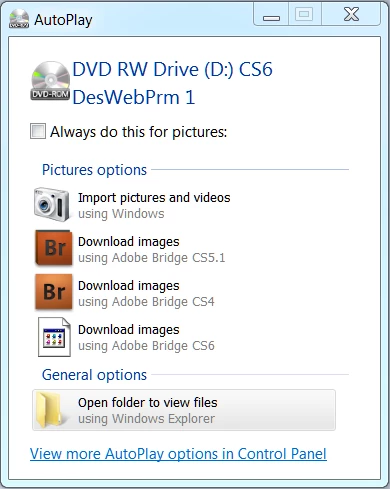 as you can see. How would I go by fixxing this?

Instead my autoplay is reading it as a picture disc and promts me to pick as you can see. How would I go by fixxing this?
What happens if you execute that Install.app file?
Are you trying to install on a Mac? It might be a case where you have a Mac disc where you need to have a Windows disc.... the first image you showed earlier mentions Windows Explorer.
If it is a Mac disk then chances are it will not work to activate a Windows installation from a download.
If you know you ordered a Windows version then you probably need to contact Adobe to get the correct disk sent to you.
If you mistakenly ordered the Mac version, then you can swap platforms if you follow the instructions on the page linked below:
http://helpx.adobe.com/x-productkb/policy-pricing/order-product-platform-language-swap.html
thanks, was mac disk lost my windows disc but just found it :3 problem solved
Already have an account? Login
Enter your E-mail address. We'll send you an e-mail with instructions to reset your password.
 AdChoices