


Participant
December 9, 2019
Question

Why do I have the CC Apps two times each ready for updating?

  • December 9, 2019
  • 2 replies
  • 377 views

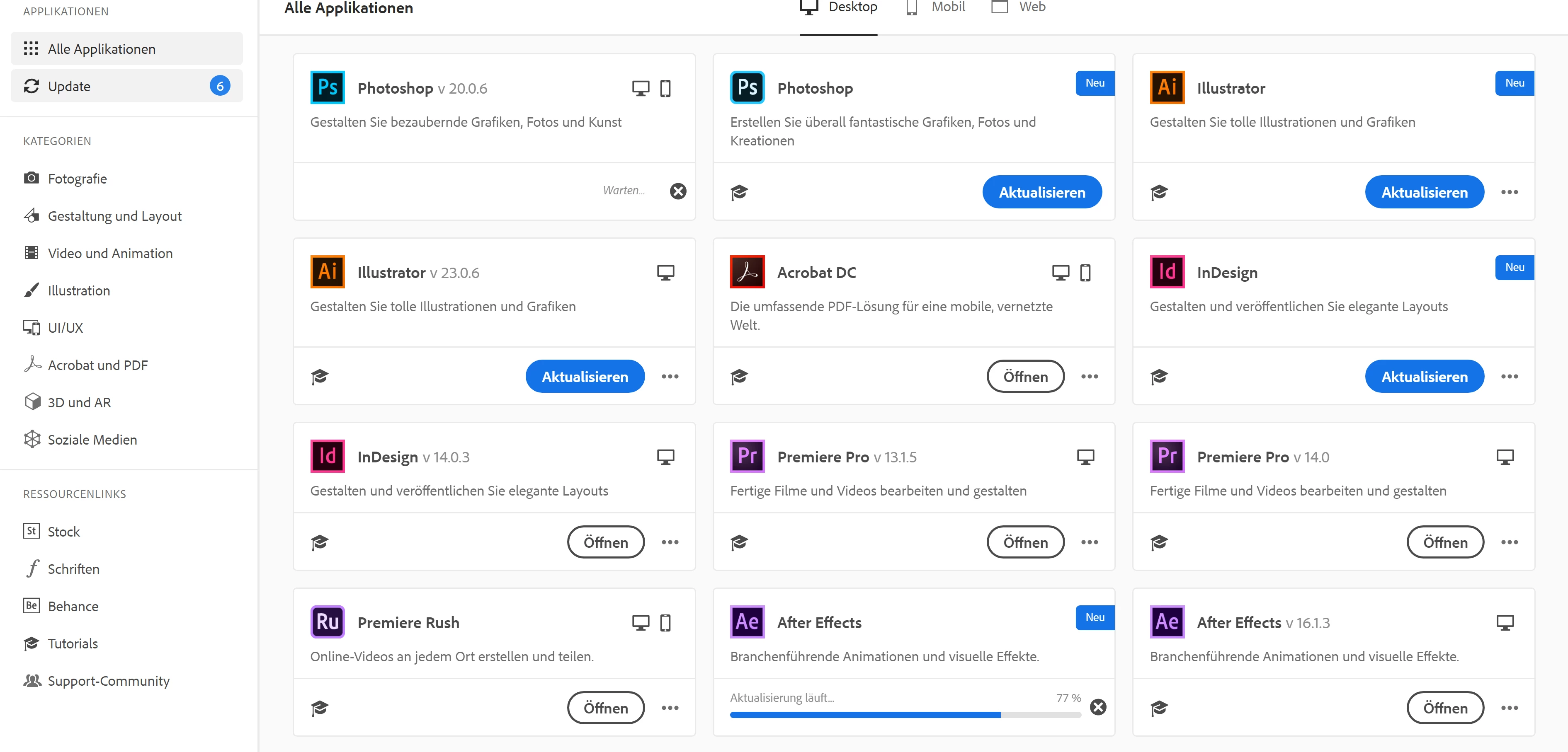
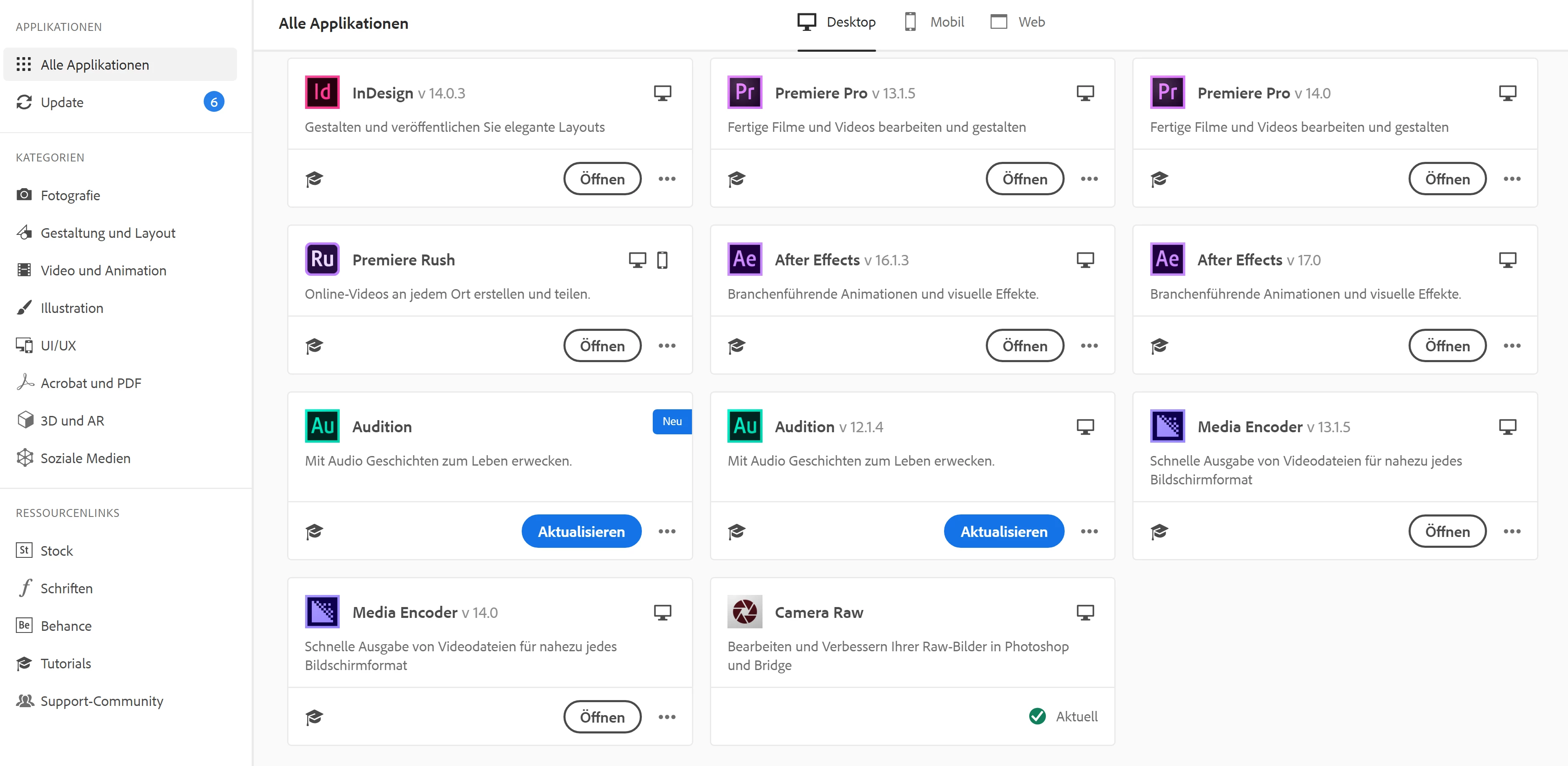
The CC Desktop App shows me two apps that are ready for an update. So, in the screenshots, you can see that I have the versions 13.1.5 and 14.0 of Premiere Pro. So far so good, but you can also see two versions of Photoshop ready for an Update- one showing the version 20.0.6 and the other showing nothing. Exact thing with After Effects, Illustrator, InDesign and Audition. I even have installed the newest version of InDesign and it still shows me a second InDesign to update. So, why are there two versions each and which one is the newer one? The one with "v...." or the one without showing the version? Should I update both of the same app like both Audition apps?
 

This topic has been closed for replies.

2 replies

S_Gans
Community Expert
Community Expert
December 9, 2019

Sometimes, I find that the listings that don't show version numbers are remnants of previous installations (before the versions I've kept) that seem to register with the CC app as still being installed. This happened to me, when I accidentally didn't use the uninstaller to remove older versions. To clean it all up, I used the CC Cleaner app (being careful to ONLY specify the versions it saw as still being installed, that I didn't want). You can download the Cleaner app at https://helpx.adobe.com/creative-cloud/kb/cc-cleaner-tool-installation-problems.html

Adobe Community Expert / Adobe Certified Instructor
Abambo
Community Expert
Community Expert
December 9, 2019

I suppose that you still have the prior version installed, so any maintenance update released for that one will trigger an update.


By installing a newer version you have the option to remove the old one or keep that one. If you are unsure that the programs work as advertized, especially for a first release (dot 0 release) it is sometimes wise to keep the prior version available.

ABAMBO | Hard- and Software Engineer | Photographer
joseschAuthor
Participant
December 9, 2019

Thanks for your reply!


But why is the App showing me two different updates of the same app? I guessed, that the one without a verison showing wants me to update from say 13.1.5 to for example 13.6.5 and the other one showing 1.14 wants me to skip the v13 and install immidiately the new 1.14. 

So one says, I should update my current version to a newER one and the other suggests me to update to the newEST version. Am I correct?


Abambo
Community Expert
Community Expert
December 9, 2019

Current version of Photoshop is 21.x and you have an update waiting for your version 20.x. It's unfortunate that Adobe does not show a version number for each of their products. But one is the latest and the other is the prior major version. And as said before, you could delay installation of the latest version, especially if you are in the middle of a big project.


ABAMBO | Hard- and Software Engineer | Photographer