


Participating Frequently
February 28, 2018
Question

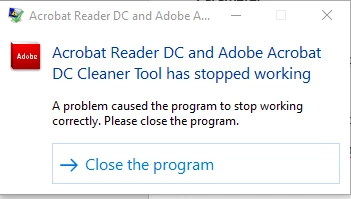
Acrobat Reader DC and Adobe Acrobat DC Cleaner Tool has stopped working...

  • February 28, 2018
  • 1 reply
  • 19813 views

I am in the process configuring an uninstaller for Adobe Reader in case we have failed installation within our company.  I found your cleaner tool, which is exactly what I needed!

However, after the tool completes the uninstall process (logs have finished being written), it crashes.  I have tested this on multiple computers.  Even if I run the tool without any adobe software installed, whenever it completes and you hit "Finish", it crashes.  If I run it silently, it crashes.

My machine is a Precision 3520 with Windows 10 1709.  However, this happened with a VM running 1709 as well.

Has anyone else experienced this?
This topic has been closed for replies.

1 reply

EnterpriseHelp
Community Manager
Community Manager
February 28, 2018

What are the product versions you are trying to remove?

Participating Frequently
February 28, 2018

I have been testing the tool by removing 18.011.20035.

The removal appears to be successful and the logging ends.

Like I mentioned before, even if I run the tool when NO adobe product is installed, it still crashes at the end once you click "Finish."

.

EnterpriseHelp
Community Manager
Community Manager
April 25, 2018

This is not really a solution.

We have various versions of Adobe Reader DC in our enterprise and working with the uninstall codes is not an option. There are too many variables for that. The cleaner tool was an excellent solution for this but since Windows 10 1709 it keeps crashing at the end.

And it crashes at every event mentioned here.


The cleaner tool on LABs is not a replacement for the uninstaller and should not be used that way. If there is some reason you can't use the standard uninstall methodologies, post why and perhaps found issues could be fixed.