
New Participant
May 14, 2019
Answered

Adobe - Incorrect SSO Procedure

  • May 14, 2019
  • 2 replies
  • 11794 views

Greetings,

Recently successfully federated. All is well except the SSO process provided by Adobe. The sign-in is taking in username (email address) and password, when it should ONLY be taking in the email address first to validate if the user should be redirected to an Identity Provider.
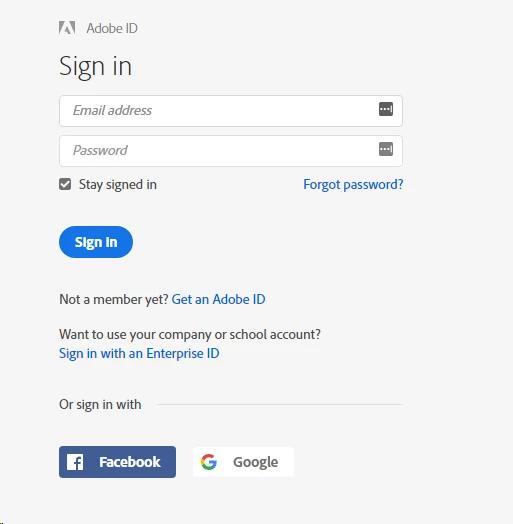
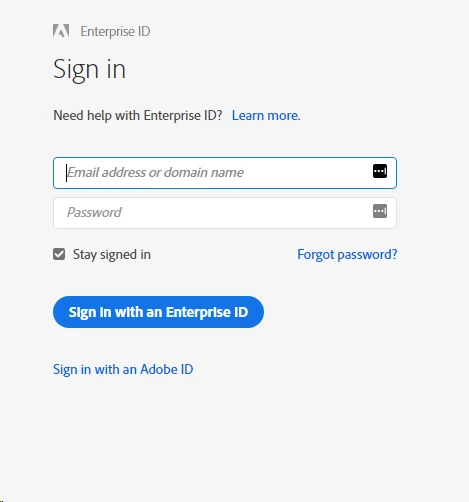
In this case, I can enter my domain in the email address and hit enter or since my users are logging in with their company or school account, they need to click "Sign in with an Enterprise ID". Either way the result is that my users are redirected to my IDP environment for credentialing. Adobe should not be accepting a password, that is why I federated, I controll the credentialing and the access.

This topic has been closed for replies.
Correct answer Vikrant R

Users can begin the sign-in process by entering their email address or domain. Once they tab out of that field, we quickly check if it's a federated domain. In case it is, it switches over to your organization's sign-in page. Users won't need to enter a password on the sign in screen at all.

2 replies

Vikrant R
Community Manager
Vikrant RCommunity ManagerCorrect answer
Community Manager
May 15, 2019

Users can begin the sign-in process by entering their email address or domain. Once they tab out of that field, we quickly check if it's a federated domain. In case it is, it switches over to your organization's sign-in page. Users won't need to enter a password on the sign in screen at all.

Bani Verma
Community Manager
Community Manager
May 15, 2019

Hi Adobemuddy,

Currently, Adobe's SSO setup doesn't support passthrough authentication. Even if you have set up Federated identity, students will need to login to the computer and then re-enter their credentials when signing in to Creative Cloud.

For more details see the following FAQ: Shared Device Licensing FAQ.

Let us know if this helps.

New Participant
May 15, 2019

I'm not requesting PTA. I'm indicating that Adobe is currently accepting credentials where it shouldn't. The password field shouldn't be an option for federated users at an Adobe domain. Adobe should be redirecting to my IDP based on the user-submitted user@domain.com. My users should be entering their credentials at my domain, Adobe.

I can bypass the password field by just entering an email address that is part of my domain and a redirect occurs, fowarding the user to my IDP, but the password field SHOULD NOT be there in this context. Adobe shouldn't be accepting a password here, those are my users' credentials (my IDP performs the validation of my users).

Example: If I go to log into outlook.office365.com.

  1. I enter a username@mydomain.com
  2. Office365.com determines where the user should be directed for authentication; ie. (ADFS)fs.mydomain.com
  3. I credential at fs.mydomain.com
  4. Upon successful authentication; forwarded back to outlook.office365.com with requested attributes