


Answered
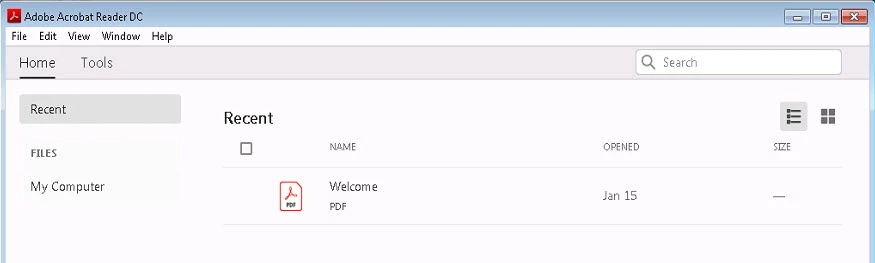
Adobe Reader DC (2019.010.20098) US-EN Welcome.PDF Freezes
In our organization we do not Sign-On to Adobe Cloud using Adobe Reader. We used the Adobe Customization Wizard to disable Sign-on to Adobe Cloud.
We have had some people in our org click on thee Welcome.PDF after launching Reader and reader would freeze. Once we close Reader with Task Manager, we can open any pdf, except for Welcome.pdf.
My question:
When someone tries to open the Welcome.PDF from Reader that does not have an Adobe Sign-On account. IS Adobe Reader trying to go to Adobe Cloud to open the Welcome.PDF?
If that is so, I would like to open a bug on this issue, with a suggestion to resolve is issue and help improve the Adobe Brand.
Suggested Solution:
- Allow the Welcome.PDF to be an option in the Adobe Customization Wizard.
- This will allow the System Administrator to Select how the Welcome.PDF will be accessed from
- Can be used to point to the Cloud Location with the correct link.
- Or Can be used to Point to Public Facing, allowing those organization that do not use the Adobe Sign-on to access the Welcome.PDF.
- Or the System Administrator can select a location where the file can be placed on the workstation.
- Or chose not to have the Adobe Welcome.PDF and remove it from Recent
- This will allow the System Administrator to Select how the Welcome.PDF will be accessed from
 Suggestig
 AdChoices