
Participant
August 16, 2022
Question

Blue screen happened when use adobe apps

  • August 16, 2022
  • 4 replies
  • 453 views

Hi Team

I have a serious issue with Dell Latitude 5591 .I am working with Adobe products (PS-Premiere- After effect - illustrator -Animation ..... ) with 32 Giga Ram (Crucial- 2666). While working on the laptop specially with adobe products. suddenly the below screen happened . I can't figure out what exactly the issue. But I installed a new windows with a new licensed applications .and still happened many times suddenly. Please i need your support.
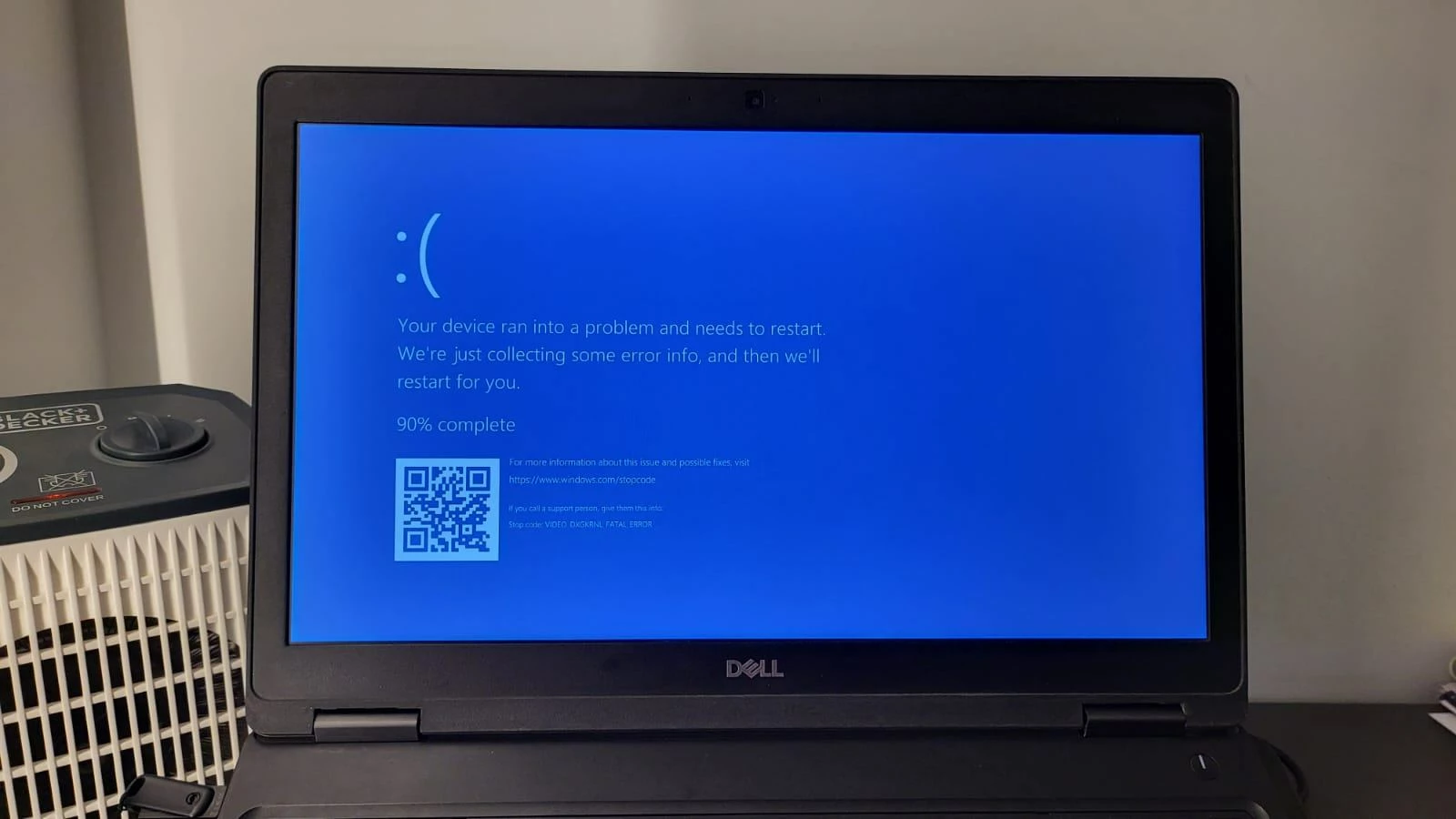


This topic has been closed for replies.

4 replies

John T Smith
Community Expert
Community Expert
August 16, 2022
Peru Bob
Community Expert
Community Expert
August 16, 2022

What operating system?

What graphics card?

What graphics driver number?

Participant
August 16, 2022

Win 10 or 11

Navidia Geforce MX130


Peru Bob
Community Expert
Community Expert
August 16, 2022

That graphics card only has Game Ready drivers available.

Adobe products prefer (sometime may require) the Studio drivers.

Shivangi_Gupta
Community Manager
Community Manager
August 16, 2022

Hi Peter,

We're sorry for the trouble. As the expert mentioned above, blue screen error is not related to the software that you're using. It appears when the graphics card driver is not updated/compatible. Adobe Premiere Pro and After Effects are video editing/compositing applications which are majorly dependent on the graphics card installed. I believe this is the reason you are getting this error.


Could you follow the suggestion mentioned by the expert and check if there is any updated version of the driver available for your graphics card?

Let us know the outcome.

AxelMatt
Community Expert
Community Expert
August 16, 2022

Adobe programs do not trigger a blue screens. Usually these are driver problems and/or hardware malfunctions.

In your case it seems that there are a problem with the device driver for you graphic card. Please take a look if there are a newer version of the driver. If it's so please install this version. If you have the recent version installed, try to install an older one. Sometimes the actual driver can be  buggy. 

My System: Intel i7-8700K - 64GB RAM - NVidia Geforce RTX 3060 - Windows 11 Pro 25H2 -- LR-Classic 15 - Photoshop 27 - Nik Collection 8 - PureRAW 5 - Topaz Photo