


Participant
September 15, 2021
Answered

Can't find ServiceConfig.xml file

  • September 15, 2021
  • 1 reply
  • 9057 views

Hello !


I've been using the ServiceConfig.xml file to disable Apps panel for a long time (https://helpx.adobe.com/in/enterprise/using/customize-creative-cloud-app.html#using-service-config)  but recently I can't find it anymore.


My Adobe Creative Cloud is version 5.5.0.617.
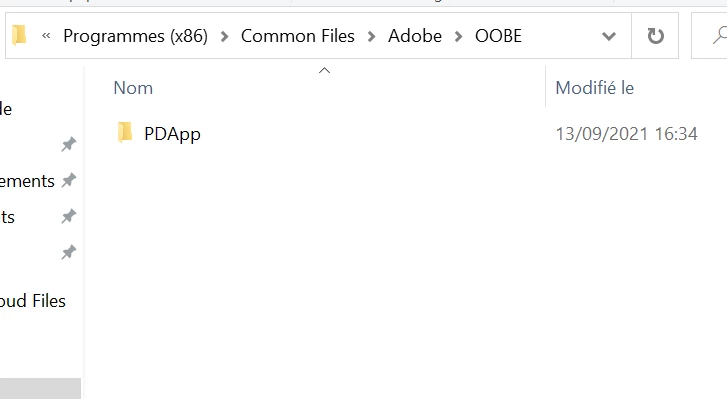
 

The "Configs" folder isn't there, even if I quit the app/disconnect or show hidden files/folders.


The same thing happens on my macOS computer.


Thank you for your help !


Correct answer Vikrant R

This folder and file are not there by default. These are only created when you create a package using the Admin Console.

Anyway, it's a legacy method to customize the CC desktop app. However, incase you really can't create and deploy a package, feel free to create the folder/file structure and place the file in there. You'll need to reload the CC desktop app for any changes to take efect.


1 reply

Vikrant R
Community Manager
Vikrant RCommunity ManagerCorrect answer
Community Manager
September 15, 2021

This folder and file are not there by default. These are only created when you create a package using the Admin Console.

Anyway, it's a legacy method to customize the CC desktop app. However, incase you really can't create and deploy a package, feel free to create the folder/file structure and place the file in there. You'll need to reload the CC desktop app for any changes to take efect.