


Inspiring
October 12, 2019
Answered

Can't seem to install any Application - Need IT Admin Permission Mac

  • October 12, 2019
  • 14 replies
  • 67221 views

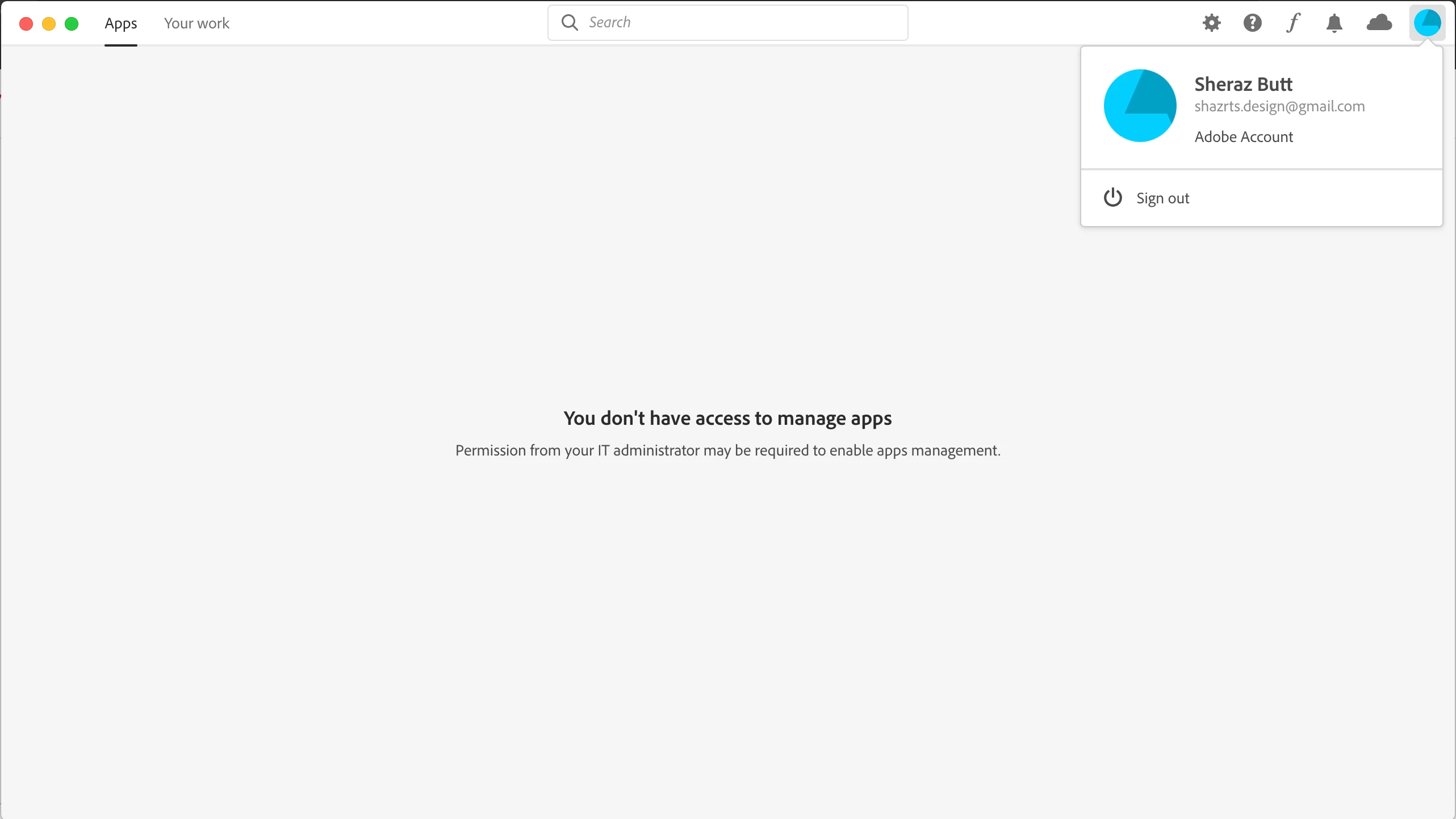
I need to install Adobe XD but the creative cloud desktop app won't let me install because apparently I don't have the access to manage applications. This is so weird because this is my personal laptop. How can I not have the access on my own laptop. The error further states "Permission from your IT Administrator may be required to enable app management".

Attaching the screenshot for proof. Please help me asap as I have a project pending and the deadline is approaching me like a rocket at this stage. Thanks !!

UPDATED

FOUND THE SOLUTION. THANKS TO ADOBE CUSTOMER SUPPORT TEAM

First of all you need to close all adobe processes from activity monitor and also ensure that creative cloud application is closed.

After closing processes, you need the access the following file if you are using macOS. 
/Library/Application Support/Adobe/OOBE/Configs/Serviceconfig.xml

Open it and then change values "false" to "true" and then save the file. 

Now you will be able to install apps from creative cloud application.
Correct answer Shazrts

FOUND THE SOLUTION. THANKS TO ADOBE CUSTOMER SUPPORT TEAM

First of all you need to close all adobe processes from activity monitor and also ensure that creative cloud application is closed.

After closing processes, you need the access the following file if you are using macOS. 
/Library/Application Support/Adobe/OOBE/Configs/Serviceconfig.xml

Open it and then change values "false" to "true" and then save the file. 

Now you will be able to install apps from creative cloud application.


14 replies

Nancy OShea
Community Expert
Community Expert
October 12, 2019

This may be your personal laptop but... what kind of CC account do you have?  The error message implies you're not logged into an individual account but rather a Teams or Enterprise account for which you need permission from the IT admin to install apps.

Nancy O'Shea— Product User & Community Expert
ShazrtsAuthor
Inspiring
October 13, 2019

I used a new email and uninstalled everything. Tried again and the error still remains. How come the new email falls under the enterprise or teams account?

Just Shoot Me
Legend
October 12, 2019

What exact version of OS X are you using?

ShazrtsAuthor
Inspiring
October 12, 2019
Version 10.14.5
Just Shoot Me
Legend
October 12, 2019

Oh I moved your screen shot image to be inline with your post instead of bein Attached.

In the Future use the Insert Photos icon in the Tool bar to included images, insert them into, inline with the text.


Just Shoot Me
Legend
October 12, 2019

Sign Out then restart your Mac then Sign back in to the CC DTA.


Are you signed in to your Mac with an Administrators account and not a normal Users account?


Do you have other Adobe Apps installed? If you do are they working properly, do they open and function properly?

ShazrtsAuthor
Inspiring
October 12, 2019

I tried shutting down my mac and trying to install again but as soon as I open XD installer dmg , the dialog attached as a screenshot pops up in my creative cloud desktop app. I currently have no other adobe apps installed.

Also I am using my own administrators account on my mac.